Software for Interior Design – Why Plan7Architect Is a Complete Professional Solution

If you are searching for software for interior design that allows you to create precise floor plans, realistic 3D visualizations, detailed construction drawings, and fully dimensioned layouts, Plan7Architect is a complete solution. It combines professional architectural planning tools with an interface that remains accessible for homeowners, contractors, and interior designers. You can design entire buildings or focus exclusively on interior layouts, lighting concepts, room remodeling, and furnishing plans. The software supports both metric and imperial units and allows you to switch between them inside the program, making it suitable for projects in Europe, the United States, Australia, and other international markets.

In my experience, what makes Plan7Architect stand out is that it is not limited to decorative interior mockups. You are working with a professional planning environment that enables exact wall dimensions, adjustable ceiling heights, structural modifications, and construction-ready documentation. At the same time, you can instantly switch to a 3D view and walk through your interior design in real time.

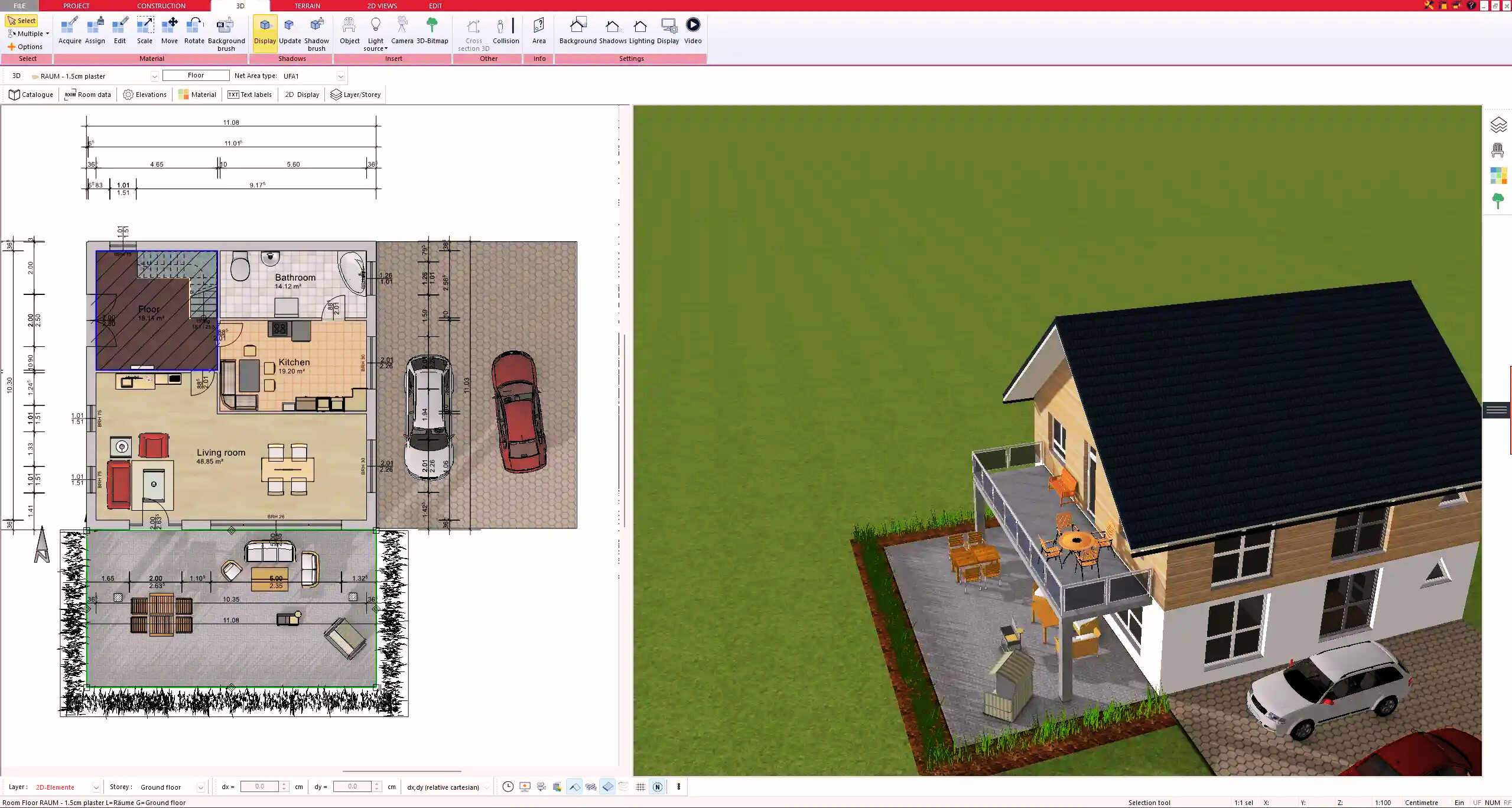
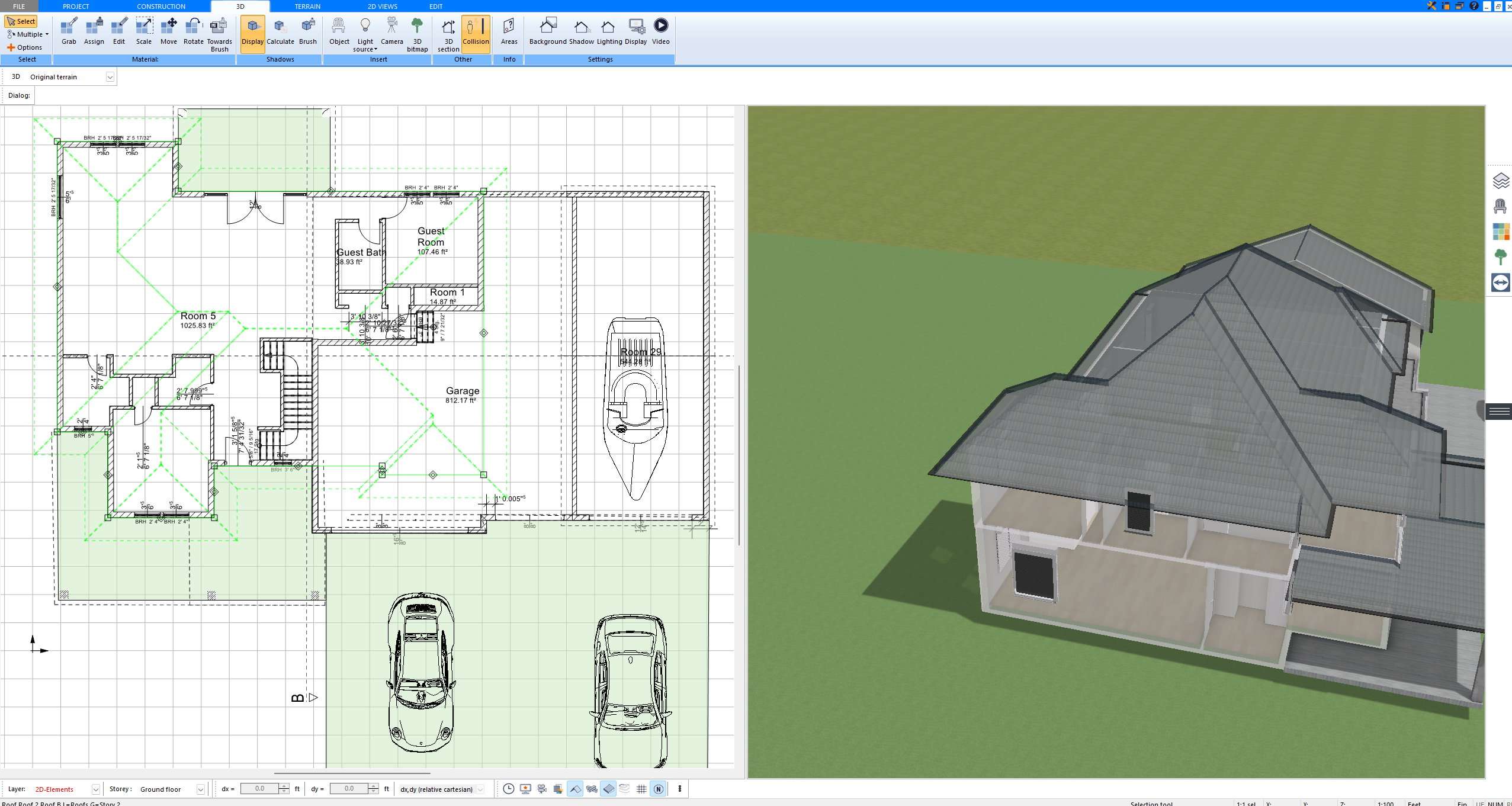
Interior floor plan created with Plan7Architect software showing precise wall dimensions and room layout

What Makes Good Interior Design Software?

Good interior design software must combine precision, flexibility, and visualization. Many tools focus only on furniture placement or decorative styling. Professional interior projects require more.

Key requirements for serious interior design software include:

  • Precise wall and room modeling

  • Accurate interior dimensions

  • Flexible furniture and object placement

  • Realistic 3D visualization

  • Adjustable lighting simulation

  • Material and surface customization

  • Export options for drawings and documentation

  • Support for both metric and imperial units

Plan7Architect includes all of these capabilities in one system. You are not limited to surface-level decoration. You can modify structural elements, define interior dimensions exactly, and create detailed plans suitable for real construction projects.

Core Interior Design Features in Plan7Architect

2D Floor Plan Creation

Every interior design project begins with an accurate floor plan. In Plan7Architect, you can draw walls with exact interior or exterior dimensions. You can choose whether you want to work with internal room measurements or full wall thickness measurements. This is particularly important when redesigning existing spaces where interior clear dimensions matter.

You can:

  • Define wall thickness manually

  • Modify ceiling heights for each floor

  • Create custom-shaped rooms

  • Insert doors, windows, and openings precisely

  • Design multiple stories

  • Adjust wall positions interactively using dimension tools

If you are working internationally, you can switch between metric and imperial units inside the software settings. This ensures compatibility with building standards in different regions.

Tip: When planning interior renovations, activate interactive dimension tools. This allows you to adjust wall segments precisely without recalculating measurements manually.

Furniture and Interior Layout

Plan7Architect includes a large object library for interior design. You can place furniture, kitchen modules, bathroom fixtures, wardrobes, and decorative elements with precise snapping tools.

The furniture layout tools allow you to:

  • Insert complete kitchen layouts

  • Position cabinets and appliances

  • Place bathroom fixtures accurately

  • Add electrical elements such as outlets, switches, and lighting points

  • Rotate and resize objects

  • Import external 3D objects in formats such as 3DS, DWG, and DXF

In practice, this means you can create highly detailed interior layouts that go beyond simple visual concepts. For example, you can align kitchen cabinets exactly along a wall and verify clear walking space between elements.

3D Interior Visualization

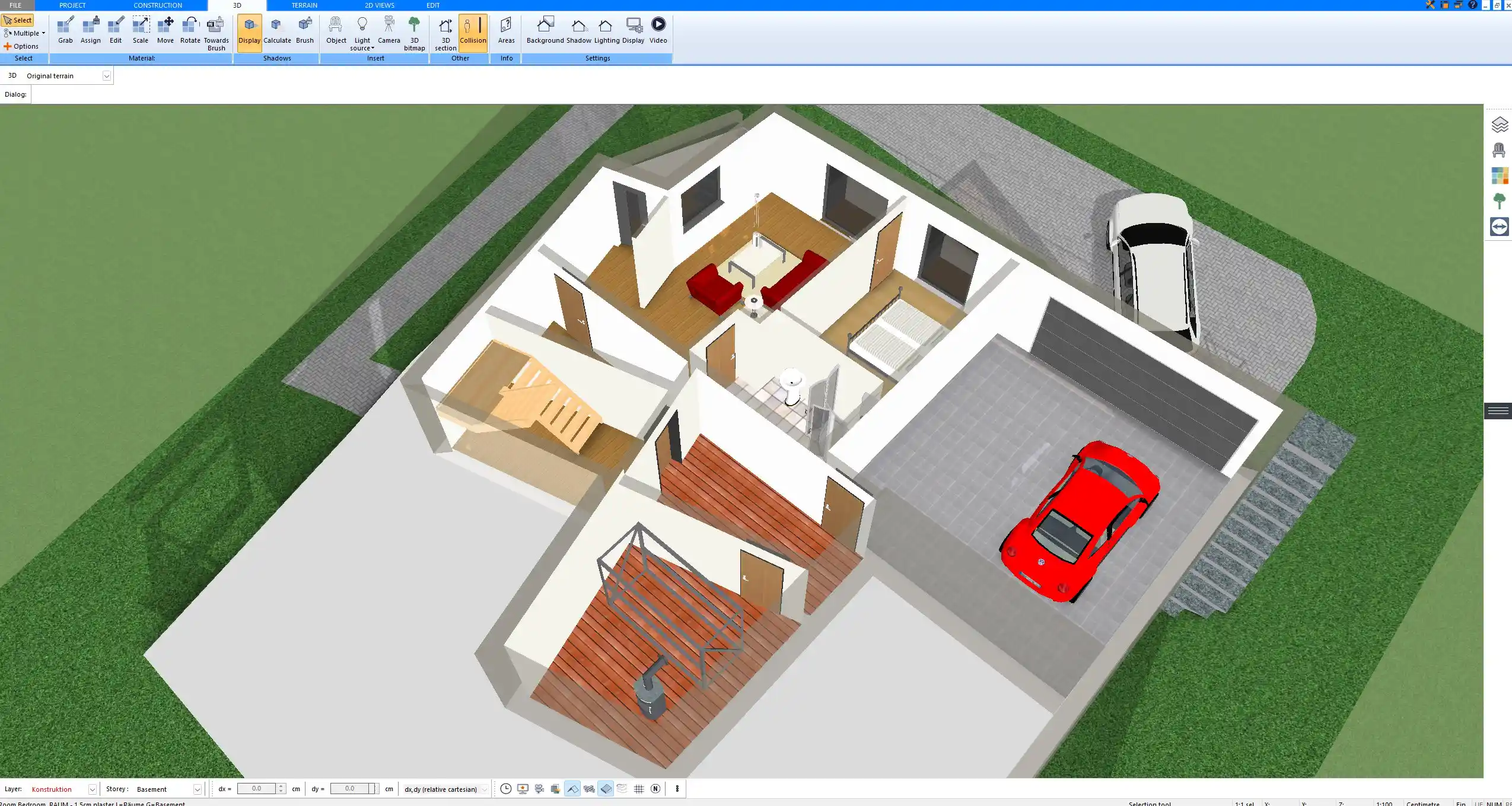
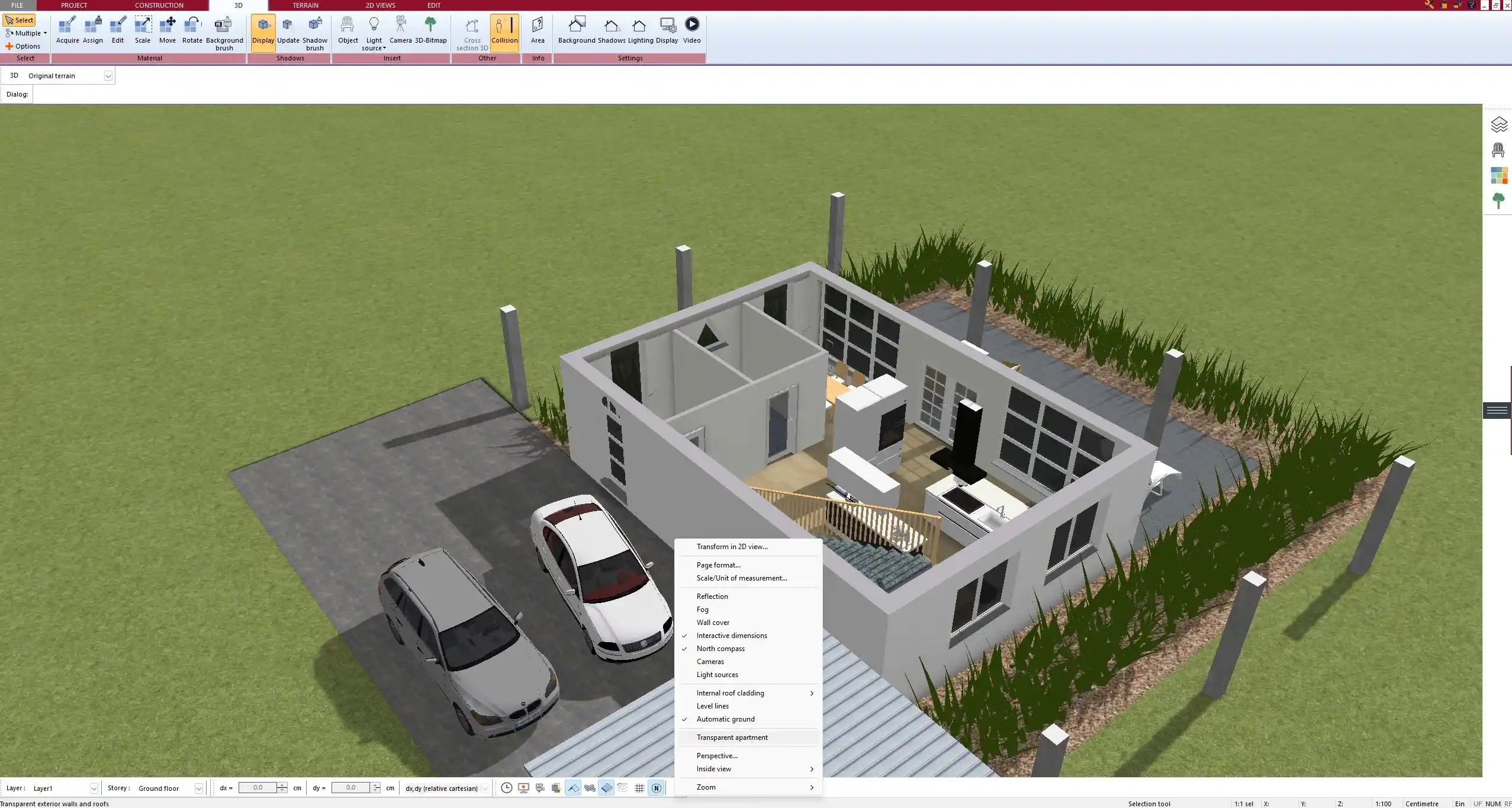
One of the most valuable features for interior design is the real-time 3D view. After creating your 2D plan, you can immediately switch to 3D and explore the interior.

The 3D features include:

  • Real-time rendering

  • Walkthrough mode

  • Adjustable camera angles

  • Natural daylight simulation

  • Artificial lighting simulation

  • Shadow effects

  • Surface and material rendering

This is not a static render tool. You can move through rooms, test different materials, and evaluate how light interacts with surfaces.

In my experience, the ability to instantly switch between 2D and 3D views significantly improves decision-making. Clients and project partners understand spatial relationships much faster when they can see the interior in three dimensions.

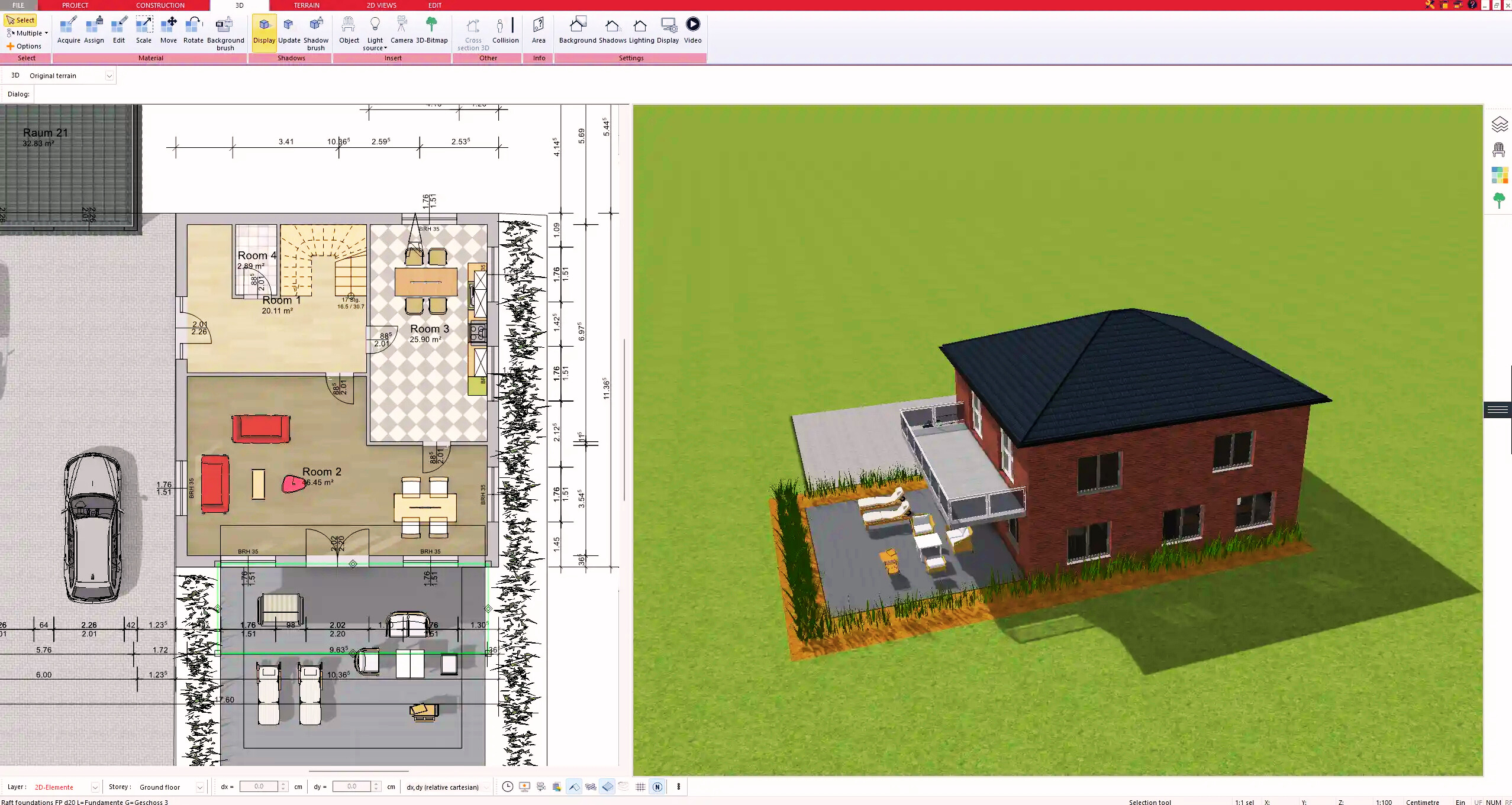
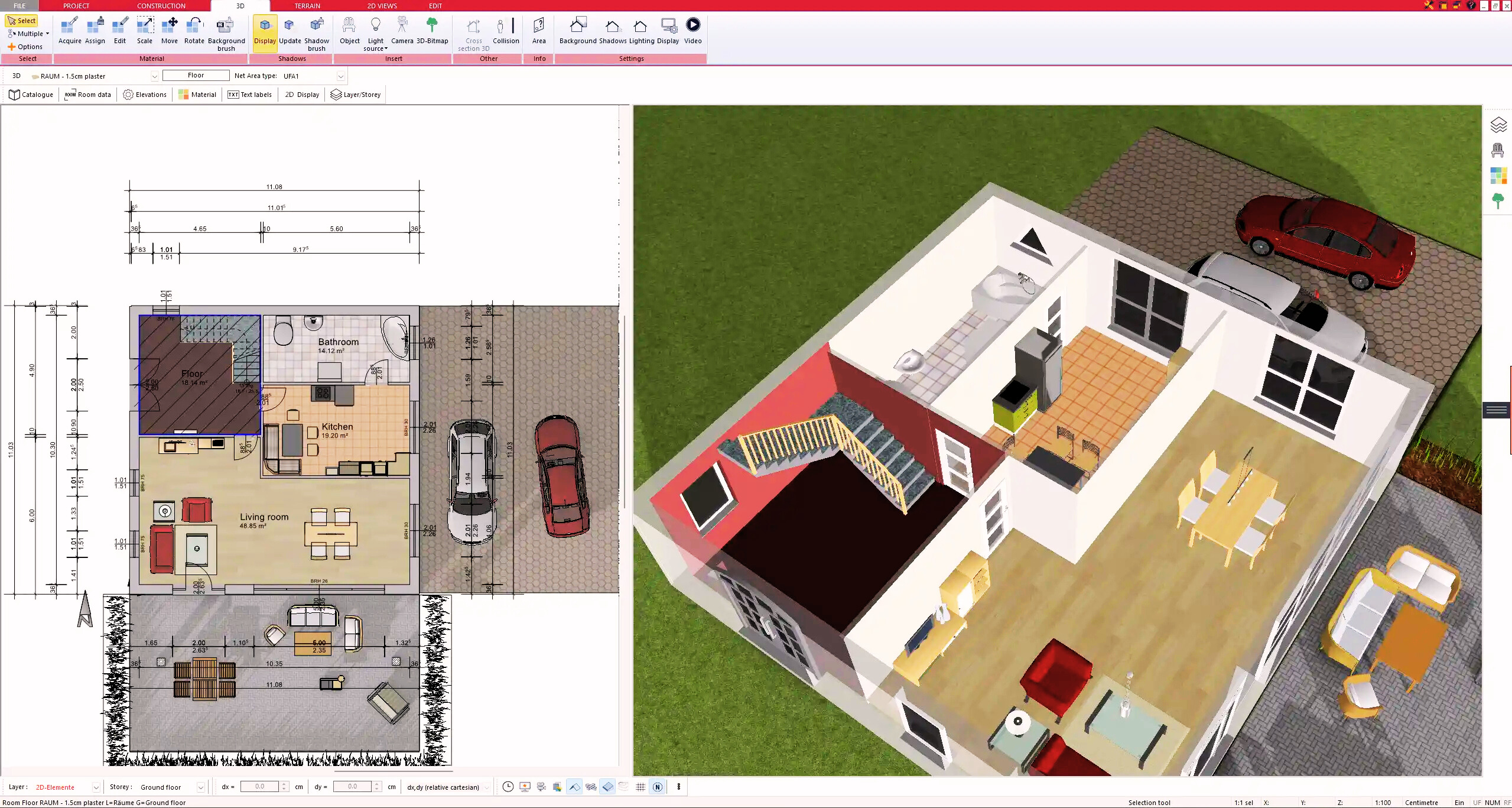
3D interior visualization generated in Plan7Architect demonstrating realistic materials and lighting simulation

Materials, Colors and Surfaces

Interior design requires detailed surface customization. In Plan7Architect, you can assign materials and colors to walls, floors, ceilings, and objects.

You can:

  • Change wall colors instantly

  • Apply flooring materials such as wood, tile, laminate, or concrete

  • Adjust ceiling finishes

  • Modify textures

  • Import custom material textures

You are not limited to predefined combinations. Each surface can be individually configured, allowing you to create realistic interior atmospheres.

Practical example: You can test different flooring materials in a living room and immediately see how they influence lighting reflections and overall spatial perception.

Lighting Design

Lighting is one of the most underestimated aspects of interior design. Plan7Architect allows you to insert and configure various lighting types.

Supported lighting elements include:

  • Ceiling lights

  • Wall-mounted fixtures

  • Floor lamps

  • Spotlights

  • Recessed lighting

You can adjust light intensity and positioning to simulate realistic lighting conditions. This helps evaluate shadow behavior and overall room ambiance.

For professional interior concepts, lighting planning can be combined with electrical layouts, ensuring that decorative lighting also aligns with technical installation planning.

Professional Output – Construction-Ready Drawings

Many interior design tools focus only on visualization. Plan7Architect goes further by allowing you to generate professional documentation.

You can create:

  • Dimensioned floor plans

  • Wall sections

  • Elevations

  • Detailed layout plans

  • Print-ready drawing sheets

  • Export files in formats such as PDF, DWG, DXF, and 3DS

This is especially important if you are collaborating with contractors, engineers, or architects. You can export plans in commonly used industry formats and integrate them into broader construction workflows.

For renovation projects, dimensioned interior plans ensure that furniture, cabinetry, and structural modifications align precisely with actual building dimensions.

Is Plan7Architect Easy to Use?

Plan7Architect is not a simplified game-based room planner. It is based on professional architectural logic. This means there is a learning curve.

However, in my experience, most users understand the core workflow after one to two hours of working with tutorial videos. Once you grasp the structure of the interface, drawing walls, inserting objects, and switching between views becomes intuitive.

You benefit from:

  • Video tutorials

  • Support system access

  • Structured planning tools

  • A one-time purchase model without subscription pressure

Because the software is a one-time purchase, you can take the time to learn it properly without worrying about ongoing subscription costs.

Who Is This Interior Design Software For?

Plan7Architect is suitable for various user groups:

  • Homeowners planning renovations

  • DIY builders designing their own interiors

  • Interior designers creating layout concepts

  • Contractors coordinating remodeling projects

  • Real estate developers visualizing properties

  • International users working with metric or imperial measurements

If you require both visual presentation and technical accuracy, this software covers both aspects.

Metric and Imperial Compatibility

Plan7Architect supports both European metric units and American imperial units. You can switch units directly inside the software settings. This ensures compatibility with local building requirements and client expectations in different regions. Interior dimensions, wall thicknesses, ceiling heights, and object sizes can all be displayed in your preferred unit system.

Advantages of Plan7Architect for Interior Projects

Key advantages include:

  • One-time purchase without recurring fees

  • No in-app purchases

  • Professional CAD-level precision

  • 2D and 3D integration in one system

  • Construction-ready documentation

  • Flexible unit system support

  • Suitable for residential and commercial interiors

In practice, this means you are not limited to concept sketches. You can move from idea to detailed planning within one software environment.

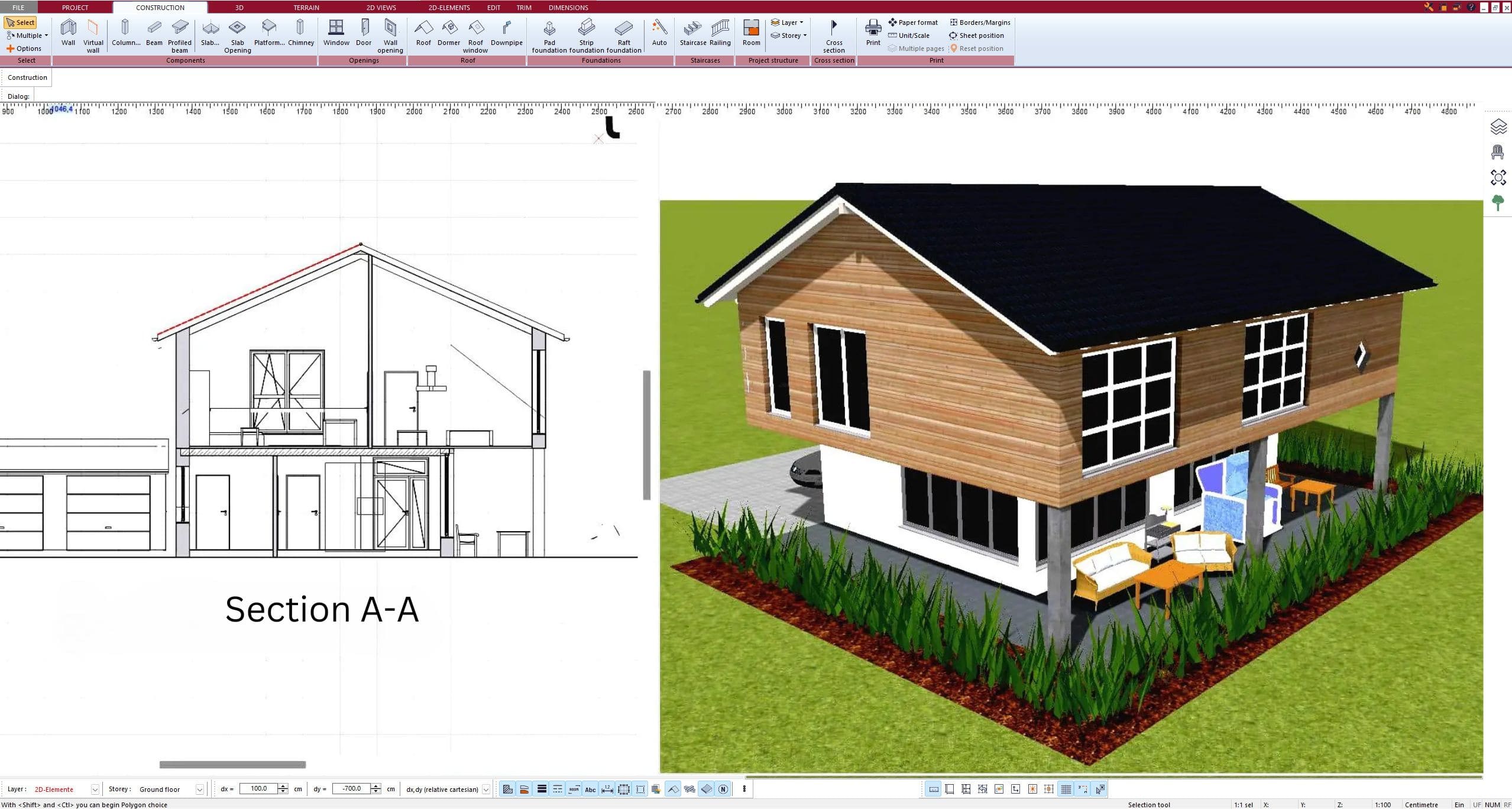
Section and elevation view produced with Plan7Architect for professional construction documentation

Frequently Asked Questions

Can I use Plan7Architect for kitchen and bathroom design?
Yes. The object library includes kitchen modules, appliances, and bathroom fixtures. You can create detailed layouts with precise positioning.

Does it work internationally?
Yes. The software supports metric and imperial units and can be used for projects in different countries.

Can I import existing drawings?
Yes. You can import files in formats such as DWG and DXF and continue working on them inside the software.

Can I create lighting plans?
Yes. You can insert lighting elements and simulate artificial and natural light in 3D.

Is it suitable for commercial interiors?
Yes. You can design office layouts, retail interiors, and other commercial spaces with accurate dimensions and documentation output.

Plan your project with Plan7Architect
Plan7Architect Pro

Plan7Architect Pro 5 for $109.99

You don’t need any prior experience because the software has been specifically designed for beginners. The planning process is carried out in 5 simple steps:

1. Draw Walls
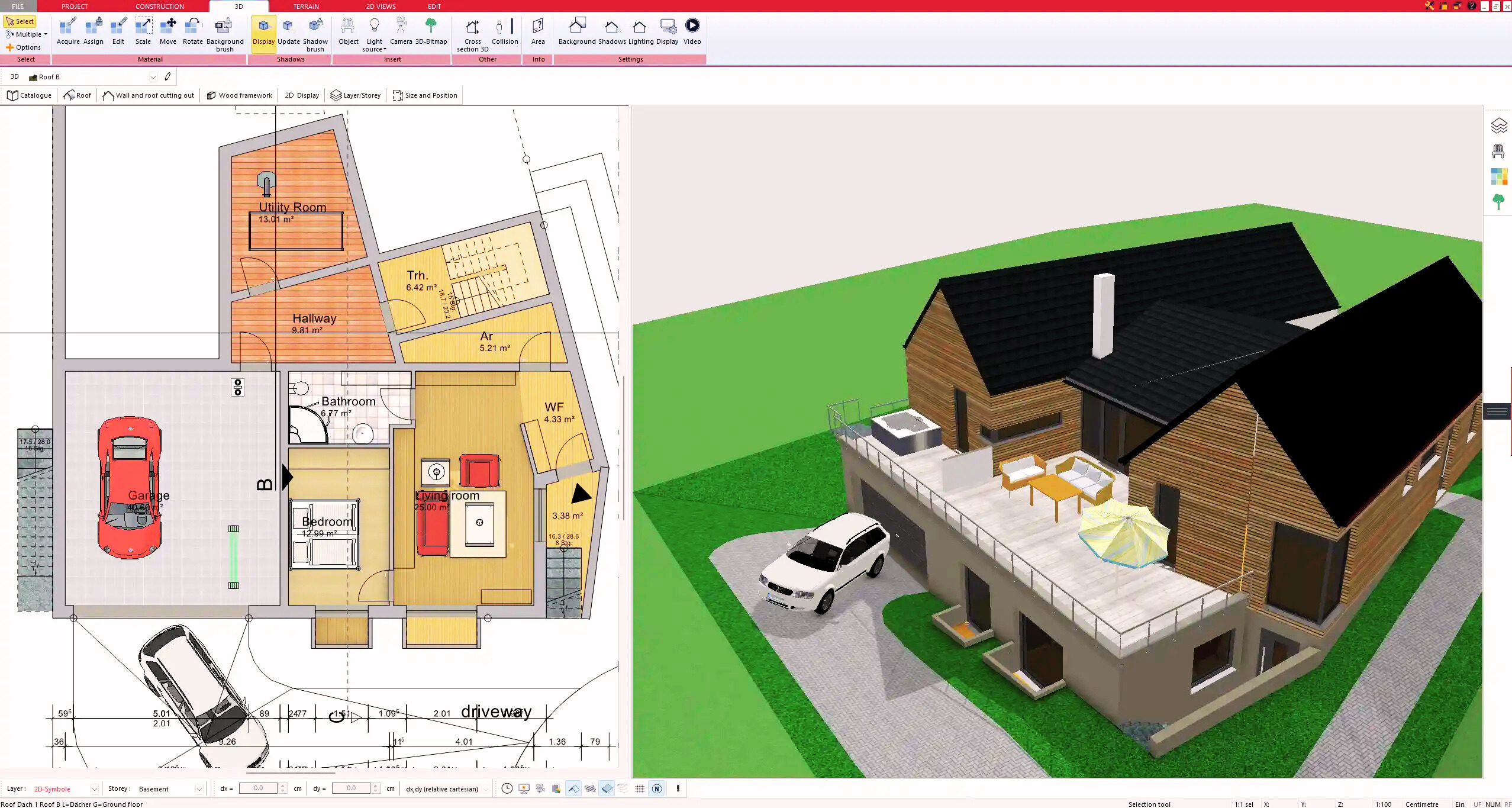
Create your 2D floor plan by accurately drawing and adjusting rooms and walls for your home design.

2. Windows & Doors

Optimize your space layout with perfectly fitting door and window elements.

3. Floors & Roof

Visualize different levels and roof types for your home design.

4. Textures & 3D Objects

Choose materials and textures to customize floors, walls, and 3D objects individually for a realistic representation of your design.

5. Plan for the Building Permit

Sections and views for the building application can be created with Plan7Architect (1)
Create professional construction drawings with elevations, sections, and complete plan compilations.

6. Export the Floor Plan as a 3D Model for Twinmotion
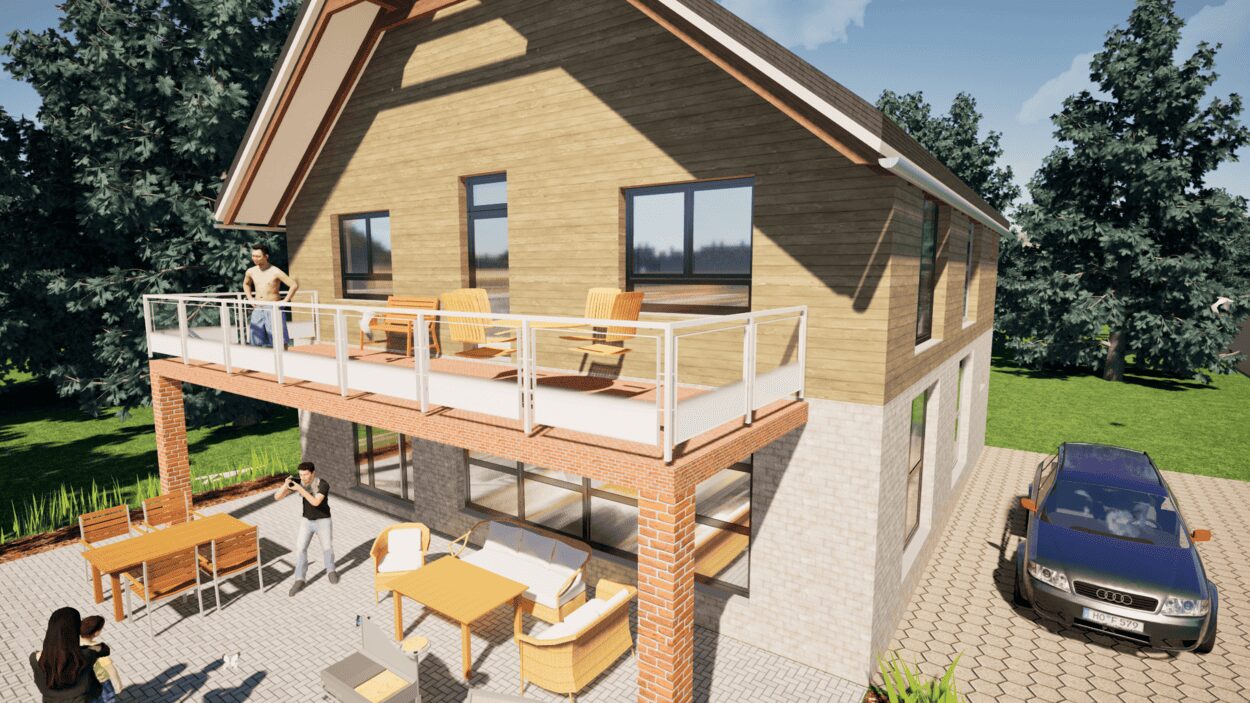
Visualize your project with cutting-edge 3D technology and create high-quality image renderings and videos using Twinmotion by Epic Games.


  • – Compliant with international construction standards
  • – Usable on 3 PCs simultaneously
  • – Option for consultation with an architect
  • – Comprehensive user manual
  • – Regular updates
  • – Video tutorials
  • – Millions of 3D objects available

Why Thousands of Builders Prefer Plan7Architect

Why choose Plan7Architect over other home design tools?

14-Day Money-Back Guarantee
No questions asked. Just email us within 14 days if you’re not satisfied.
One-time payment – no subscription
Own the software forever. No hidden costs. No monthly fees. Updates are optional.
Based on $2,500 professional architecture software
Plan7Architect is an optimized version — used by professionals and private users alike.
Supports international building standards
Adaptable to US, UK, Canadian, Australian, and European requirements.
Works offline – use on up to 3 devices
No internet required. Install on up to 3 computers – ideal for home and office use.
Metric & imperial units
Switch freely between feet/inches or meters/centimeters — perfect for global use.
++
All key export/import formats included
DWG, DXF, OBJ, 3DS, STL, PDF, image export/import, and SketchUp import — for smooth collaboration.
ii
Create real building permit documents
Generate floor plans, elevations, cross-sections, and full construction drawings.
Supports wood framing for walls and roofs
Design wall and roof structures, gables, dormers, and freely constructed wood frameworks.
Easy learning curve with full support
Includes video tutorials, ticket system, detailed PDF manual, sample projects, and access to our customer forum.
Excellent verified reviews
Top ratings on Trusted Shops and Amazon.
Ongoing development – 3–4 updates per year
Always improving, with a modern 3D engine and regular feature upgrades.
Watch how a complete house is planned from start to finish – in under 25 minutes

Detailed House Planning (25 Min)

Small Home Planning Demo (12 Min)

The 3 Plan7Architects

Sale!
Plan7Architect Pro
Original price was: $259.99.Current price is: $109.99.

Verified Customer Reviews

Verified Customer Reviews

Trusted Shops:

Home » Room Planning Guide » Software for Interior Design – Why Plan7Architect Is a Complete Professional Solution
Youtube
Select your currency