

Office Building Plan with Plan7Architect

Yes, you can create a complete and professional office building plan with Plan7Architect. The software allows you to design scaled 2D floor plans, detailed construction drawings, multi-story commercial buildings, and realistic 3D visualizations within one integrated workflow. You can define structural elements such as exterior walls, interior partitions, slabs, roofs, staircases, and elevator shafts. You can also insert electrical layouts, lighting fixtures, sanitary areas, and office furniture.

Plan7Architect allows you to work in both metric and US measurement systems. You can switch between European and American units directly inside the software settings, which makes it suitable for international projects. The plans can be exported as PDF for submission or presentation, and as DWG or DXF for collaboration with architects and engineers.

If you are planning an office building, whether it is a small two-story business center or a larger commercial structure, you can develop the entire layout from the first wall to the final presentation rendering within one system.

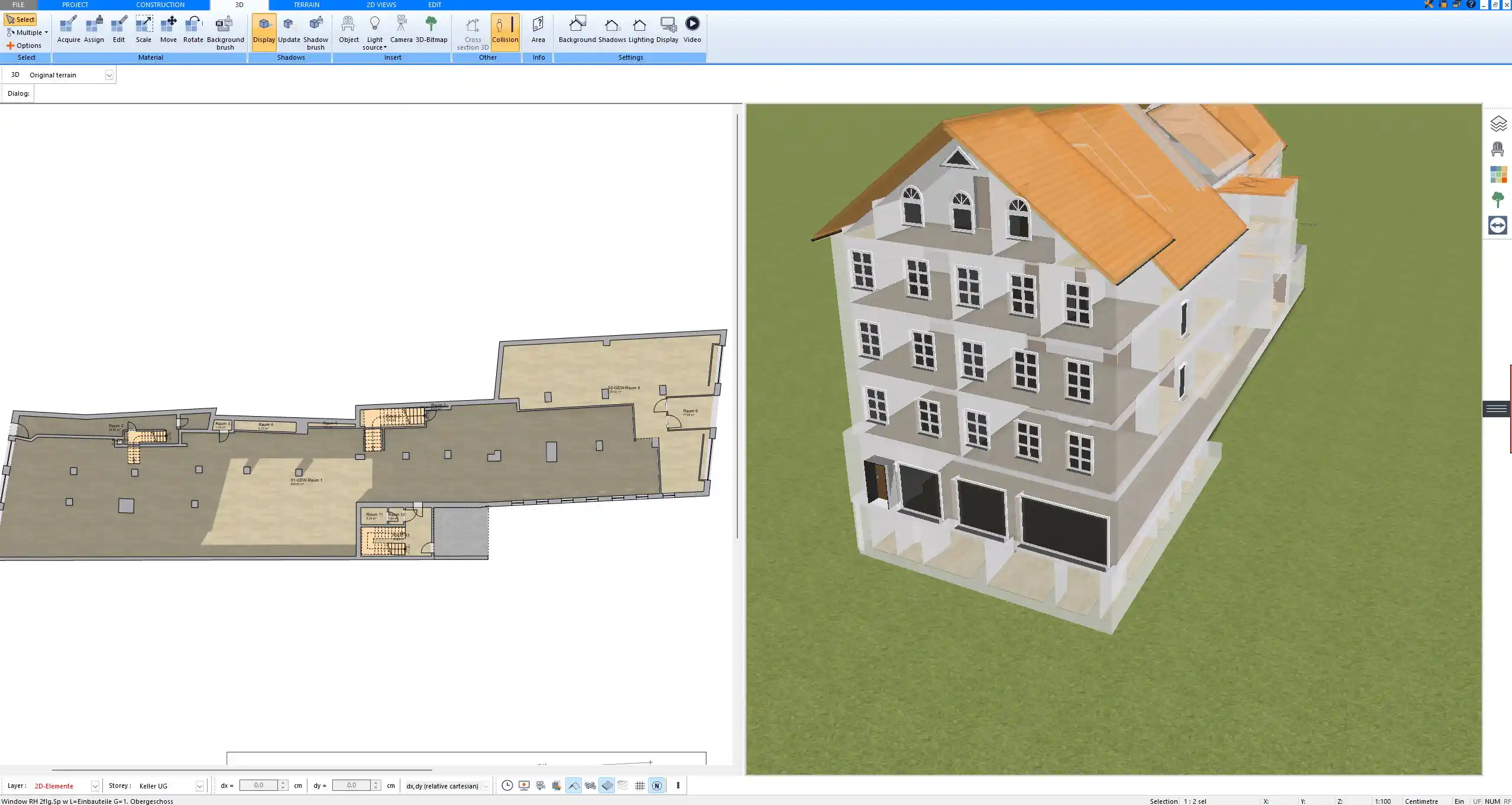
Office building floor plan created with Plan7Architect – 2D layout showing offices, corridors, and conference rooms

What You Can Design in an Office Building Project

Designing an office building requires more than just drawing rooms. You must consider structure, circulation, technical planning, and functionality. Plan7Architect provides the necessary tools to address each of these aspects in detail.

Core Structural Elements

When I start an office project, I always begin with the structural framework. In Plan7Architect, you can define:

  • Exterior walls with adjustable thickness

  • Interior load-bearing and non-load-bearing walls

  • Concrete slabs and floor structures

  • Foundations and base plates

  • Flat roofs or pitched roof constructions

  • Staircases and vertical circulation cores

  • Elevator shafts as structural placeholders

Wall thickness, materials, and heights can be customized. Typical commercial wall thickness may range between 20 to 30 cm or 8 to 12 inches depending on the construction type. Slab thickness can also be defined individually.

You can create multiple floors and stack them precisely so that load-bearing elements align vertically, which is essential in real-world commercial construction.

Office-Specific Layout Components

After defining the structural shell, the internal layout determines the functionality of the office building. With Plan7Architect, you can design:

  • Private offices

  • Open-plan workspaces

  • Conference and meeting rooms

  • Reception areas

  • Waiting zones

  • Break rooms and kitchenettes

  • Restrooms

  • Technical rooms

  • Storage areas

  • Server rooms

You can adjust each room dimension precisely. For example, a small private office might be around 12 to 18 square meters or 130 to 200 square feet, while a conference room could range from 25 to 40 square meters or 270 to 430 square feet depending on occupancy.

Doors, windows, and glazing elements can be inserted with exact dimensions. Corridor widths can be set to 1.20 meters or 4 feet or more depending on accessibility requirements.

Technical Planning Features

Technical planning is often overlooked in conceptual design, but Plan7Architect allows you to integrate it directly into your plan.

You can insert:

  • Light fixtures

  • Switches

  • Power outlets

  • Distribution panels

  • Plumbing fixtures for restrooms and kitchens

  • Suspended ceilings

  • Custom ceiling heights such as 2.70 meters or 9 feet, or 3.00 meters or 10 feet for more spacious commercial environments

You can visually represent technical installations without needing a separate software. While engineering calculations must be handled by professionals if required by local regulations, the spatial and visual planning can be completed directly inside the model.

Step by Step: How to Create an Office Building Plan

Step 1 – Set Up the Project

When starting a new office building plan, you first define the project settings. Inside Plan7Architect, you select your preferred measurement system. You can work in metric or US units depending on your location or client requirements.

You then define:

  • Building footprint dimensions

  • Default wall thickness

  • Standard ceiling height

  • Number of floors

  • Floor level heights

Establishing correct base parameters ensures consistency throughout the entire project.

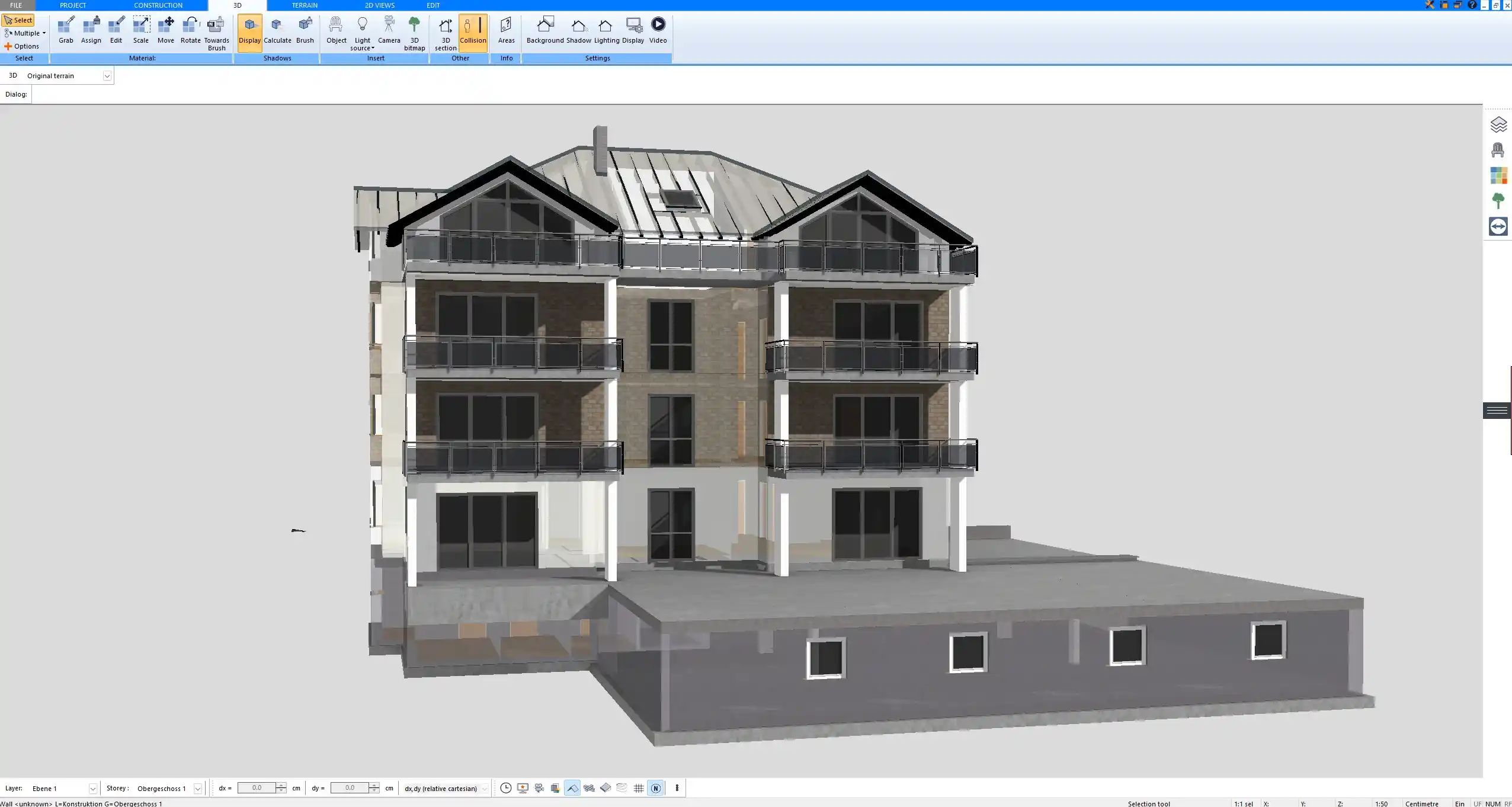
Multi-story commercial office design modeled in Plan7Architect – structured wall layout and vertical alignment

Step 2 – Draw the Exterior Shell

Using the wall tool, you draw the outer perimeter of the building. For a commercial office building, you might define a rectangular footprint such as 20 meters by 15 meters or 65 feet by 50 feet, depending on project size.

You can:

  • Draw walls by entering exact dimensions

  • Snap walls to precise angles

  • Adjust wall height individually

  • Insert window bands or curtain walls

After defining the perimeter, you insert the ground slab and define the structural base.

Step 3 – Design the Interior Layout

Interior planning is where the office starts to take shape.

You draw partition walls to define:

  • Offices

  • Meeting rooms

  • Corridors

  • Restrooms

It is practical to plan circulation early. Corridors should allow comfortable movement. In many projects, I plan main corridors at 1.50 meters or 5 feet where possible, even if minimum requirements are lower.

You then insert doors and define swing direction. Windows are positioned to maximize daylight in working areas.

You can also define room names and areas automatically. The software calculates room sizes in your chosen measurement system.

Step 4 – Add Stairs and Vertical Access

For multi-story office buildings, vertical access is critical.

You can insert:

  • Straight staircases

  • L-shaped stairs

  • U-shaped stairs

  • Custom stair dimensions

  • Elevator shafts

The stair tool allows you to define:

  • Stair width

  • Riser height

  • Tread depth

  • Total height between floors

You can visually check stair alignment across floors and adjust floor openings accordingly.

Step 5 – Electrical and Functional Planning

Once the architectural layout is complete, you can add functional elements.

You insert:

  • Ceiling lights in offices

  • Recessed lighting in corridors

  • Power outlets along walls

  • Switches near entrances

  • Sanitary fixtures in restrooms

You can create a separate electrical layout layer if needed. This keeps architectural and technical drawings organized.

Step 6 – 3D Visualization

Switching to 3D view allows you to evaluate proportions and spatial relationships.

You can:

  • Apply floor materials

  • Add wall finishes

  • Insert office furniture

  • Adjust lighting

  • Walk through the building virtually

This is particularly helpful when presenting the project to clients or stakeholders. The 3D visualization often reveals spatial issues that are not immediately visible in 2D plans.

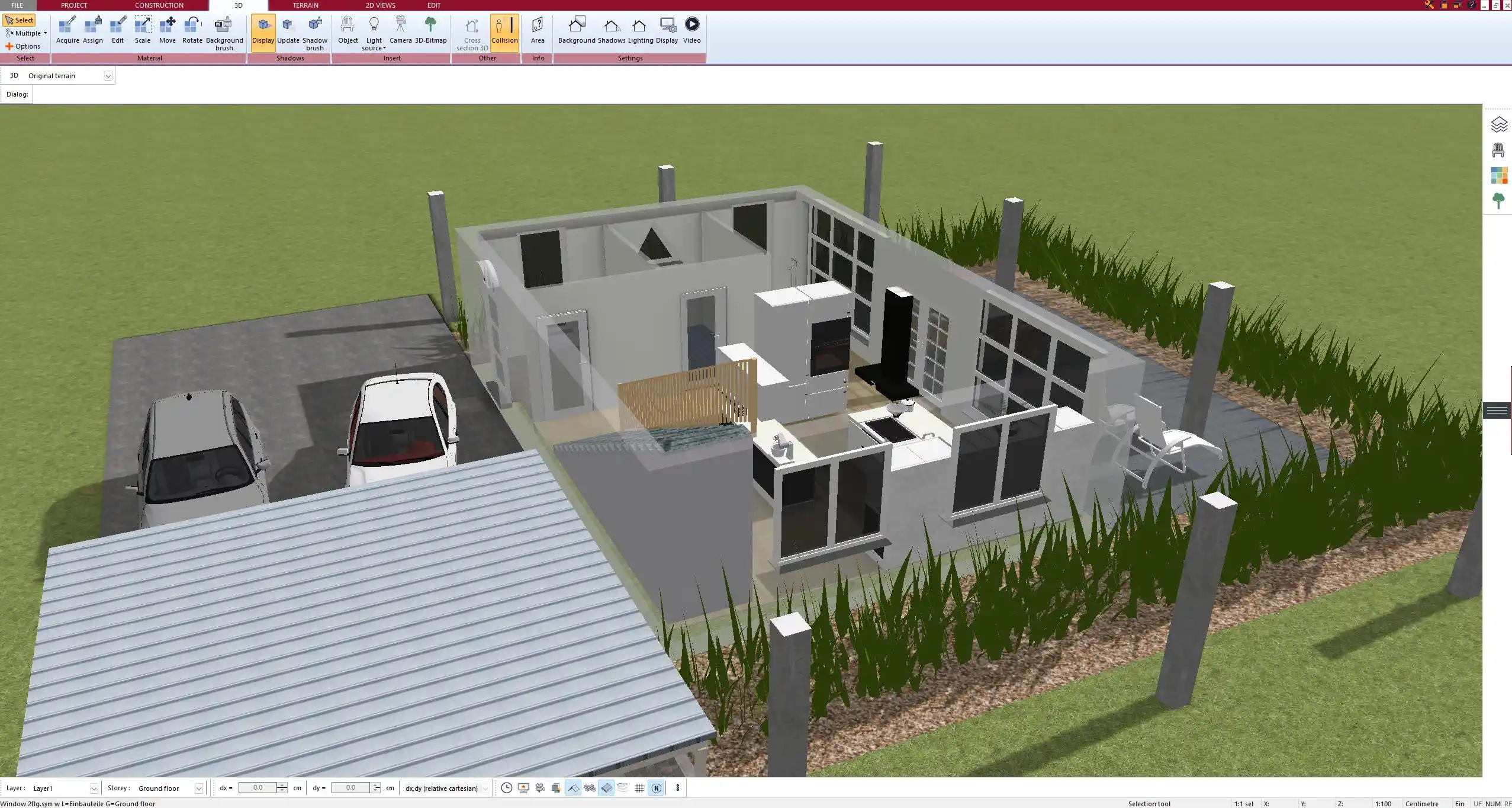
3D visualization of a professional office building generated with Plan7Architect


Creating Construction Drawings for Permit Submission

What Drawings You Can Generate

For permit or construction purposes, you can generate:

  • Scaled floor plans

  • Building elevations

  • Cross sections

  • Roof plans

  • Site plans if required

Each drawing can be printed to scale. You can define drawing scale such as 1 to 100 or 1 to 50 depending on project needs.

Room labels, dimensions, and annotations can be displayed automatically.

Export Options

You can export your office building plans as:

  • PDF files for submission

  • DWG files for CAD collaboration

  • DXF files for further technical processing

Depending on your country or state, stamped approval by a licensed architect or engineer may be required. Plan7Architect allows you to prepare professional drawings that can then be reviewed and finalized by certified professionals.

Designing Multi-Story Office Buildings

Plan7Architect allows you to create multiple floors within one project file.

You can:

  • Add unlimited levels

  • Duplicate floor layouts for repetitive office floors

  • Adjust floor-to-floor heights

  • Create roof terraces

  • Insert attic or technical levels

Vertical alignment can be visually checked in 3D view. Structural walls can be copied to upper levels to maintain consistency.

Interior Design and Office Furnishing

Interior planning is essential for realistic presentation and space optimization.

You can insert:

  • Desks

  • Workstations

  • Conference tables

  • Reception counters

  • Cabinets

  • Lounge furniture

  • Lighting fixtures

Objects can be resized and repositioned freely. You can also import external 3D models in formats such as 3DS, DWG, or DXF.

By furnishing the office layout, you can verify that circulation space remains adequate and that furniture placement is practical.

Collaboration with Architects and Engineers

Plan7Architect supports professional collaboration workflows.

You can:

  • Import DWG or DXF base plans

  • Modify externally created layouts

  • Export updated files for structural review

  • Share PDF plans for feedback

This makes it possible to use the software either as your primary design tool or as part of a larger planning team.

Advantages of Using Plan7Architect for Office Planning

Based on practical experience, the following advantages are particularly relevant for commercial projects:

  • One-time purchase without subscription

  • Integrated 2D and 3D workflow

  • Flexible measurement systems

  • Professional drawing output

  • Multi-story capability

  • Electrical and interior planning tools

  • Suitable for contractors, developers, and business owners

You do not need multiple software programs for conceptual design, layout planning, and presentation.

Who Is This Suitable For?

Plan7Architect for office building planning is suitable for:

  • Contractors

  • Commercial property developers

  • Business owners planning their own office

  • Draftsmen

  • Construction professionals

  • Experienced private planners

If you are familiar with reading technical drawings, you will adapt quickly. Even without advanced CAD knowledge, you can learn the workflow step by step.

Common Questions About Office Building Planning

Can I design according to US building codes?

You can define all dimensions freely and work in US measurement units. Compliance with specific building codes depends on how you design the project and may require professional verification.

Can I design steel or concrete structures?

You can visually represent structural elements such as concrete walls, slabs, and steel columns. Engineering calculations must be handled separately if required.

Can I create detailed wall sections?

Yes. You can create scaled sections and detailed drawings that show wall layers and structural composition.

Final Practical Planning Tips

When designing an office building, I recommend:

  • Start with circulation planning before dividing offices

  • Place restroom cores strategically to minimize plumbing runs

  • Keep vertical shafts aligned across floors

  • Define structural grid early

  • Use 3D view regularly to verify proportions

  • Check furniture layout before finalizing room dimensions

A well-planned office building begins with a clear structure and precise layout. Plan7Architect provides the tools to develop your office project from concept to construction-ready drawings within one coherent environment.

Plan your project with Plan7Architect

Plan7Architect Pro

Plan7Architect Pro 5 for $99.99

You don’t need any prior experience because the software has been specifically designed for beginners. The planning process is carried out in 5 simple steps:

1. Draw Walls

Create your 2D floor plan by accurately drawing and adjusting rooms and walls for your home design.

2. Windows & Doors

Optimize your space layout with perfectly fitting door and window elements.

3. Floors & Roof

Visualize different levels and roof types for your home design.

4. Textures & 3D Objects

Choose materials and textures to customize floors, walls, and 3D objects individually for a realistic representation of your design.

5. Plan for the Building Permit

Sections and views for the building application can be created with Plan7Architect (1)
Create professional construction drawings with elevations, sections, and complete plan compilations.

6. Export the Floor Plan as a 3D Model for Twinmotion

Visualize your project with cutting-edge 3D technology and create high-quality image renderings and videos using Twinmotion by Epic Games.


  • – Compliant with international construction standards
  • – Usable on 3 PCs simultaneously
  • – Option for consultation with an architect
  • – Comprehensive user manual
  • – Regular updates
  • – Video tutorials
  • – Millions of 3D objects available

Why Thousands of Builders Prefer Plan7Architect

Why choose Plan7Architect over other home design tools?

14-Day Money-Back Guarantee
No questions asked. Just email us within 14 days if you’re not satisfied.
One-time payment – no subscription
Own the software forever. No hidden costs. No monthly fees. Updates are optional.
Based on $2,500 professional architecture software
Plan7Architect is an optimized version — used by professionals and private users alike.
Supports international building standards
Adaptable to US, UK, Canadian, Australian, and European requirements.
Works offline – use on up to 3 devices
No internet required. Install on up to 3 computers – ideal for home and office use.
Metric & imperial units
Switch freely between feet/inches or meters/centimeters — perfect for global use.
++
All key export/import formats included
DWG, DXF, OBJ, 3DS, STL, PDF, image export/import, and SketchUp import — for smooth collaboration.
ii
Create real building permit documents
Generate floor plans, elevations, cross-sections, and full construction drawings.
Supports wood framing for walls and roofs
Design wall and roof structures, gables, dormers, and freely constructed wood frameworks.
Easy learning curve with full support
Includes video tutorials, ticket system, detailed PDF manual, sample projects, and access to our customer forum.
Excellent verified reviews
Top ratings on Trusted Shops and Amazon.
Ongoing development – 3–4 updates per year
Always improving, with a modern 3D engine and regular feature upgrades.

Watch how a complete house is planned from start to finish – in under 25 minutes

Detailed House Planning (25 Min)

Small Home Planning Demo (12 Min)

The 3 Plan7Architects

Sale!
Plan7Architect Pro
Original price was: $259.99.Current price is: $99.99.

Verified Customer Reviews

Verified Customer Reviews

Trusted Shops:

Home » Floor Plan Guide » Office Building Plan with Plan7Architect
Youtube
Select your currency
