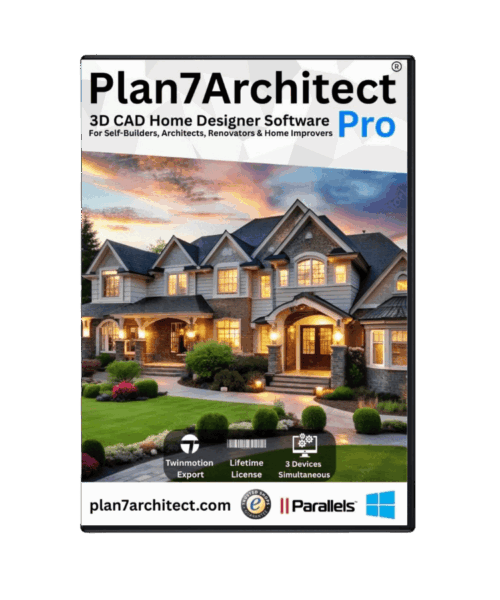
Yes, Plan7Architect is suitable for the USA
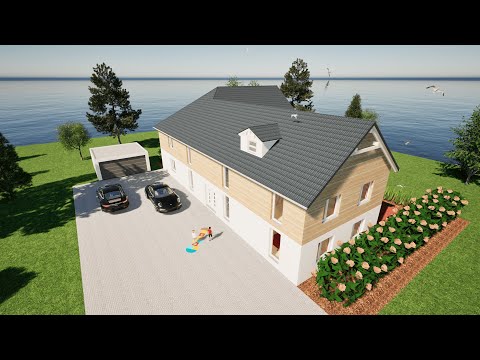
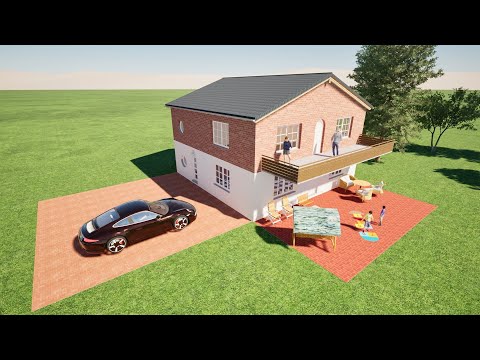
Yes, Plan7Architect is very well suited for users in the United States. The software is designed to create detailed 2D floor plans, 3D home models, elevations, sections, construction-style drawings, plan sheets and visual project presentations for home design, remodeling, additions and renovation projects.
Plan7Architect is especially useful for homeowners, property buyers, contractors, remodelers, builders, landlords, real estate investors and small construction companies in the USA who want to create clear plans before starting a project.
Whether you are planning a house remodel, a garage conversion, a basement renovation, a deck, a porch, an addition, a new layout, a kitchen remodel, a bathroom remodel or a complete home redesign, Plan7Architect gives you flexible tools to plan your project clearly in 2D and 3D.
![]()
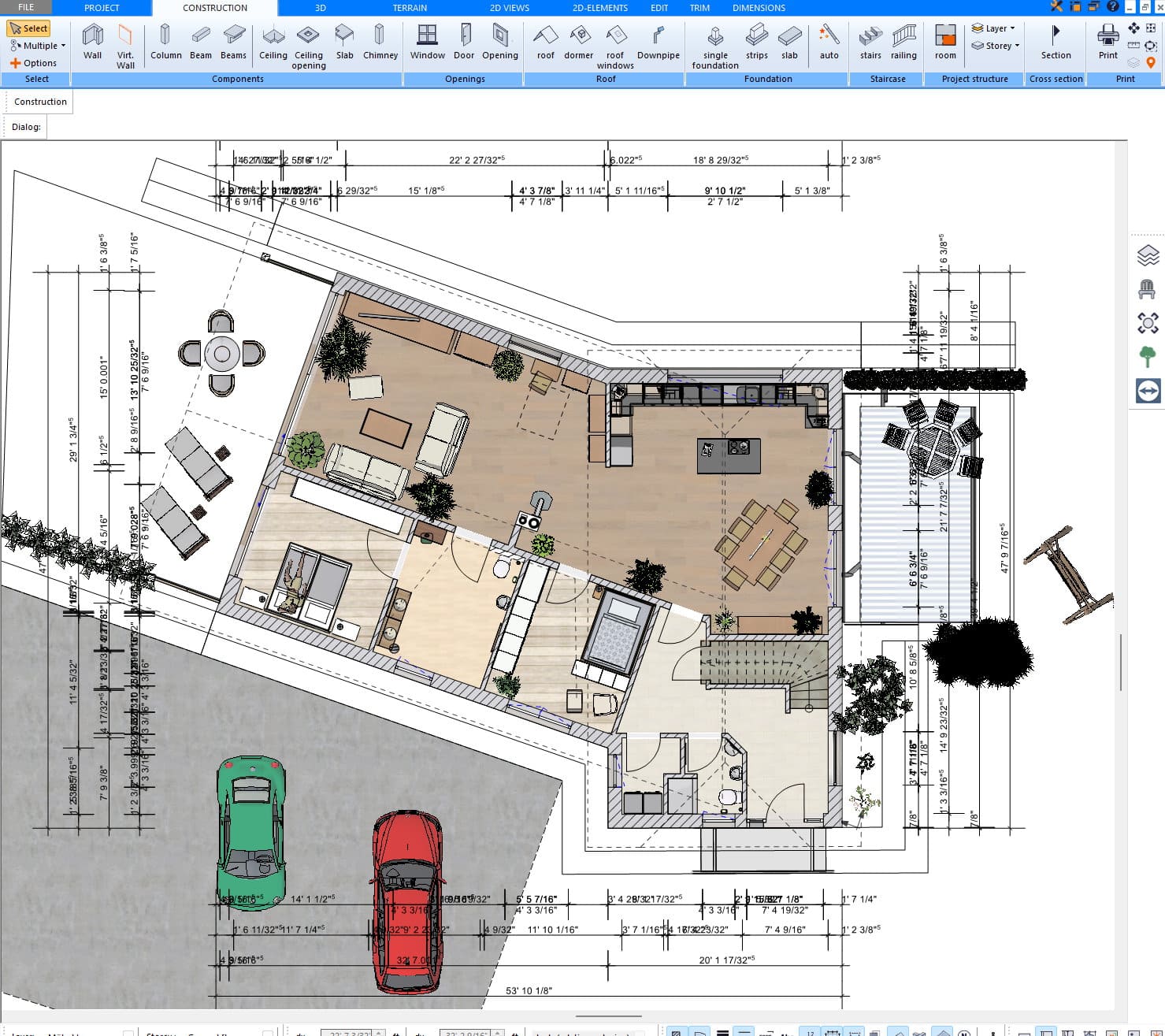
Plan7Architect is used by many customers in the United States and has been developed with the needs of US homeowners, contractors and remodeling projects in mind.
Many users in the USA need software that is practical, flexible and powerful enough to create clear plans without forcing them into an expensive professional CAD subscription. Plan7Architect is built for exactly this type of work.
It allows users to create floor plans, define wall structures, add doors and windows, design roofs, create elevations and sections, prepare plan sheets, add dimensions and export drawings as PDF, DWG or DXF.
This makes it a strong choice for American users who want to plan residential projects, remodels, additions and home improvements with a clear visual and technical basis.
Plan in feet and inches with imperial measurements
One of the most important questions for US users is whether Plan7Architect supports imperial measurements.
Yes, Plan7Architect can be used with imperial units. During installation and project setup, you can work with the measurement system that fits your project. You can also adjust measurement settings later when needed.
For US users, this means you can plan with feet and inches instead of being limited to metric dimensions. This is especially important when working on American homes, where room sizes, wall lengths, ceiling heights, window sizes, door sizes and construction details are commonly handled in imperial measurements.
Plan7Architect gives you the flexibility to enter exact dimensions manually, so your project can be planned according to the measurements you actually need.
Custom US window and door sizes can be entered manually
A common question from US customers is whether the software includes specific “US windows” or “US doors” in the catalogue.
The important point is this: Plan7Architect does not depend on one fixed catalogue of national standard sizes. That would not be flexible enough for real projects.
In the software, you choose the type of element you need, for example a window, a door, a wall opening, a stair, a roof element or another building component. Then you can enter the exact dimensions manually.
This is much more useful for real US projects because American houses do not all use the same window and door sizes. A ranch house, a colonial-style home, a craftsman home, a modern new build, a cabin, a garage, a basement renovation or an older inherited property can all have very different dimensions.
With Plan7Architect, you can adjust the width, height, position and other values according to your exact project. If you use certain windows, doors or components regularly, you can also save them for future use.
That makes Plan7Architect highly flexible for US homes, because you are not limited to fixed catalogue presets.
![]()
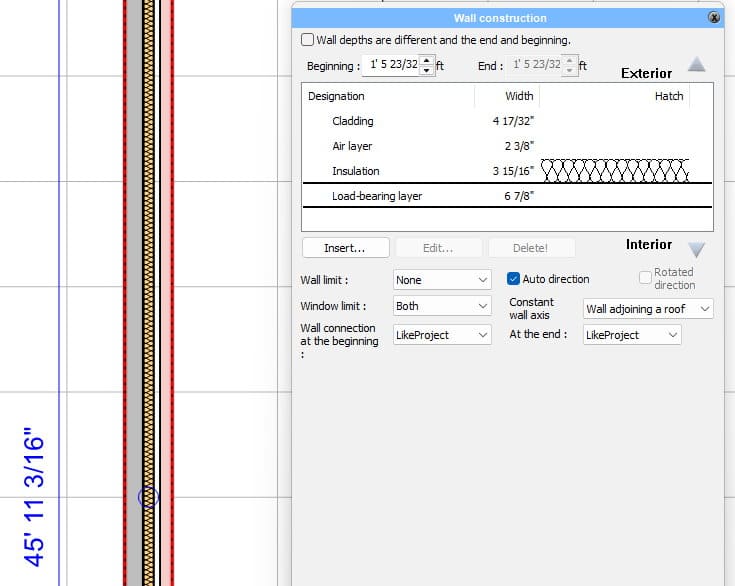
Many US customers do not start with a completely new home. They already own, bought or inherited an existing house and want to understand what can be changed.
This is one of the strongest use cases for Plan7Architect.
You can recreate the existing house in 2D and 3D, add the current walls, rooms, windows, doors, floors, stairs and roof, and then test different remodeling ideas before any work begins.
This is useful for projects such as:
- kitchen remodeling
- bathroom remodeling
- basement finishing
- garage conversions
- deck planning
- porch planning
- home additions
- room extensions
- open floor plan ideas
- wall removal concepts
- attic conversions
- rental property upgrades
- inherited home renovation
- old house renovation
- whole-house redesign
- ADU or guest house concepts
Instead of trying to explain your ideas with rough sketches, photos or verbal descriptions, you can create a clear 2D and 3D plan and test different versions of your project.
Useful for homeowners before speaking with contractors
Plan7Architect is very useful for US homeowners who want to prepare before speaking with contractors, builders or remodeling companies.
Many homeowners know they want to change something, but they do not yet know exactly what the best layout should be. They may want to test several versions before asking for quotes or making decisions.
With Plan7Architect, you can create your own plan first, compare different ideas and understand your project much better before the expensive part begins.
This can help you:
- explain your remodeling idea clearly
- compare several layout options
- prepare better for contractor meetings
- show your family what you are planning
- avoid misunderstandings
- test ideas before construction starts
- visualize the project in 3D
- create a clearer basis for quotes and discussions
This is one of the biggest advantages of Plan7Architect. You do not have to rely only on imagination or rough paper sketches. You can see your idea, adjust it and bring a much clearer plan into the next step of the project.
Perfect for small contractors and remodeling businesses
Plan7Architect is also a strong tool for small construction companies, contractors, remodelers and home improvement businesses in the United States.
Many small businesses need a practical way to show customers what a project will look like. They do not always need expensive and complicated CAD software for every early design or presentation. They need clear 2D plans, 3D views, dimensions and professional-looking project documents.
Plan7Architect can help small businesses present projects more clearly and professionally.
It is useful for:
- remodeling contractors
- deck builders
- porch builders
- garage builders
- basement remodelers
- kitchen and bath remodelers
- window and door companies
- small home builders
- handyman businesses
- real estate renovation businesses
- house flippers
- design-build contractors
Instead of explaining a project only with words, you can show the client a clear plan. This can make the project easier to understand and help the customer feel more confident.
![]()
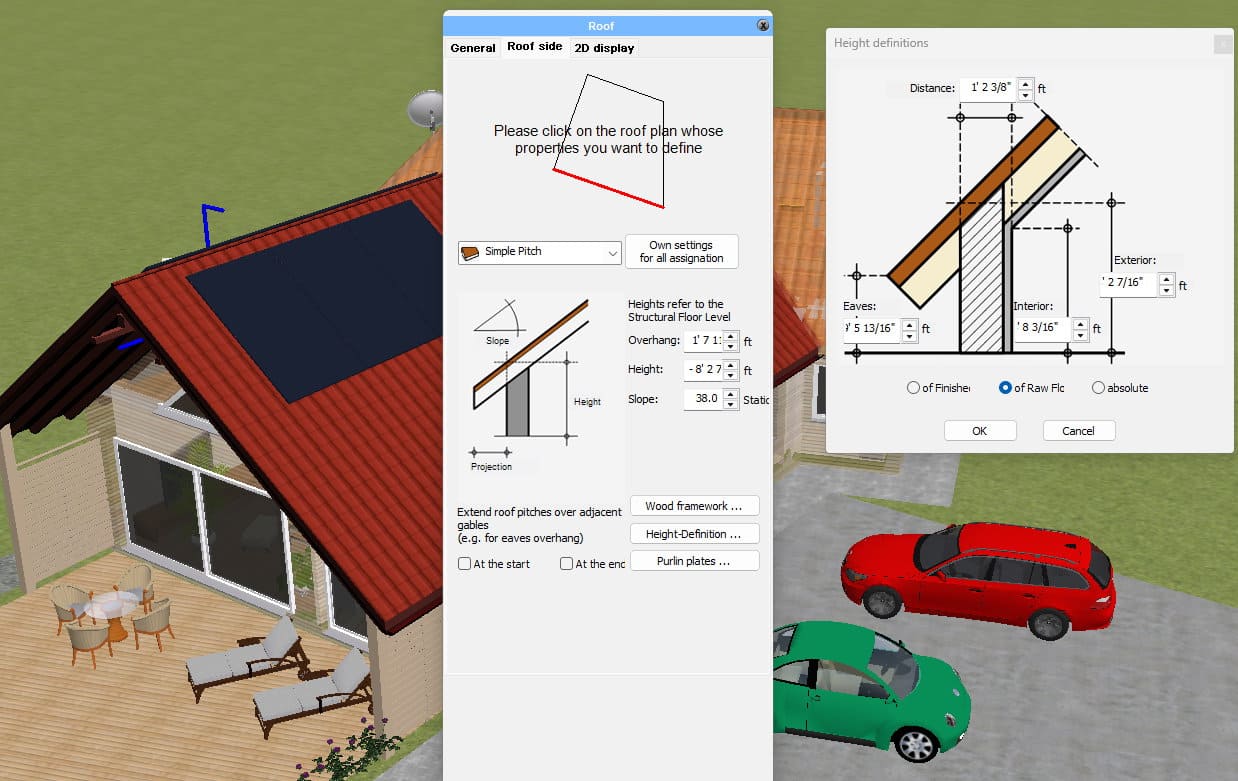
Plan7Architect is not just a simple room planner. It allows you to create detailed building drawings and visual project documents.
You can create:
- 2D floor plans
- 3D home models
- elevations
- sections
- roof designs
- wall structures
- room layouts
- dimensioned drawings
- plan sheets
- title blocks
- annotations
- hatching
- symbols
- custom 2D details
This is important for US projects because many home improvement and remodeling projects require more than a basic layout. You may need to show wall positions, openings, room sizes, roof shapes, exterior views, section views, measurements or additional details.
Plan7Architect gives you the tools to create and adapt these drawings for your project.
Add custom details manually when needed
Every home and every project is different. That is why Plan7Architect includes flexible manual drawing tools.
If you need to add extra details to a floor plan, elevation or section, you can use manual 2D drawing elements to add lines, labels, dimensions, markings, hatches, notes and other information.
This is useful when you want to make a plan more detailed or add information that is specific to your project.
For example, you can add notes, mark areas, add measurements, create legends, add construction details, place symbols, adjust hatching or add additional drawing elements where needed.
This makes Plan7Architect flexible enough for many different types of US projects, because the software does not force you into one fixed template. You can create the plan and add the information your project requires.
Plan sheets, scale and professional export options
Plan7Architect allows you to prepare your drawings on plan sheets. You can set up sheet sizes, define scales, place different views, add labels, dimensions, text and title blocks, and prepare your plan for export.
This is useful if you want to create a clear PDF plan, share your project digitally or continue working with the files in other software.
Plan7Architect supports important export formats such as:
- DWG
- DXF
- 3DS
- OBJ
- STL
PDF is useful for sharing plans with customers, contractors, builders or family members. DWG and DXF are useful if the plan should be used further in CAD or estimating workflows.
Suitable for bought or inherited homes
Plan7Architect is especially useful if you bought or inherited a house in the United States and want to understand what can be done with it.
Many homes come with old paper plans, outdated drawings, simple real estate floor plans or no usable digital plan at all. In that situation, Plan7Architect helps you recreate the existing property and test what could be changed.
You can draw the current layout, add rooms, walls, doors, windows and floors, and then create several renovation versions.
This is useful if you are asking questions like:
- What if we open the kitchen?
- What if we add a deck?
- What if we convert the garage?
- What if we finish the basement?
- What if we add another bedroom?
- What if we move a wall?
- What if we change the windows?
- What if we add a porch?
- What if we create a rental unit?
- What if we modernize the whole layout?
Plan7Architect helps you turn these ideas into something visible and easier to discuss.
Suitable for new home concepts
Plan7Architect can also be used for new home design concepts.
If you are planning a new home, you can create the floor plan, model the building in 3D, test room layouts, roof shapes, wall structures, windows, doors, stairs and different design options.
This is useful if you want to explore your ideas before moving forward with the next steps.
You can create your own concept, adjust it as often as needed and see how the home could look in 2D and 3D.
Why Plan7Architect works well for the USA
Plan7Architect is a strong choice for US users because it combines flexibility, detailed planning tools and practical export options.
The main advantages for users in the United States are:
- works with imperial measurements
- custom dimensions for doors, windows, walls and other elements
- suitable for US home remodeling and renovation projects
- ideal for bought, inherited or older homes
- useful for contractors and small construction businesses
- 2D and 3D planning in one software
- floor plans, elevations and sections
- manual drawing tools for extra project details
- plan sheets, scales, labels and dimensions
- PDF, DWG and DXF export
- one-time payment instead of an expensive subscription
- useful before speaking with contractors, builders or customers
This makes Plan7Architect suitable for a wide range of American residential projects.
One-time payment instead of monthly subscription costs
Many US users do not want another monthly software subscription. Plan7Architect is especially attractive because it is available as a one-time purchase.
This is useful for homeowners who only need the software for their own renovation project, but it is also valuable for contractors and small businesses who want professional planning software without ongoing monthly costs.
You can use the software for your project, create plans, test ideas, export files and continue working without being locked into a monthly payment model.
Conclusion: Is Plan7Architect suitable for the USA?
Yes, Plan7Architect is suitable for the USA.
The software works with imperial measurements, allows exact custom dimensions, supports detailed 2D and 3D planning, and gives users the tools to create floor plans, elevations, sections, plan sheets and custom project details.
It is suitable for US homeowners, property buyers, renovators, landlords, contractors, remodelers, small builders and real estate investors who want to plan home projects more clearly.
Plan7Architect is not limited to fixed catalogue sizes or one narrow building style. It is a flexible planning tool that can be adapted to your home, your project and your measurements.
If you are in the United States and want to create clear 2D and 3D plans for a remodel, renovation, addition, deck, garage, basement, existing home or new home concept, Plan7Architect is an excellent choice.
Plan your project with Plan7Architect
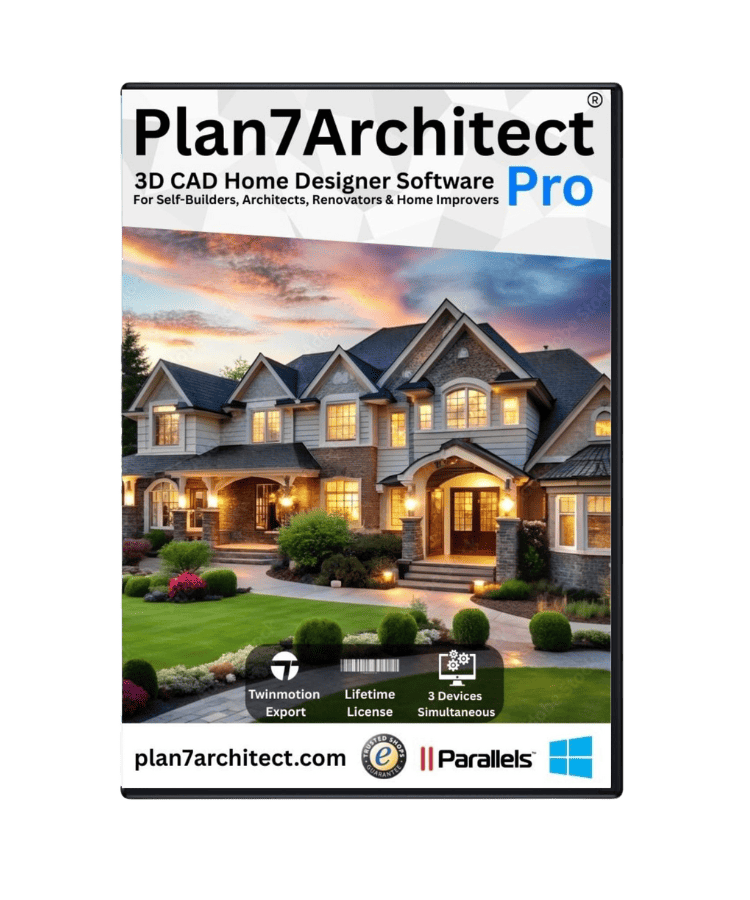
Plan7Architect Pro 5 for $169.99
You don’t need any prior experience because the software has been specifically designed for beginners. The planning process is carried out in 5 simple steps:
1. Draw Walls
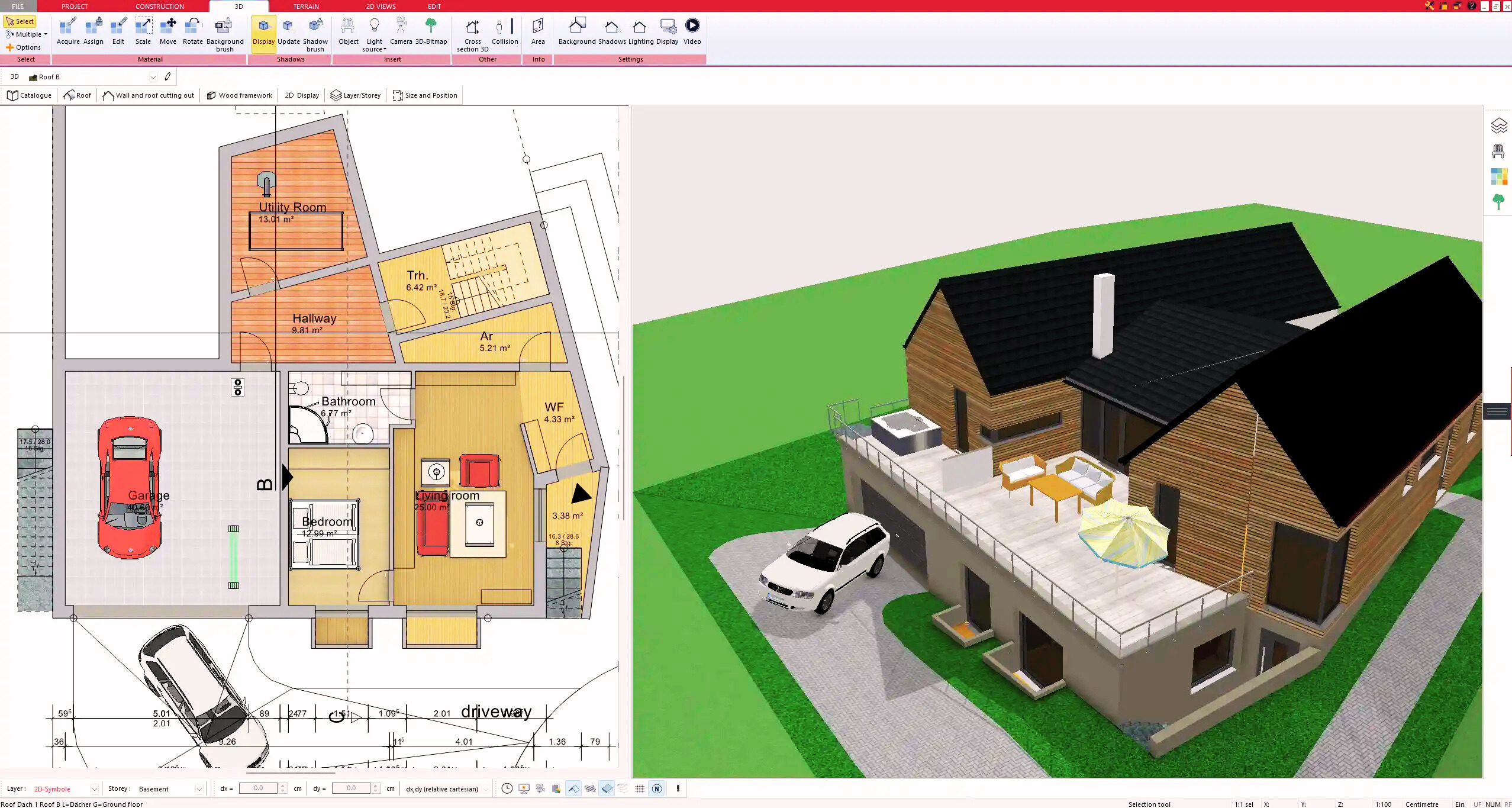
2. Windows & Doors
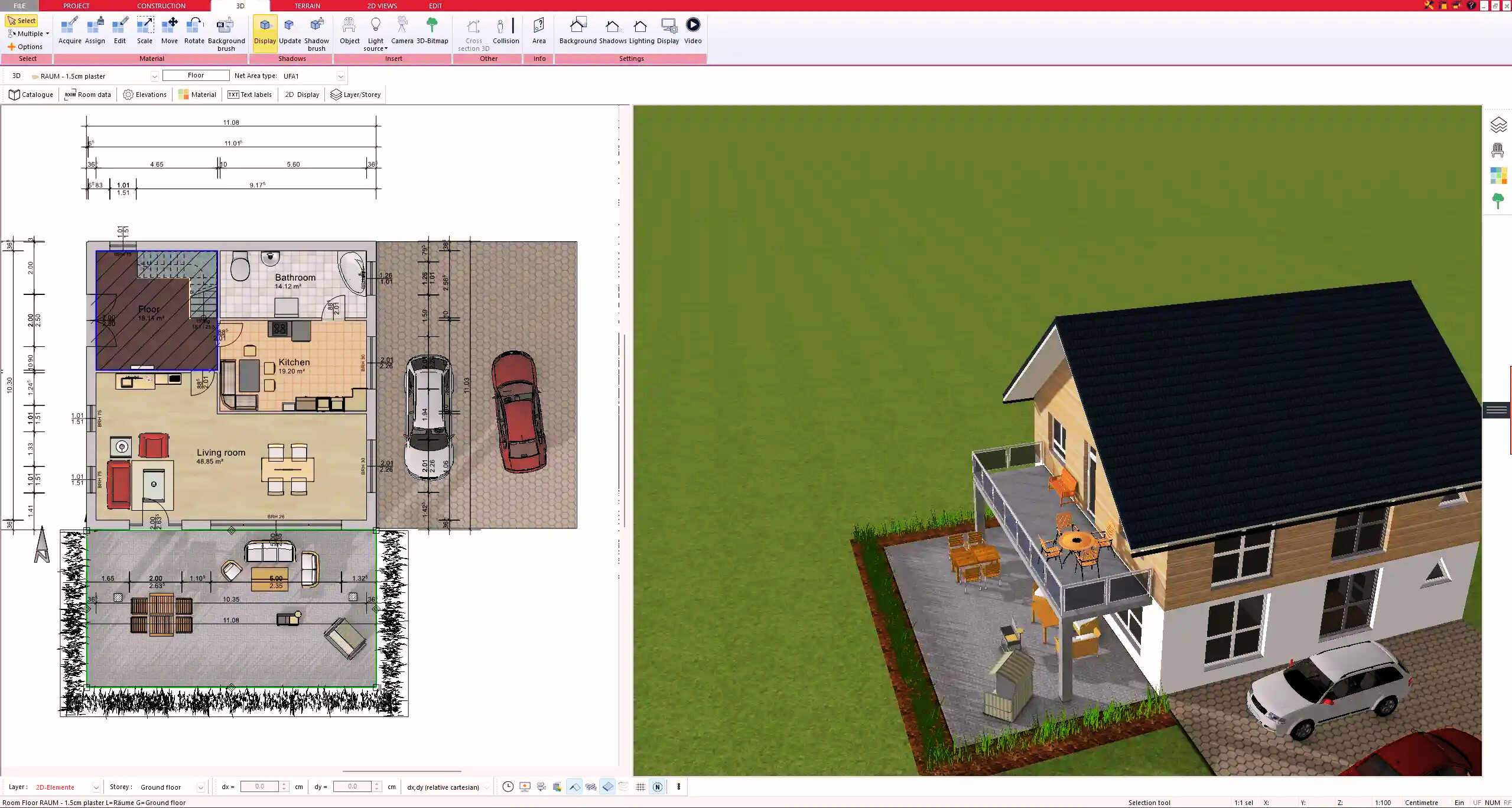
3. Floors & Roof
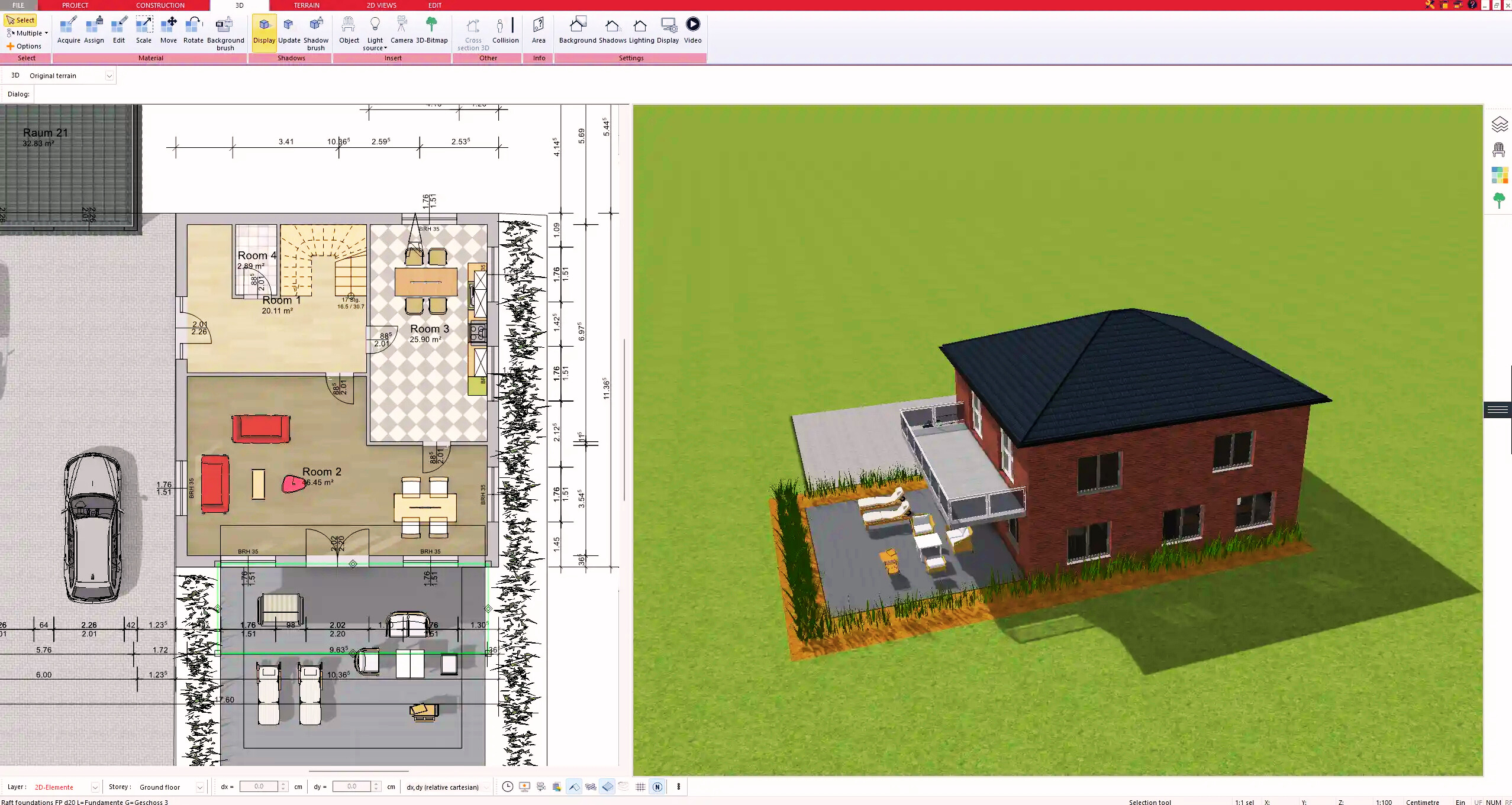
4. Textures & 3D Objects
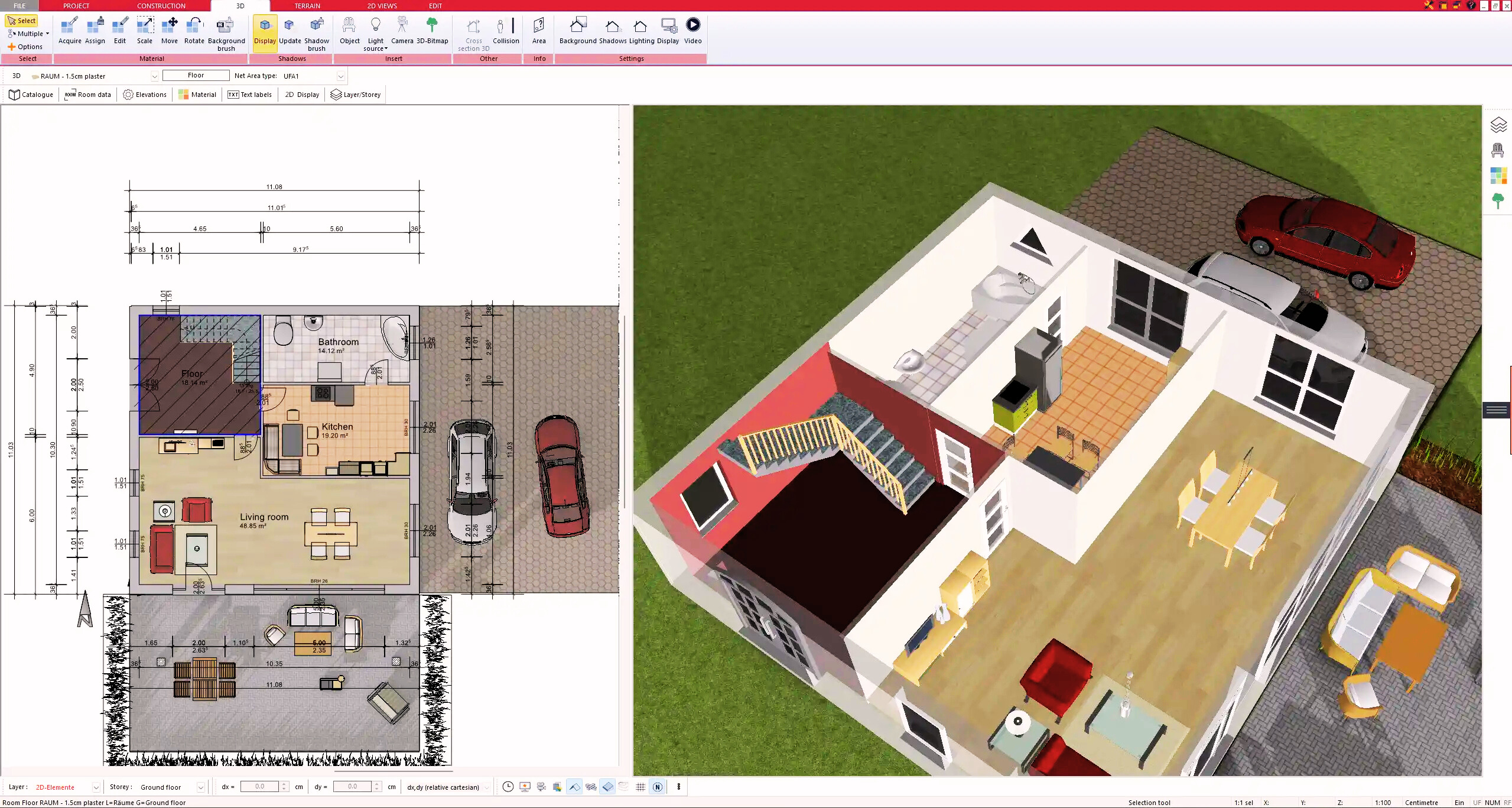
5. Plan for the Building Permit
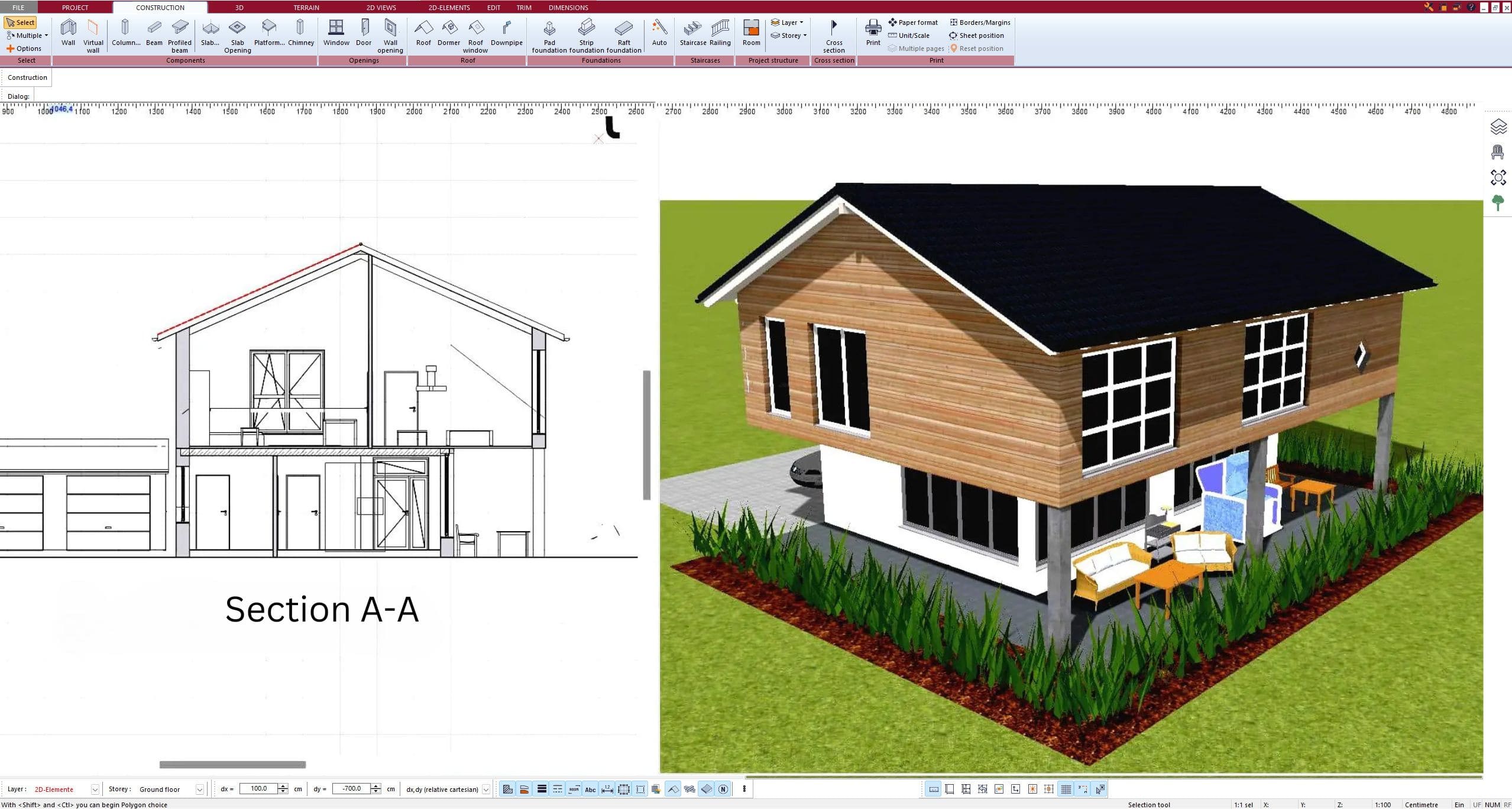
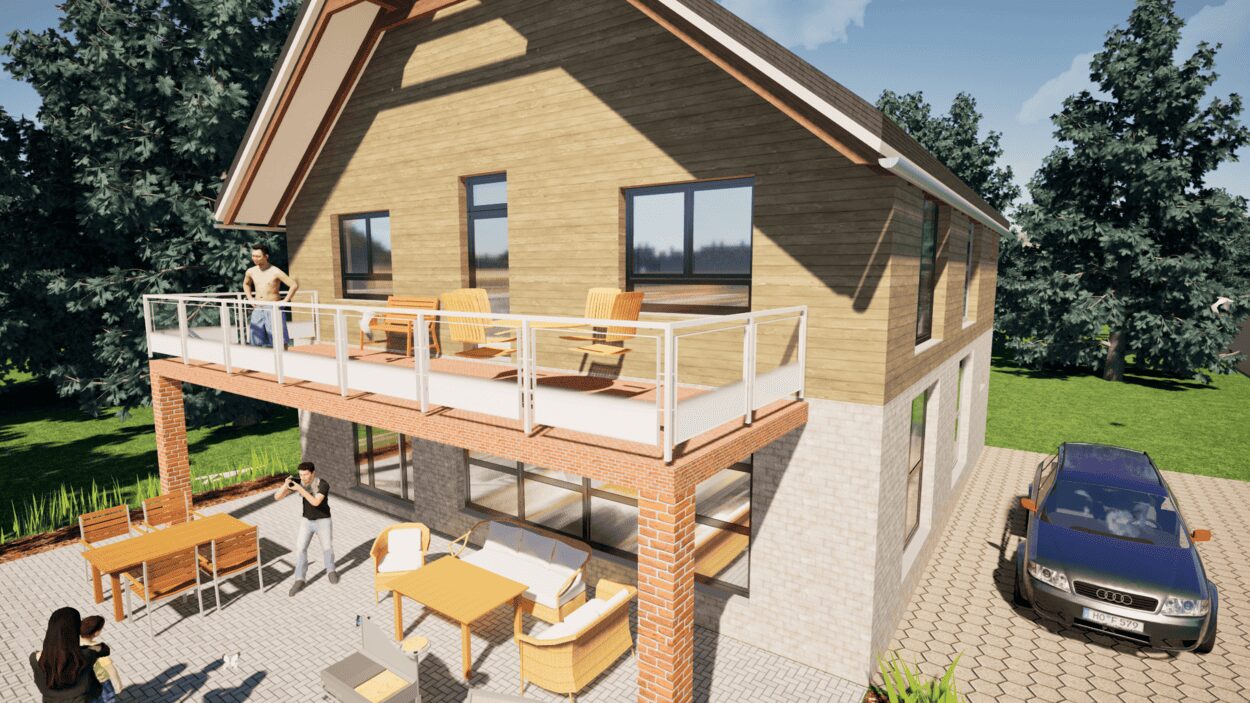
6. Export the Floor Plan as a 3D Model for Twinmotion
- – Compliant with international construction standards
- – Usable on 3 PCs simultaneously
- – Option for consultation with an architect
- – Comprehensive user manual
- – Regular updates
- – Video tutorials
- – Millions of 3D objects available
Why Thousands of Builders Prefer Plan7Architect
Why choose Plan7Architect over other home design tools?