

A permit set usually fails for boring reasons, not dramatic ones. Missing dimensions, no door schedule, unclear foundation notes, or elevations that do not match the floor plan can send your project back for revisions. If you want to know how to create permit-ready house plans, the goal is not to make drawings look fancy. The goal is to make them clear, complete, and easy for a building department or contractor to review.
That matters whether you are planning a new home, an addition, an ADU, or a major remodel. Good permit drawings reduce back-and-forth, help contractors price the job accurately, and force design decisions early, when changes are still affordable. The earlier you catch conflicts on paper, the less you pay to fix them on site.
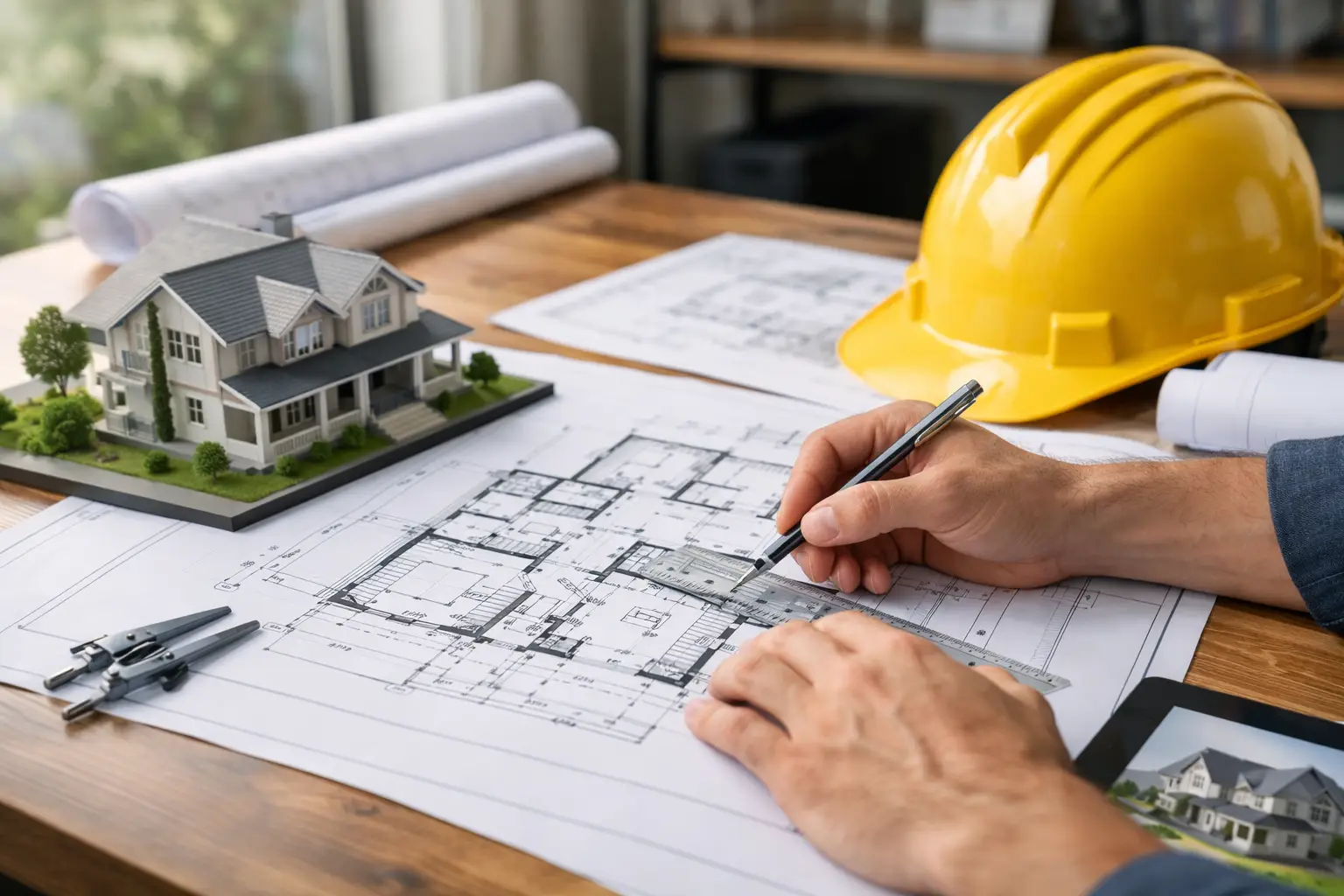 What permit-ready house plans really need
Permit-ready does not mean the same thing in every city or county. Some jurisdictions accept a basic residential drawing set for straightforward work. Others want engineered details, energy documentation, site-specific notes, and forms that go beyond the drawings themselves. That is why the first step is always local verification.
Still, most permit-ready house plans include the same core documents. You typically need a site plan, floor plans, exterior elevations, foundation plan, roof plan, building sections, and construction details. You also need dimensions, room labels, door and window information, basic material callouts, and notes that explain how the building will be constructed.
If your project affects structure, energy compliance, drainage, or life safety, expect additional requirements. A simple interior remodel may need less. A new house or addition usually needs more. The point is not to guess. It is to build your drawing set around the actual review checklist used by your local department.
Start with the permit office, not the software
Before you draw, get the permit submittal requirements from your city or county. Many homeowners skip this because they want to start designing right away. That is understandable, but it often creates rework.
Ask what drawing sheets are required for your project type. Confirm sheet size, scale expectations, PDF requirements, and whether calculations or engineering stamps are needed. Also verify zoning items such as setbacks, lot coverage, building height, parking, and easements. A beautiful plan that violates side-yard setback rules is still a rejected plan.
This is also where you learn the difference between building code and zoning code. Building code addresses safety and construction standards. Zoning controls where and how big you can build. Your permit-ready house plans have to satisfy both.
Build the model accurately from day one
The fastest way to create permit-ready drawings is to draw the building correctly in the first place. That means using real wall types, real dimensions, actual door and window sizes, and floor-to-ceiling heights that match what you intend to build.
This is where residential design software can save a lot of time. If you create the floor plan as a true building model, you can generate elevations, sections, and schedules from the same source instead of redrawing everything by hand. That reduces inconsistencies, which are one of the most common reasons plans get marked up.
For example, if the front elevation shows three windows and the floor plan shows two, reviewers notice. If the roof slope in section does not match the roof plan, reviewers notice that too. Software that supports 2D and 3D planning, construction drawings, and editable views helps keep the full set coordinated. Plan7Architect is built around exactly that kind of practical workflow.
How to create permit-ready house plans step by step
1. Draw the existing conditions if it is a remodel
For renovations, additions, and conversions, start with what is already there. Measure carefully and document walls, openings, ceiling heights, roof shape, and structural elements you plan to keep. If the existing information is wrong, the rest of the drawing set will be wrong too.
For older homes, expect surprises. Field measurements are not always perfect, and prior work may not match original records. That is normal. What matters is creating the most accurate base plan you can before designing the new work.
2. Create the proposed floor plans with full dimensions
Your proposed floor plan is the center of the permit set. It should show all rooms, wall thicknesses, doors, windows, stairs, fixtures, appliances when relevant, and enough dimensions to build from. Avoid the common mistake of under-dimensioning. Reviewers and contractors should not have to infer critical sizes.
Label room uses clearly. Show door swings and window locations. Indicate overall dimensions, key interior dimensions, and any changes to walls or openings. If accessibility or egress rules apply, make sure those are visible in the drawing rather than buried in assumptions.
3. Add elevations that match the plan exactly
Exterior elevations should show all sides affected by the project. Include finished grade, overall height, roof slope, exterior materials, window and door placement, and any vertical dimensions your jurisdiction requires.
This is where many homeowner-drawn plans become too conceptual. Permit elevations are not mood boards. They are construction information. If the siding changes, note it. If windows are tempered in certain locations, note that where required. If the project is an addition, show how the new exterior ties into the existing house.
4. Include sections and key construction details
Building sections explain what plans and elevations cannot. They show floor-to-floor heights, roof build-up, ceiling structure, insulation locations, foundation relationships, and critical connections. Even a basic residential permit set often needs at least one or two sections through the building.
Details matter even more when your project includes unusual conditions, sloped sites, retaining walls, tall ceilings, or new structural openings. Not every permit office asks for the same level of detail, but most want enough information to verify that the building can actually be constructed as drawn.
5. Prepare the site plan carefully
A site plan is often treated like paperwork, but it can make or break approval. It should show property lines, setbacks, building footprint, distances to boundaries, driveways, walks, easements, north arrow, and relevant site features. For additions and new homes, lot coverage and impervious area may also matter.
If your local jurisdiction requires grading, drainage, utility locations, or septic information, include those items or coordinate them with the correct specialist. Site-related omissions are a common reason permits stall.
The details that make plans look professional
Clear permit drawings have a consistent scale, readable text, organized sheet layout, and logical naming. That sounds minor until a reviewer opens a messy set with tiny notes, overlapping dimensions, and random abbreviations. Presentation does not replace technical accuracy, but it does affect how easily your project gets reviewed.
Use standard symbols where possible. Keep line weights organized so walls, fixtures, and notes are visually distinct. Name sheets plainly. A reviewer should be able to find the floor plan, foundation plan, elevations, and section cuts without hunting.
Consistency matters just as much as completeness. If one sheet calls a wall 2×6 and another implies 2×4, that creates questions. If one plan uses feet and inches while another mixes formats carelessly, that creates risk. Permit-ready house plans should read as one coordinated package.
Code checks to handle before submission
You do not need to be a code consultant to improve your permit set, but you do need to check the basics. For most residential projects, that includes egress windows where required, stair geometry, ceiling heights, smoke and carbon monoxide detector locations, safety glazing, basic energy-related requirements, and room ventilation or natural light rules where applicable.
Structure is the area where many DIY planners need backup. If you are moving load-bearing walls, changing roof framing, widening openings, or designing a new foundation, engineering may be required. There is no shame in that. In fact, knowing when to bring in an engineer is part of creating permit-ready plans responsibly.
The same goes for HVAC, plumbing, and electrical. Some jurisdictions allow simplified layouts at permit stage. Others want dedicated plans. It depends on the scope and the local review process.
Common mistakes that slow approval
The biggest mistake is assuming permit-ready means visually impressive. Reviewers care more about clarity, dimensions, code relevance, and coordination than polished rendering effects. 3D views are helpful for design decisions, but permit approval usually depends on accurate technical sheets.
Another common issue is drawing too little. Homeowners often submit a floor plan and elevations, then wonder why the application comes back asking for sections, foundation information, or site data. The opposite problem also happens – oversized drawing sets packed with unnecessary pages that hide the important information.
The right balance is a complete set for your scope, no more and no less.
When to do it yourself and when to get help
If your project is straightforward and you are comfortable measuring, drafting, and checking local requirements, creating your own permit set can be realistic. This is especially true for smaller additions, garages, interior remodels, and preliminary plans for contractor pricing.
If the project is structurally complex, on a difficult site, or located in a strict jurisdiction, professional review is often worth it. Many successful owner-drawn projects use a hybrid approach: the homeowner creates the base plans, then a designer, engineer, or permit specialist reviews the set before submittal. That can save money without leaving critical issues to chance.
The practical standard is simple. If someone else can build from the plans without guessing, and the permit reviewer can verify compliance without repeatedly asking for clarification, you are close to a permit-ready set. Start there, refine what your local department requires, and treat every sheet like a communication tool, not just a drawing.

Plan your project with Plan7Architect

Plan7Architect Pro 5 for $169.99
You don’t need any prior experience because the software has been specifically designed for beginners. The planning process is carried out in 5 simple steps:
1. Draw Walls

2. Windows & Doors

3. Floors & Roof

4. Textures & 3D Objects

5. Plan for the Building Permit

6. Export the Floor Plan as a 3D Model for Twinmotion

- – Compliant with international construction standards
- – Usable on 3 PCs simultaneously
- – Option for consultation with an architect
- – Comprehensive user manual
- – Regular updates
- – Video tutorials
- – Millions of 3D objects available
Why Thousands of Builders Prefer Plan7Architect
Why choose Plan7Architect over other home design tools?


