

How big should a basement be? In most houses, a full basement simply matches the footprint of the house above it, so a typical basement covers 800 to 2,000 square feet (about 75 to 185 square meters). A partial basement under only part of the house is often 400 to 800 square feet (about 37 to 75 square meters). For the height, 8 ft (about 2.4 m) foundation walls are the common standard in new homes, and 9 ft (about 2.7 m) walls are a popular upgrade if the basement will be used as living space.
The more useful question is how much of that area you can actually use and what should go into it. Stairs, the mechanical room and storage take a good share of the floor, and the clear ceiling height is often lower than the wall height because of beams and ducts. In my experience, deciding the basement layout together with the floor above saves a lot of trouble later.
How Big Should a Basement Be? It Depends on the Footprint
A basement is built as part of the foundation, so its outer dimensions are normally the same as the ground floor. The size of the house therefore sets the size of a full basement:
| House type | Example footprint | Full basement area |
|---|---|---|
| Small single-story house | 24 by 36 ft (about 7.3 by 11 m) | About 860 sq ft (about 80 square meters) |
| Two-story family home | 28 by 40 ft (about 8.5 by 12.2 m) | About 1,120 sq ft (about 104 square meters) |
| European family home | 10 by 12 m (about 33 by 39 ft) | About 120 square meters (about 1,290 sq ft) |
| Ranch or bungalow | 30 by 60 ft (about 9.1 by 18.3 m) | About 1,800 sq ft (about 167 square meters) |
These are gross areas measured to the outside of the foundation walls. Concrete or block foundation walls are usually 8 to 10 in (about 20 to 25 cm) thick in North America and often 24 to 30 cm (about 9.5 to 12 in) in Europe, plus insulation, so the interior area is a little smaller.
Full, Partial or Walk-Out Basement
Full Basement
A full basement extends under the entire house. It gives you the most space per dollar spent on excavation, because the foundation has to be built anyway, and it can almost double the usable floor area of a single-story house.
Partial Basement
A partial basement covers only part of the footprint, while the rest of the house sits on a slab or a crawl space. This is a good option if you mainly need room for mechanical equipment, laundry and storage, or if the ground conditions make a full excavation expensive.
Walk-Out Basement
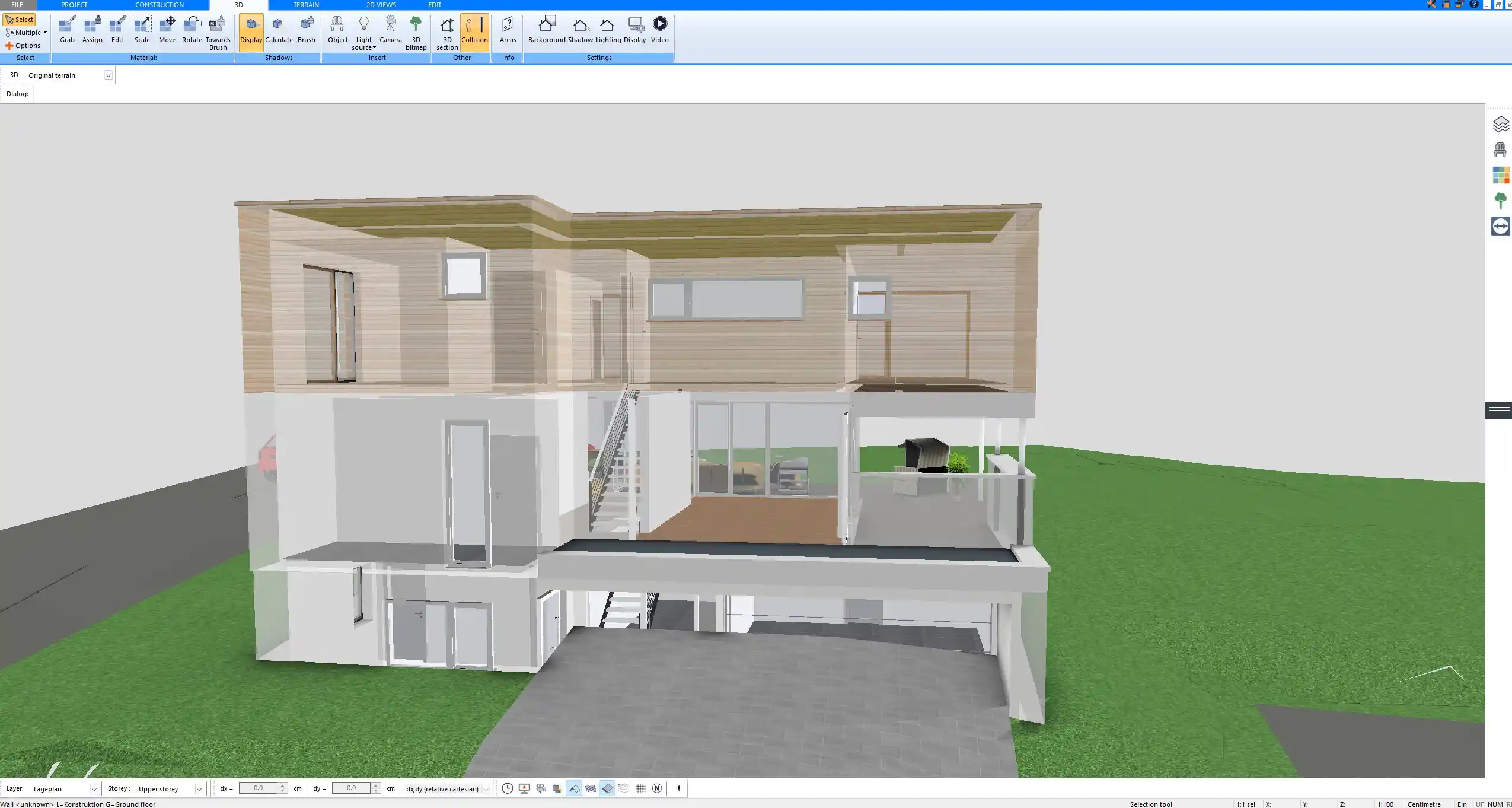
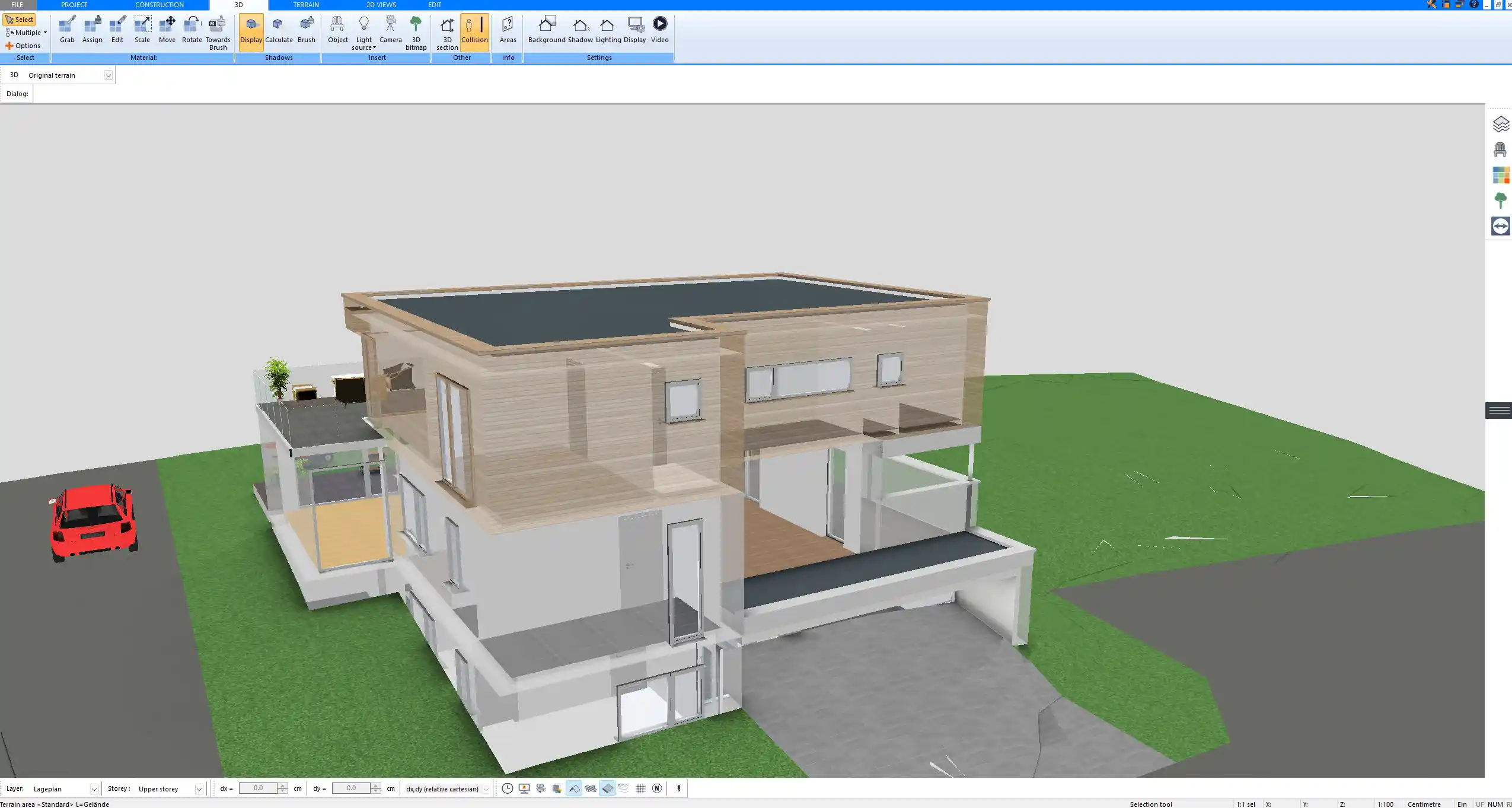
On a sloping site, one or more basement walls can be fully above ground, with normal doors and windows. A walk-out basement gets daylight and direct access to the garden, which makes it much more attractive as living space. On a hillside the basement can also hold the garage, as in the example below. In Plan7Architect you can model the terrain together with the storeys and see in the 3D view or in a section how deep the basement sits in the ground on each side. Our guide to planning a house on a slope covers this in detail.
How High Should a Basement Be?
The wall height determines whether a basement can be comfortable living space or only storage.
- 7 ft (about 2.1 m) and less: common in older houses, fine for storage and mechanical rooms, but tight once ducts and beams are added.
- 8 ft (about 2.4 m): the standard for new basements. After a finished ceiling, the clear height is often around 7 ft 6 in (about 2.3 m).
- 9 ft (about 2.7 m): recommended if you plan a family room, bedrooms or a home theater. The room feels like a normal floor, and there is space to hide ducts in soffits.
Under the International Residential Code, which most US local codes are based on, habitable basement space generally needs a ceiling height of at least 7 ft (about 2.1 m), with somewhat lower heights allowed under beams and ducts. Other countries use similar values. You can find more about this in our article on standard ceiling heights.
How Much Space Do Basement Rooms Need?
A finished basement usually combines technical rooms with living space. These sizes are practical starting points:
| Room | Typical size |
|---|---|
| Mechanical room (furnace, water heater, panel) | 60 to 120 sq ft (about 5.6 to 11 square meters) |
| Laundry area | 35 to 70 sq ft (about 3.3 to 6.5 square meters) |
| Storage room | 80 to 150 sq ft (about 7.4 to 14 square meters) |
| Staircase including landing | 40 to 60 sq ft (about 3.7 to 5.6 square meters) |
| Bathroom with shower | 35 to 50 sq ft (about 3.3 to 4.6 square meters) |
| Bedroom | 100 to 150 sq ft (about 9.3 to 14 square meters) |
| Family or recreation room | 200 to 400 sq ft (about 19 to 37 square meters) |
| Home theater | 12 by 16 ft to 15 by 20 ft (about 3.7 by 4.9 m to 4.6 by 6.1 m) |
| Home gym | 100 to 200 sq ft (about 9.3 to 19 square meters) |
As a rough guide from the projects I have planned, about one quarter to one third of a basement goes to stairs, mechanical equipment, laundry and storage. On a 1,200 square foot (about 111 square meter) basement, that leaves roughly 800 to 900 square feet (about 74 to 84 square meters) for finished rooms.
Planning a Basement Layout
Start with the Fixed Points
The staircase, the mechanical room and the main plumbing lines are hard to move. Place them first, ideally below the stairs and the kitchen or bathrooms of the floor above, so that ducts and drains stay short.
Put Living Space Where the Light Is
Rooms that people use every day belong along the walls with windows or, in a walk-out basement, on the open side. Storage and technical rooms can sit in the darker interior or along the uphill side.
Plan Egress for Bedrooms
A basement bedroom needs an emergency escape opening in most areas. Under the IRC, this is generally a window with a net clear opening of at least 5.7 square feet (about 0.53 square meters) and a sill no higher than 44 in (about 112 cm) above the floor, usually with a window well outside. Rules differ by country and region, so check the exact requirements with your local building department.
Leave Room for Insulation and Finishes
Insulation, a stud wall and drywall on the inside of the foundation can take 3 to 6 in (about 8 to 15 cm) off each wall. In a long basement, this adds up and should be included in the room dimensions.
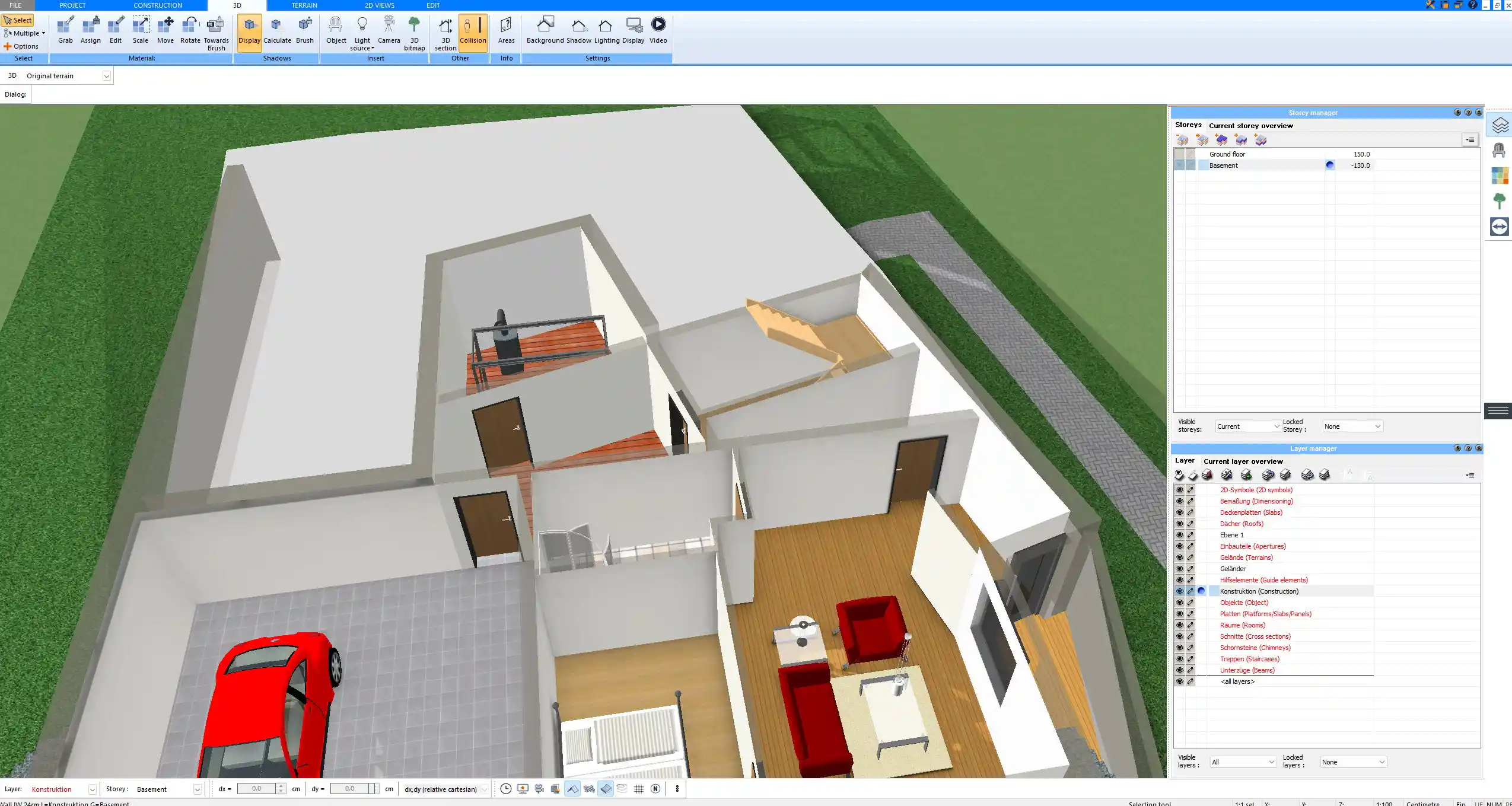
With Plan7Architect you can set the basement as its own storey with its own height, draw the rooms on top of the foundation outline and switch to the 3D view or a section at any time to check headroom, stairs and the relationship to the floor above. Our step-by-step guide to planning a basement yourself walks through the whole process.
How to Decide How Big Your Basement Should Be
- Define the use: storage and mechanical only, or additional living space.
- Choose full, partial or walk-out based on your site, the slope and your budget.
- Set the wall height: 8 ft (about 2.4 m) for storage and mechanical use, 9 ft (about 2.7 m) for comfortable living space.
- List the rooms and add up their sizes, including stairs, mechanical room and storage.
- Compare the total with the footprint of the house. If the rooms need much less than the footprint, a partial basement may be enough.
- Check local requirements for ceiling height, egress and waterproofing before you finalize the plans.
If you are still deciding whether a basement is worth it at all, our article do you really need a basement compares the costs and alternatives.
Plan Your Basement with Plan7Architect
With Plan7Architect Pro, you can create professional floor plans for your basement and the whole house above it. Set the basement storey and its ceiling height, draw walls, stairs, doors and windows with exact dimensions, plan a walk-out basement on a sloping terrain and furnish the rooms with 3D objects. Sections and the 3D view show headroom and levels at a glance. You can work in feet and inches or in meters and export your plans as PDF, DWG or DXF. Every purchase includes a 14-day right of withdrawal, so you can simply cancel your purchase by email if the software is not right for you.

Plan your project with Plan7Architect

Plan7Architect Pro 5 for Original price was: $259.99.$169.99Current price is: $169.99.
You don’t need any prior experience because the software has been specifically designed for beginners. The planning process is carried out in 5 simple steps:
1. Draw Walls

2. Windows & Doors

3. Floors & Roof

4. Textures & 3D Objects

5. Plan for the Building Permit

6. Export the Floor Plan as a 3D Model for Twinmotion

- – Compliant with international construction standards
- – Usable on 3 PCs simultaneously
- – Option for consultation with an architect
- – Comprehensive user manual
- – Regular updates
- – Video tutorials
- – Millions of 3D objects available
Why Thousands of Builders Prefer Plan7Architect
Why choose Plan7Architect over other home design tools?
Watch how a complete house is planned from start to finish – in under 25 minutes
Detailed House Planning (25 Min)

Small Home Planning Demo (12 Min)

Short House Planning Demo (6 Min)

The 3 Plan7Architects

Suitable for small hobby projects
No garden planning and only limited floor plan creation with few wall types
★★★★★

For medium-sized projects
Unrestricted floor plan creation & garden planning
No export options for your architect and no plans for building permit applications
★★★★★
For projects of any size
Import & export for working with an architect
Create plans for real building permit applications
Much larger range of features than the other two versions
★★★★★