

Home Designer Pro Alternative: Why Plan7Architect Is a Powerful and Cost-Effective Choice in 2026

If you are looking for a serious Home Designer Pro alternative, Plan7Architect is a professional home design software that offers comparable 2D drafting, 3D visualization, construction drawings, and export capabilities, while being available as a one-time purchase instead of a yearly or monthly subscription.

As of February 2026, Home Designer Pro costs 495 USD per year or 79 USD per month. That means you continue paying as long as you want access to the software. Plan7Architect, in contrast, is available as a lifetime license with a one-time payment.

Both programs allow you to design complete residential projects including floor plans, multi-story houses, basements, roof structures, terrain modeling, and detailed construction drawings. However, the pricing structure, flexibility for international users, and long-term cost model differ significantly.

If you prefer predictable costs, flexible unit systems, and full ownership instead of recurring fees, Plan7Architect is a strong and realistic alternative.

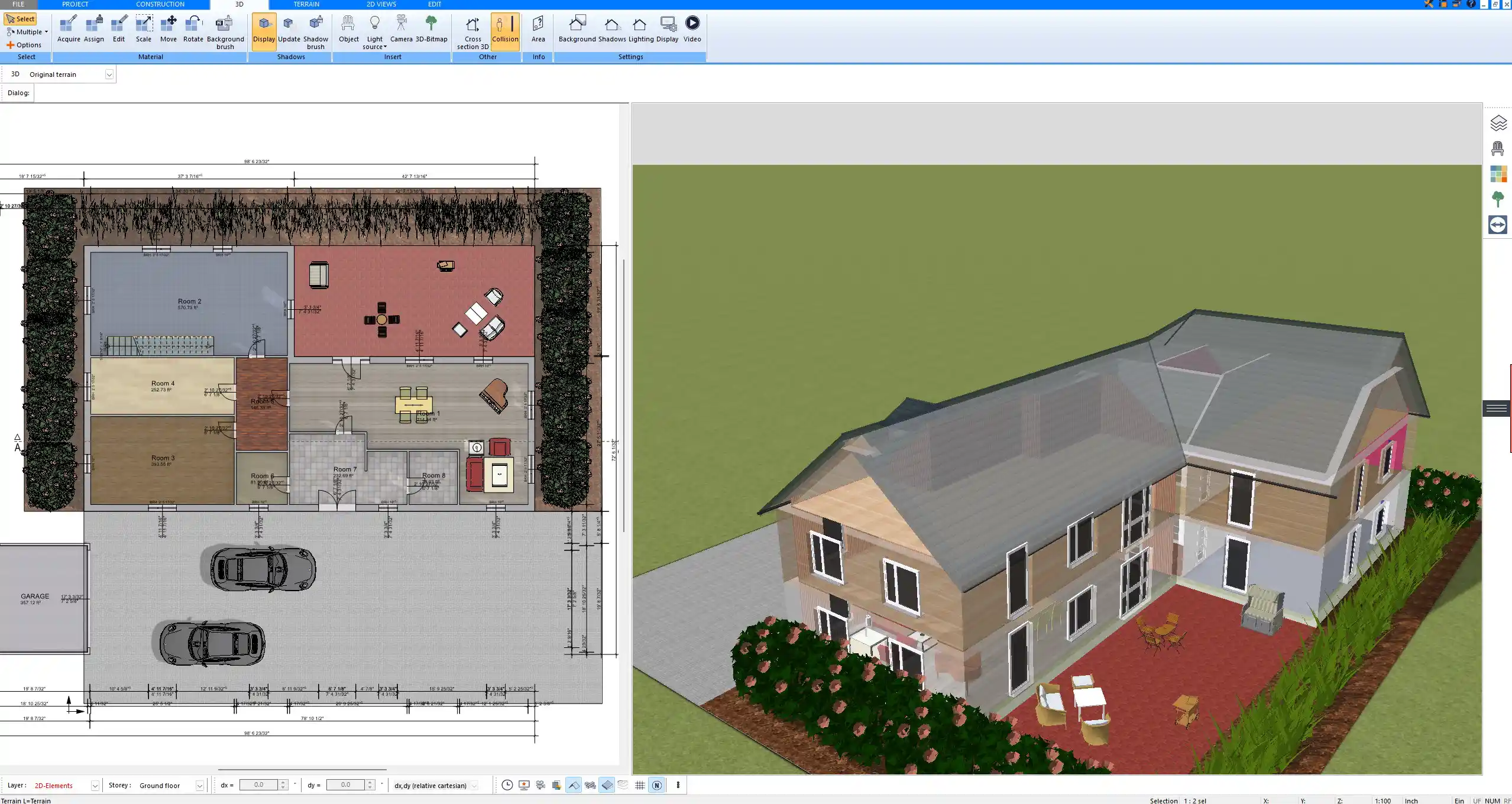
Floor plan created with Plan7Architect showing detailed room layout and wall dimensions

What Is Home Designer Pro?

Home Designer Pro is developed by Chief Architect and is positioned as an advanced residential design software for homeowners and smaller professionals. It is especially popular in the United States.

The software focuses on:

  • Automated building tools

  • Framing tools

  • Roof generation

  • Terrain modeling

  • Construction documents

It is designed to make residential drafting more automated than traditional CAD systems. Walls, roofs, and structural elements often adjust automatically based on defined parameters. For users who are deeply integrated into the Chief Architect ecosystem, this can be convenient.

However, its subscription-based model means you either pay 495 USD annually or 79 USD monthly to maintain access. Over several years, that significantly increases the total investment.

Why People Look for a Home Designer Pro Alternative

Pricing and Long-Term Cost

The most common reason is cost structure.

If you pay 495 USD per year, over three years you have already spent 1485 USD. Over five years, the total exceeds 2400 USD. With the monthly plan at 79 USD, the yearly total is even higher.

Many private home builders and remodelers do not want an ongoing subscription for a project-based need. They prefer to purchase software once and use it as long as necessary.

Upgrade Dependency

Subscription software often ties you to regular updates. If you stop paying, you lose access. For long-term house projects that may pause for months, this can feel restrictive.

Learning Curve

Home Designer Pro offers powerful automation, but it can feel complex for beginners. Especially if you are not coming from a CAD background, the interface may require time to fully understand.

International Users

The software is strongly oriented toward US residential standards. International users sometimes prefer a system that seamlessly handles both American units and metric units without friction.

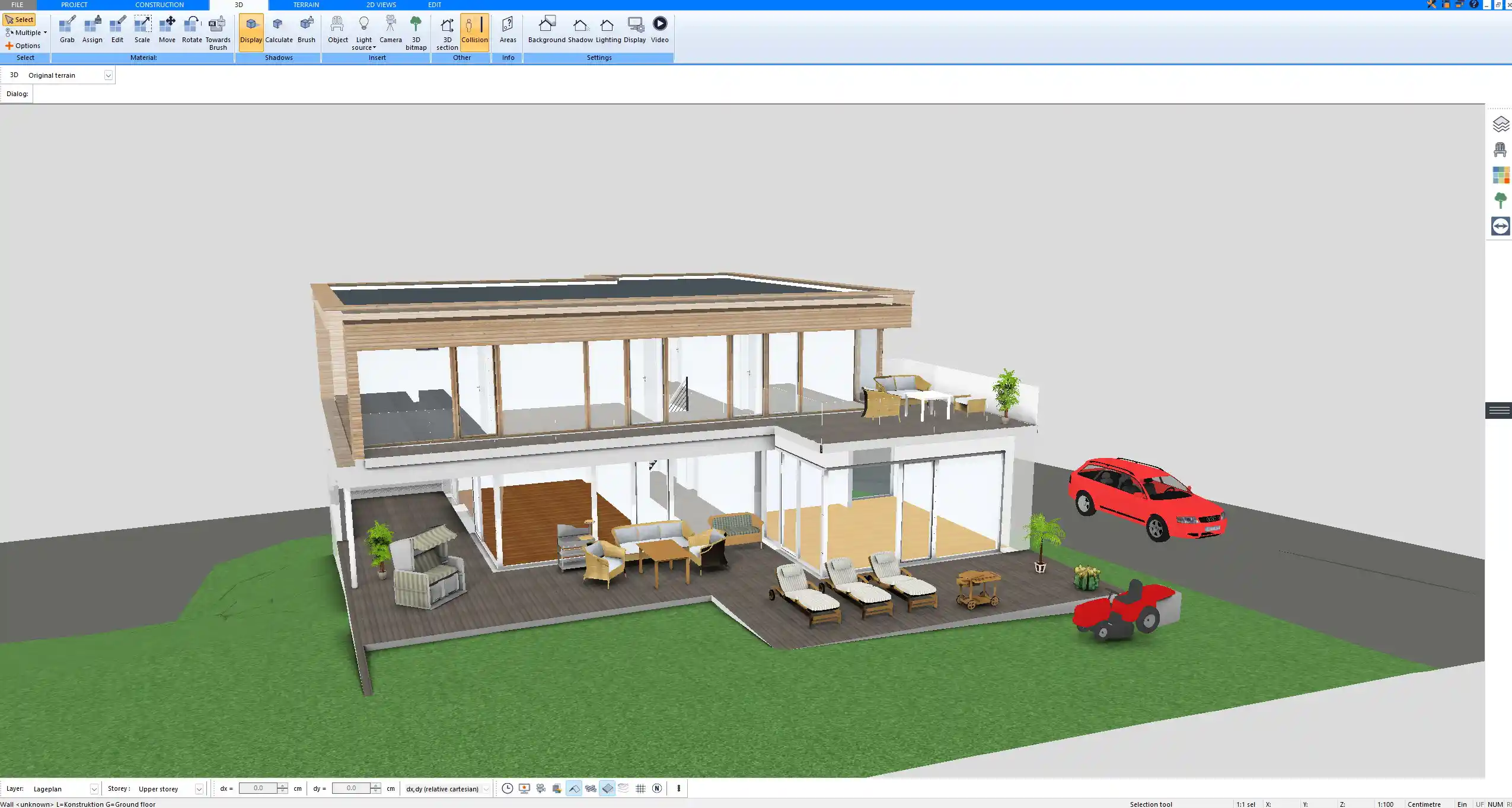
Three-dimensional exterior view generated in Plan7Architect during the house design process

What Is Plan7Architect?

Plan7Architect is a professional architectural CAD software for residential design. It is suitable for:

  • Private homeowners

  • DIY builders

  • Remodelers

  • Contractors

  • Small architectural offices

From my experience, the software provides a structured workflow that allows you to design step by step: walls, floors, ceilings, roof structures, staircases, windows, doors, and terrain.

One of its strongest advantages for international users is flexibility in measurement systems. You can work in feet and inches or switch to metric units. The unit system can be adjusted within the software settings, which makes it practical for users in the United States, Canada, Europe, Australia, and other regions.

The software supports:

  • Multi-story projects

  • Basements and foundation planning

  • Custom ceiling heights such as 10 ft ceilings or 3 m ceilings

  • Detailed section views

  • Elevations

  • Dimension tools

  • Printable scaled plans

It is available as a one-time purchase license, which gives you long-term cost stability.

Feature Comparison: Home Designer Pro vs Plan7Architect

Feature Home Designer Pro Plan7Architect
Pricing model 495 USD per year or 79 USD per month One-time purchase
2D floor plans Yes Yes
3D visualization Yes Yes
Construction drawings Yes Yes
Unit systems Primarily US-focused US and metric supported
DWG and DXF import/export Yes Yes
3DS export Limited Yes
Terrain modeling Yes Yes
Suitable for professionals Yes Yes
     

Both programs allow full residential planning. The major difference lies in cost structure and flexibility for international users.

Detailed construction drawing exported from Plan7Architect with precise measurements

Where Plan7Architect Has Clear Advantages

One-Time Purchase Model

With Plan7Architect, you pay once and can continue using the software for as long as you want. For many users, this creates peace of mind.

If your project pauses for six months, you do not feel pressured by ongoing subscription costs. For multi-year home construction or renovation projects, this is a practical advantage.

Tip: If you calculate total cost over three to five years, the one-time model often becomes significantly more economical than annual subscriptions.

Flexible Unit Systems

In Plan7Architect, you can work with:

  • Feet and inches

  • Metric units

This matters if you collaborate internationally or if you prefer working in a specific system. You do not need separate versions for different regions.

Strong Construction Drawing Capabilities

Plan7Architect allows you to create:

  • Floor plans with precise dimensions

  • Section views

  • Elevations

  • Detailed layouts for printing

  • Scaled drawings

You can prepare drawings that are ready for submission to a local licensed architect or engineer for review and stamping, depending on regional regulations.

3D Export for Professional Rendering

Plan7Architect supports export to 3DS format. This allows you to import your model into visualization software such as Twinmotion for photorealistic rendering and walkthrough animations.

For users who want high-end visualizations for clients or personal presentations, this is a strong workflow option.

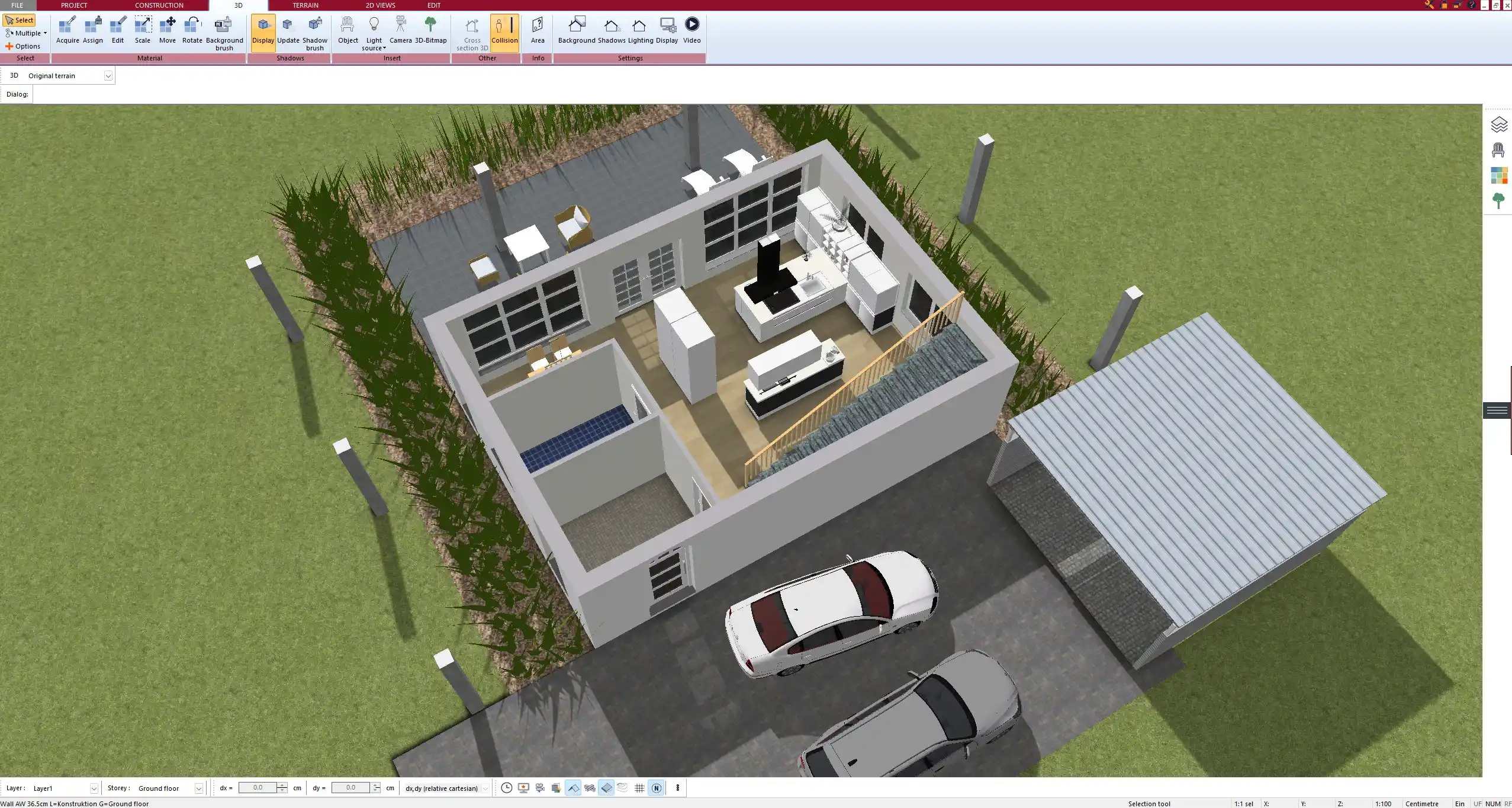
Interior 3D visualization designed and rendered using the Plan7Architect planning model

Who Should Choose Plan7Architect?

Plan7Architect is especially suitable for:

  • Private home builders designing their own house

  • Remodelers planning extensions or renovations

  • Contractors who need clear construction drawings

  • International users who need flexible measurement systems

  • Users who prefer owning software instead of subscribing

Home Designer Pro may be more attractive for:

  • Users fully embedded in the Chief Architect ecosystem

  • Users who rely heavily on specific automated US framing workflows

In practical residential design scenarios, both tools are capable. The decision often depends on budget structure and personal workflow preference.

Real-World Use Cases

Designing a Two-Story House with Custom Ceiling Heights

You can create a two-story house with 10 ft ceilings on the main floor or 3 m ceilings in metric projects. Ceiling heights can be individually adjusted per level.

Planning a Basement Level

Basement walls, foundations, and staircases can be defined per floor. You can visualize both 2D plans and 3D cutaway views to understand structural relationships.

Creating Construction Drawings

You can generate:

  • Fully dimensioned floor plans

  • Elevations for each side of the building

  • Section drawings through staircases or roof areas

These can be printed to scale and reviewed by local professionals.

Exporting for Visualization

After completing your model, you can export it to 3DS and use rendering software to create walkthrough videos and realistic interior visualizations.

Frequently Asked Questions

Is Plan7Architect beginner-friendly?

There is a learning curve, as with any serious architectural software. However, structured tutorials and a clear workflow make it manageable even if you are not a professional architect.

Can I create full construction drawings?

Yes. You can create detailed floor plans, sections, elevations, and dimensioned layouts suitable for professional review.

Does it support US building standards?

You can customize dimensions and design according to local building standards. The flexible unit system allows you to work precisely in American or metric units.

Can I switch between feet and metric?

Yes. The measurement system can be adjusted inside the software.

Is it suitable for professional work?

For residential projects, renovations, and small-scale professional design work, it is fully capable. Final approval and stamping always depend on local regulations and licensed professionals.

Final Verdict: Is Plan7Architect a Good Alternative?

If you want comparable residential planning capabilities, 2D drafting, 3D modeling, construction drawings, and professional export options without committing to 495 USD per year or 79 USD per month, Plan7Architect is a strong alternative.

It provides long-term cost control through a one-time purchase model, supports both American and metric measurement systems, and allows complete residential design workflows from initial floor plan to final 3D visualization.

For homeowners, remodelers, contractors, and international users who value ownership over subscription, Plan7Architect is a serious and practical alternative to Home Designer Pro.

Plan your project with Plan7Architect

Plan7Architect Pro

Plan7Architect Pro 5 for $109.99

You don’t need any prior experience because the software has been specifically designed for beginners. The planning process is carried out in 5 simple steps:

1. Draw Walls

Create your 2D floor plan by accurately drawing and adjusting rooms and walls for your home design.

2. Windows & Doors

Optimize your space layout with perfectly fitting door and window elements.

3. Floors & Roof

Visualize different levels and roof types for your home design.

4. Textures & 3D Objects

Choose materials and textures to customize floors, walls, and 3D objects individually for a realistic representation of your design.

5. Plan for the Building Permit

Sections and views for the building application can be created with Plan7Architect (1)
Create professional construction drawings with elevations, sections, and complete plan compilations.

6. Export the Floor Plan as a 3D Model for Twinmotion

Visualize your project with cutting-edge 3D technology and create high-quality image renderings and videos using Twinmotion by Epic Games.


  • – Compliant with international construction standards
  • – Usable on 3 PCs simultaneously
  • – Option for consultation with an architect
  • – Comprehensive user manual
  • – Regular updates
  • – Video tutorials
  • – Millions of 3D objects available

Why Thousands of Builders Prefer Plan7Architect

Why choose Plan7Architect over other home design tools?

14-Day Money-Back Guarantee
No questions asked. Just email us within 14 days if you’re not satisfied.
One-time payment – no subscription
Own the software forever. No hidden costs. No monthly fees. Updates are optional.
Based on $2,500 professional architecture software
Plan7Architect is an optimized version — used by professionals and private users alike.
Supports international building standards
Adaptable to US, UK, Canadian, Australian, and European requirements.
Works offline – use on up to 3 devices
No internet required. Install on up to 3 computers – ideal for home and office use.
Metric & imperial units
Switch freely between feet/inches or meters/centimeters — perfect for global use.
++
All key export/import formats included
DWG, DXF, OBJ, 3DS, STL, PDF, image export/import, and SketchUp import — for smooth collaboration.
ii
Create real building permit documents
Generate floor plans, elevations, cross-sections, and full construction drawings.
Supports wood framing for walls and roofs
Design wall and roof structures, gables, dormers, and freely constructed wood frameworks.
Easy learning curve with full support
Includes video tutorials, ticket system, detailed PDF manual, sample projects, and access to our customer forum.
Excellent verified reviews
Top ratings on Trusted Shops and Amazon.
Ongoing development – 3–4 updates per year
Always improving, with a modern 3D engine and regular feature upgrades.

Watch how a complete house is planned from start to finish – in under 25 minutes

Detailed House Planning (25 Min)

Small Home Planning Demo (12 Min)

The 3 Plan7Architects

Sale!
Plan7Architect Pro
Original price was: $259.99.Current price is: $109.99.

Verified Customer Reviews

Verified Customer Reviews

Trusted Shops:

Home » Switch to Plan7Architect » Home Designer Pro Alternative: Why Plan7Architect Is a Powerful and Cost-Effective Choice in 2026
Youtube
Select your currency
