

If you are looking for an affordable alternative to SketchUp for creating floor plans, house layouts, and real building plans, Plan7Architect is the more suitable choice. SketchUp is a general-purpose 3D modeling tool, while Plan7Architect is a dedicated home design and architectural planning software. Plan7Architect is sold as a one-time purchase for 109.99 USD, while SketchUp Pro requires an ongoing subscription of approximately 399 USD per year. For users who want to design houses, remodels, or construction-ready floor plans efficiently, Plan7Architect offers a faster workflow, lower long-term cost, and tools specifically built for this purpose.
Key differences at a glance:
-
One-time purchase instead of a subscription
-
Object-based house planning instead of manual modeling
-
Faster workflow for real floor plans
-
No plugins required for core architectural tasks
What SketchUp Is Designed For – And Where Its Limits Begin
SketchUp’s Core Purpose
SketchUp was originally designed as a flexible 3D modeling tool. Its main strengths lie in conceptual design, visualization, and the creation of individual objects. It is commonly used for furniture design, product modeling, exhibition stands, and simple architectural concepts. The software does not primarily focus on building logic or architectural workflows.
SketchUp is well suited for:
-
Free-form 3D modeling
-
Conceptual design and visualization
-
Creating objects and components
-
Early design ideas without technical depth
How Floor Plans Are Created in SketchUp
Creating a floor plan in SketchUp requires switching to a two-dimensional view and manually drawing every element. Walls are drawn line by line, thickness is defined manually, and openings such as doors and windows are created by cutting geometry. SketchUp does not recognize architectural elements as such.
Typical workflow characteristics in SketchUp:
-
Walls are simple geometry, not real wall objects
-
Wall thickness must be adjusted manually
-
Doors and windows are cutouts or components
-
No automatic relationship between elements
-
Changes do not propagate automatically through the project
This approach works for visualization but becomes time-consuming and error-prone when planning real buildings.
What Plan7Architect Is Designed For
Built Specifically for Home and Building Design
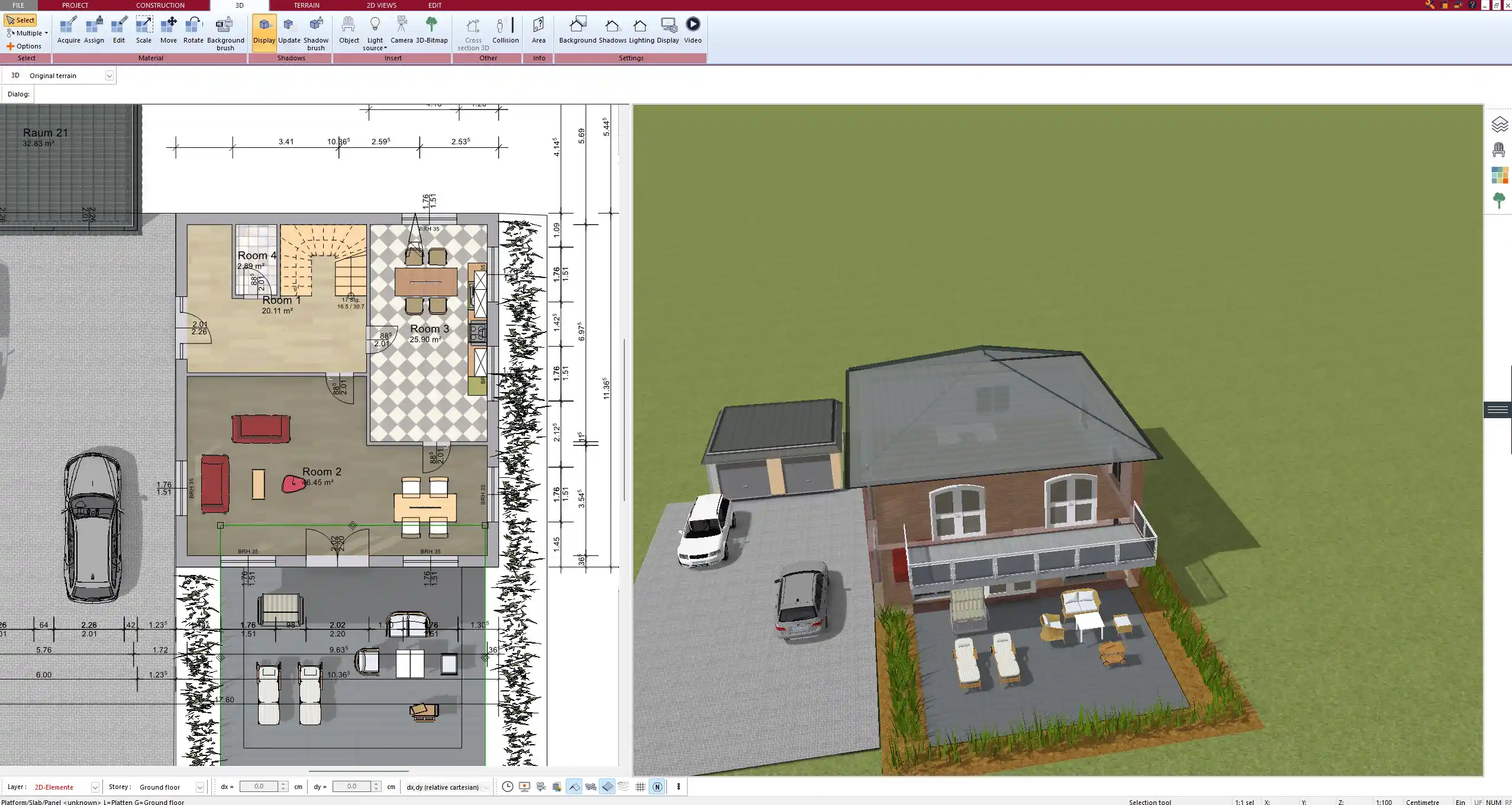
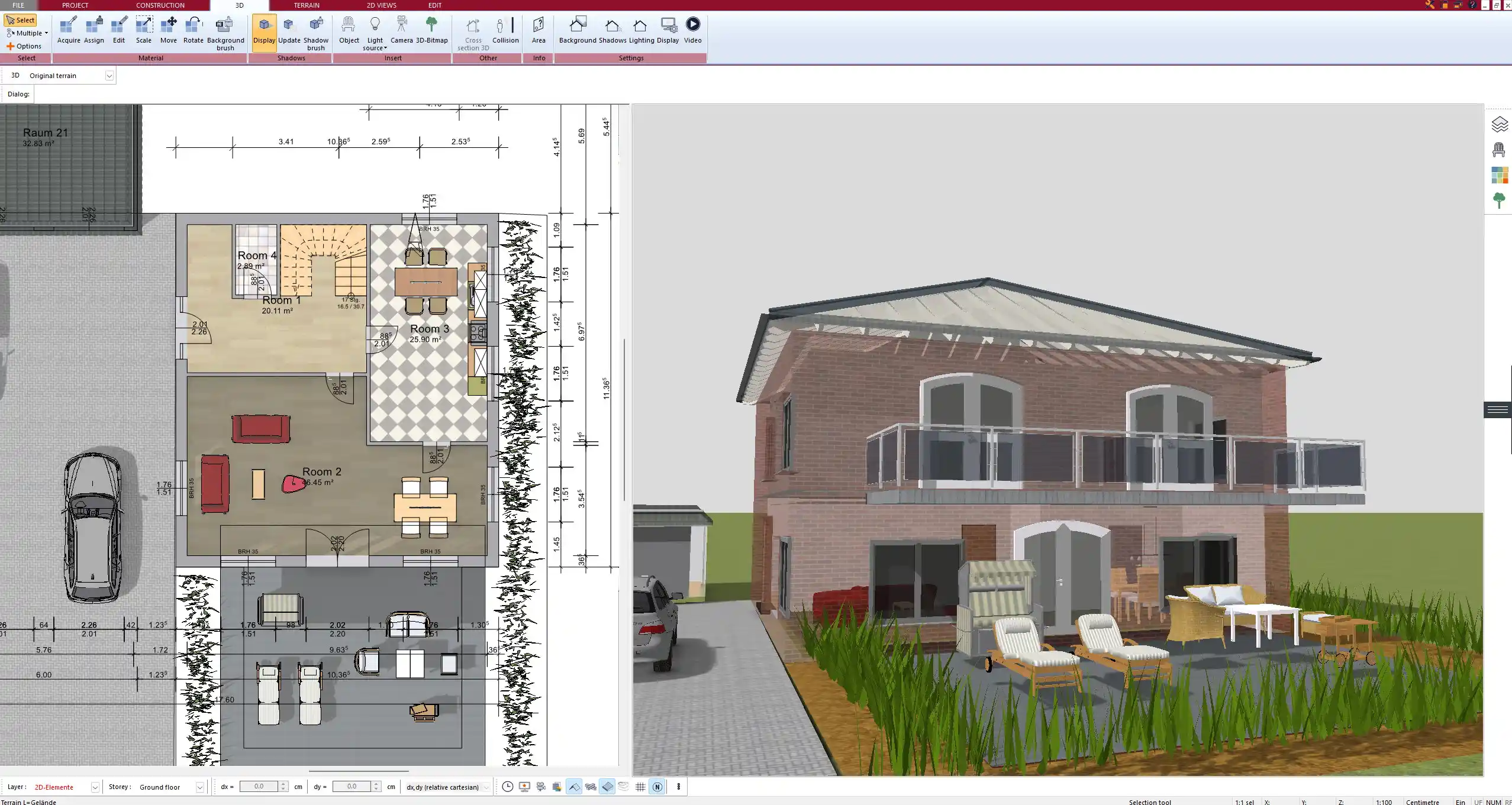
Plan7Architect was developed specifically for house planning, renovation projects, and architectural design. Instead of drawing geometry, you work with real architectural objects that behave like their real-world counterparts.
The software includes:
-
Walls with defined layers and thickness
-
Floors, ceilings, and slabs
-
Roofs, dormers, and roof structures
-
Doors and windows with parametric properties
-
Stairs, foundations, and structural elements
Object-Based Planning Instead of Manual Drawing
In Plan7Architect, you draw walls, not lines. When you place a window or door, the opening is created automatically. Changes to wall thickness, room dimensions, or floor layouts update the entire model consistently.
Tip:
Plan7Architect uses real building logic. Architectural elements know how they are connected, which reduces errors and saves time during planning.
SketchUp vs. Plan7Architect – Workflow Comparison

- Price: $109.99
- Automatic Dimension Calculation:
- Furniture Library: Extensive
- Templates:
- Building Permit Support: Simplified creation
- Collaboration with Architects: (Export to DWG/DXF)
- Layer Management: (Detailed management)
- Different Plan Variants: (Flexible variants)
- Terrain Modeling: (Including contour lines)
- Timber Construction / Wooden Structures: (Special tools)
- International Building Standards (US, UK, Canada, Australia, New Zealand & all European countries): (Presets/Regulations)
- Guide Lines & Virtual Walls:
- Calculation of Living/Usable Space :
- Unlimited Floors & Buildings:
- Automatic Roof Construction:
- Creation of Custom Beam Structures:
- Automatic Foundation Creation:
- Creating Custom Windows & Doors:
- Complete Electrical, Heating & Plumbing Planning:
- Sections for Building Permit:
- Plan Assembly:
- Price: From $399/year (Pro version)
- Automatic Dimension Calculation: (via additional tools/plugins)
- Furniture Library: Expandable via plugin
- Templates: via plugin
- Building Permit Support:
- Collaboration with Architects: Partially via plugin
- Layer Management:
- Different Plan Variants:
- Terrain Modeling:
- Timber Construction / Wooden Structures: (via plugins)
- International Building Standards (US, UK, Canada, Australia, New Zealand & all European countries):
- Guide Lines & Virtual Walls: (Lines, manual construction)
- Calculation of Living/Usable Space : Manual (possibly via plugin)
- Unlimited Floors & Buildings:
- Automatic Roof Construction: (Plugins required)
- Creation of Custom Beam Structures: (with plugins)
- Automatic Foundation Creation:
- Creating Custom Windows & Doors: (completely manual)
- Complete Electrical, Heating & Plumbing Planning: (primarily 3D, plugins required)
- Sections for Building Permit: (Cumbersome, mostly plugins)
- Plan Assembly: (Cumbersome, mostly plugins)
Two-Dimensional and Three-Dimensional Planning, Sections and Elevations
SketchUp Approach
SketchUp separates views into scenes. Floor plans, sections, and elevations require manual setup. Many users rely on extensions to generate technical drawings, dimensions, or construction documents. Each view must be maintained separately, which increases complexity as the project grows.
Plan7Architect Approach
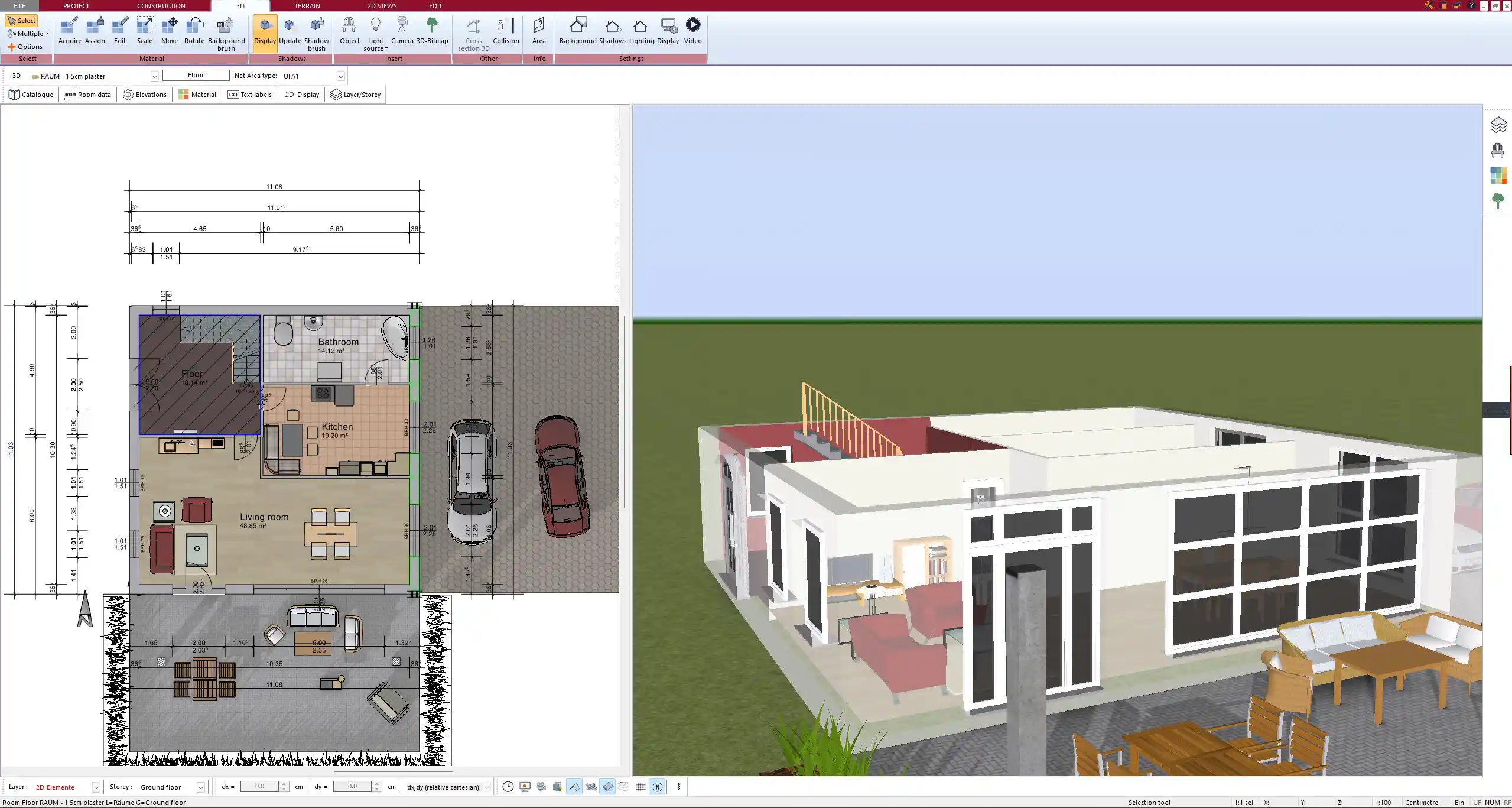
Plan7Architect automatically synchronizes two-dimensional plans and three-dimensional views. Any change made in the floor plan is immediately reflected in sections, elevations, and the three-dimensional model. Sections and elevations are generated as part of the core workflow without additional tools.
Pricing Comparison – One-Time Purchase vs Subscription
SketchUp Pricing Model
SketchUp Pro is available only as a subscription. Users must pay annually to maintain access to their projects. This model creates ongoing costs, even if the software is used only for a short period.
Plan7Architect Pricing Model
Plan7Architect is sold as a one-time purchase. After buying the software, you can use it indefinitely without recurring fees or subscriptions.
| Software | Pricing Model | Typical Cost |
|---|---|---|
| SketchUp Pro | Subscription | Approximately 399 USD per year |
| Plan7Architect Pro | One-time purchase | 109.99 USD one time |
Plugins Versus Built-In Functionality
SketchUp’s Dependency on Extensions
Many architectural features in SketchUp are not available by default. Dimensions, sections, area calculations, and construction drawings often require third-party plugins. This increases complexity and can lead to additional costs.
Plan7Architect’s Integrated Toolset
Plan7Architect includes architectural planning tools as part of the core software. Dimensions, sections, elevations, area calculations, and plan layouts are built in and designed to work together seamlessly.
Measurement Units and International Use
SketchUp supports different units but requires manual consistency across the project. Plan7Architect allows switching between metric and imperial units at any time. This makes it suitable for international projects without conversion workflows. Both European and American measurement systems can be used directly within the software.
Learning Curve and Ease of Use
SketchUp
SketchUp is easy to start with but becomes complex when accuracy is required. Users must understand modeling concepts such as groups, components, and layers to avoid errors in architectural projects.
Plan7Architect
Plan7Architect is designed for non-CAD users who want professional results. The workflow is focused on real building tasks, which allows faster progress when planning houses, renovations, or extensions.
Who Should Use SketchUp and Who Should Not
SketchUp Is Suitable If You
-
Focus on conceptual models and visualization
-
Design objects or furniture
-
Do not require construction-ready plans
SketchUp Is Not Ideal If You
-
Need accurate floor plans
-
Require sections and elevations
-
Want a structured architectural workflow
Who Plan7Architect Is Designed For
Plan7Architect is designed for homeowners, builders, contractors, and anyone planning real buildings. It is suitable for single-family homes, multi-story buildings, renovations, extensions, and remodeling projects. The software supports complete planning from early layout to construction-ready drawings.
Final Verdict – Affordable SketchUp Alternative for Real Projects
SketchUp is a general 3D modeling tool, while Plan7Architect is a dedicated home design and architectural planning system. For users who want to create accurate floor plans, house layouts, and building drawings without paying ongoing subscription fees, Plan7Architect is the more affordable and efficient alternative.
Plan your project with Plan7Architect

Plan7Architect Pro 5 for $99.99
You don’t need any prior experience because the software has been specifically designed for beginners. The planning process is carried out in 5 simple steps:
1. Draw Walls

2. Windows & Doors

3. Floors & Roof

4. Textures & 3D Objects

5. Plan for the Building Permit

6. Export the Floor Plan as a 3D Model for Twinmotion

- – Compliant with international construction standards
- – Usable on 3 PCs simultaneously
- – Option for consultation with an architect
- – Comprehensive user manual
- – Regular updates
- – Video tutorials
- – Millions of 3D objects available


