

Church Building Plans with Plan7Architect

Yes, you can create a complete and detailed church building plan with Plan7Architect, including floor plans, elevations, sections, roof layouts, foundation plans, seating layouts, electrical layouts, plumbing concepts, and realistic 3D visualizations.

You are able to design:

  • Small chapels

  • Community churches

  • Large worship centers

  • Multi-purpose church buildings with offices and classrooms

  • Modern or traditional church architecture

The software allows you to work in both metric and imperial units. You can switch between European and American measurement systems directly inside Plan7Architect without converting values manually. This makes it suitable for projects in Europe, the United States, Canada, Australia, and other regions.

From my experience, the strength of the software lies in combining architectural drawing precision with an intuitive workflow. You do not need separate programs for 2D drafting and 3D visualization. Everything happens in one project file.

Program for home designing

Home Design Program    


What Is Included in a Typical Church Building Plan?

A complete church building plan includes much more than just a large hall with seating. Churches are complex buildings that combine assembly space, administrative functions, technical requirements, and strict safety considerations.

Main Worship Area (Sanctuary)

The sanctuary is the core of the building. When planning this area, you must consider:

  • Seating arrangement with pews or chairs

  • Central aisle and side aisles

  • Stage or altar platform

  • Baptism area if required

  • Choir space

  • Accessibility paths for wheelchair users

  • Ceiling height and acoustic performance

In most projects, the sanctuary ceiling height ranges from approximately 6 m to 12 m or 20 ft to 40 ft depending on architectural style. In Plan7Architect, you can freely define wall heights and ceiling structures to match traditional or contemporary church designs.

You can place seating objects manually or import 3D models for custom pews. Spacing between rows can be adjusted precisely using dimension tools.

Additional Functional Areas

Most churches today include multiple functional rooms beyond the sanctuary:

  • Entrance foyer or lobby

  • Pastor’s office

  • Administrative offices

  • Classrooms

  • Fellowship hall

  • Kitchen

  • Restrooms

  • Storage rooms

  • Technical control room for sound and lighting

Each room can be defined with exact dimensions. You can assign room names, calculate areas automatically, and adjust wall thicknesses according to structural needs.

Structural Components

A professional church plan also includes structural considerations:

  • Load-bearing exterior walls

  • Interior structural walls

  • Columns or beams

  • Roof structure

  • Foundation layout

  • Staircases

  • Emergency exits

Plan7Architect allows you to define wall types, adjust wall thickness, and generate section views that clearly show construction layers.

Step-by-Step: How to Design a Church Floor Plan in Plan7Architect

1. Set Units and Project Scale

At the beginning of your project, you select whether you want to work in metric or imperial units. The software allows switching at any time.

You define:

  • Wall thickness

  • Story height

  • Floor structure

  • Default dimension style

This ensures that all further drawings follow consistent standards.

2. Draw the Exterior Walls

You begin by outlining the building footprint.

Typical layouts include:

  • Rectangular layout

  • Cross-shaped layout

  • T-shaped layout

  • Custom polygon shape

  • Curved wall elements

Using the wall tool, you draw directly in the floor plan view. Angles, lengths, and alignments can be entered numerically for precision.

For example, a medium-sized church footprint might measure approximately 30 m by 20 m or 100 ft by 65 ft. These dimensions can be adjusted easily during design.

3. Insert Interior Walls and Rooms

After defining the building envelope, you divide the interior:

  • Separate sanctuary from foyer

  • Define classrooms

  • Create office spaces

  • Add restrooms

Rooms are automatically recognized, and area calculations are generated. You can modify room geometry at any time without redrawing the entire structure.

4. Add Doors, Windows, and Entrances

Church buildings often feature:

  • Large main entrance doors

  • Side emergency exits

  • Tall vertical windows

  • Decorative stained-glass windows

You can insert doors and windows from the library and adjust width, height, and sill height individually. Custom dimensions are fully supported.

Wide door openings for accessibility can be set precisely, ensuring compliance with regional building standards.

5. Design the Roof Structure

Roof design plays a major role in church architecture.

Common roof types include:

  • Gable roof

  • Hipped roof

  • Flat roof

  • Cathedral ceiling structure

  • Steep pitched traditional roof

You define roof pitch numerically. For example, you can set a roof slope appropriate for your climate conditions. Overhangs and ridge heights are fully adjustable.

In more complex designs, you can combine multiple roof sections.

House planning program    

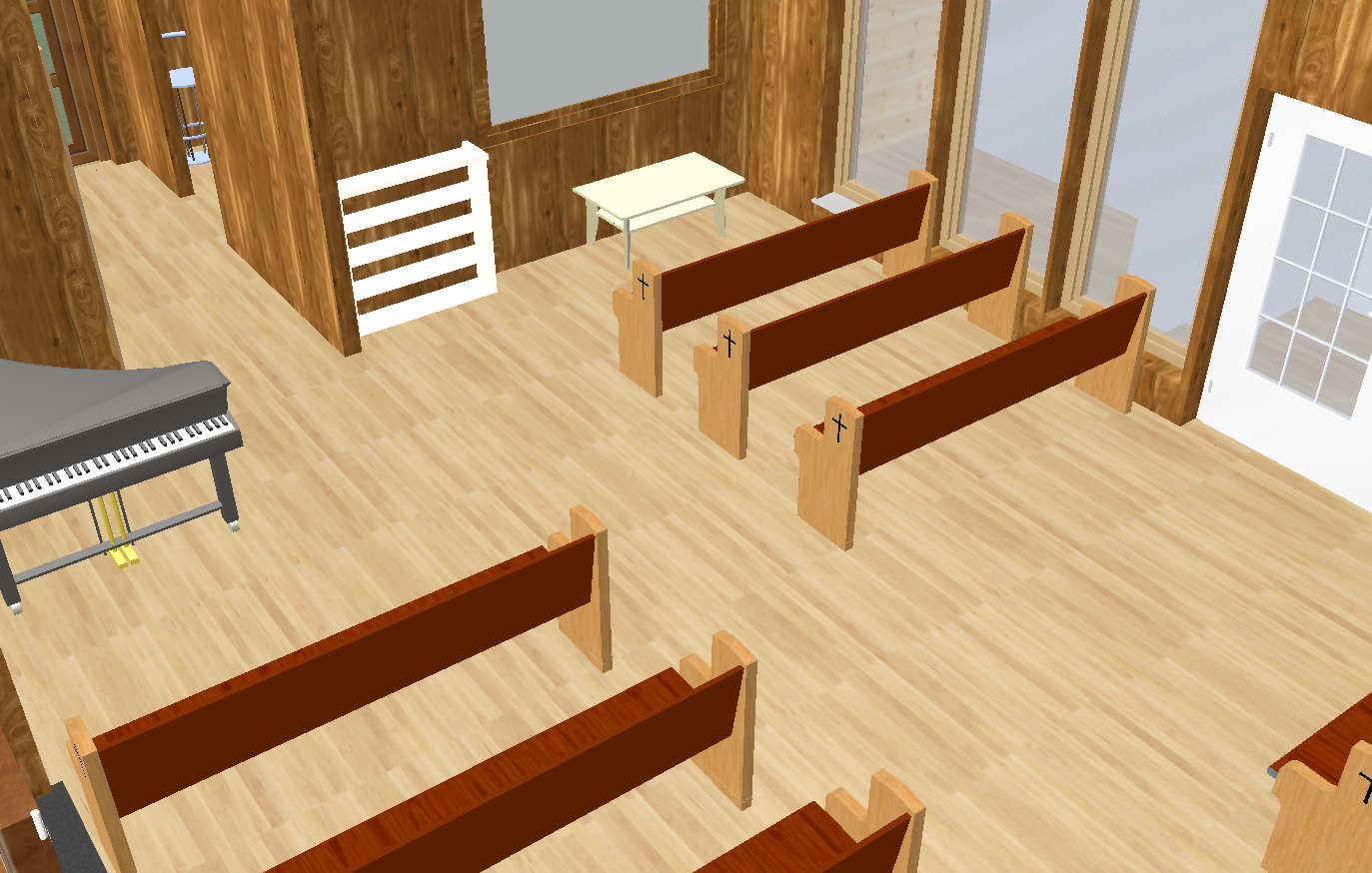
6. Place Seating and Interior Elements

Once structural planning is complete, you furnish the interior:

  • Pews or chairs

  • Stage platforms

  • Lighting fixtures

  • Sound equipment

  • Decorative elements

Seating layouts can be aligned using grid tools to maintain equal spacing and symmetrical arrangements. From my experience, using the alignment functions significantly speeds up layout planning for larger seating capacities.

7. Create Elevations and Sections

Plan7Architect automatically generates:

  • Exterior elevations

  • Interior elevations

  • Cross sections

  • Longitudinal sections

These views are essential for construction documentation. You can add dimensions, labels, and structural details.

Section views clearly show:

  • Floor structure

  • Wall layers

  • Roof construction

  • Ceiling heights

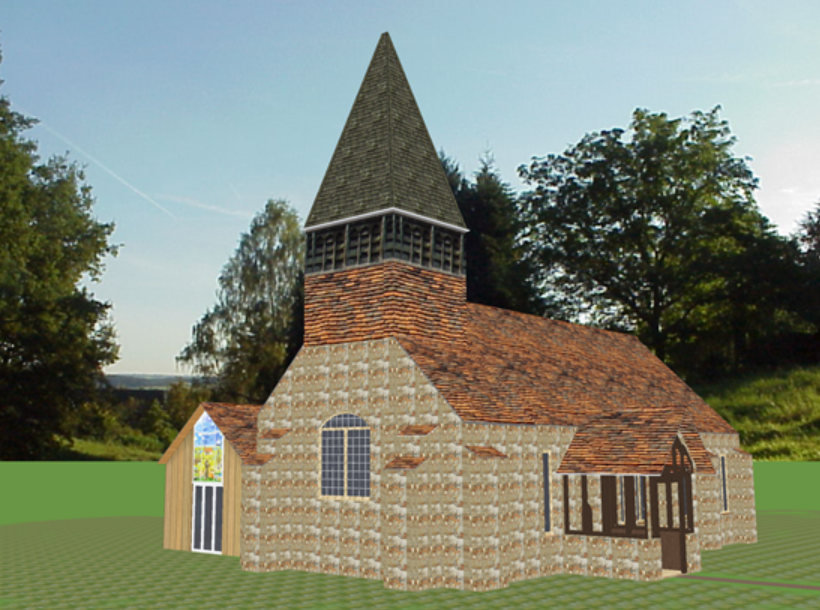
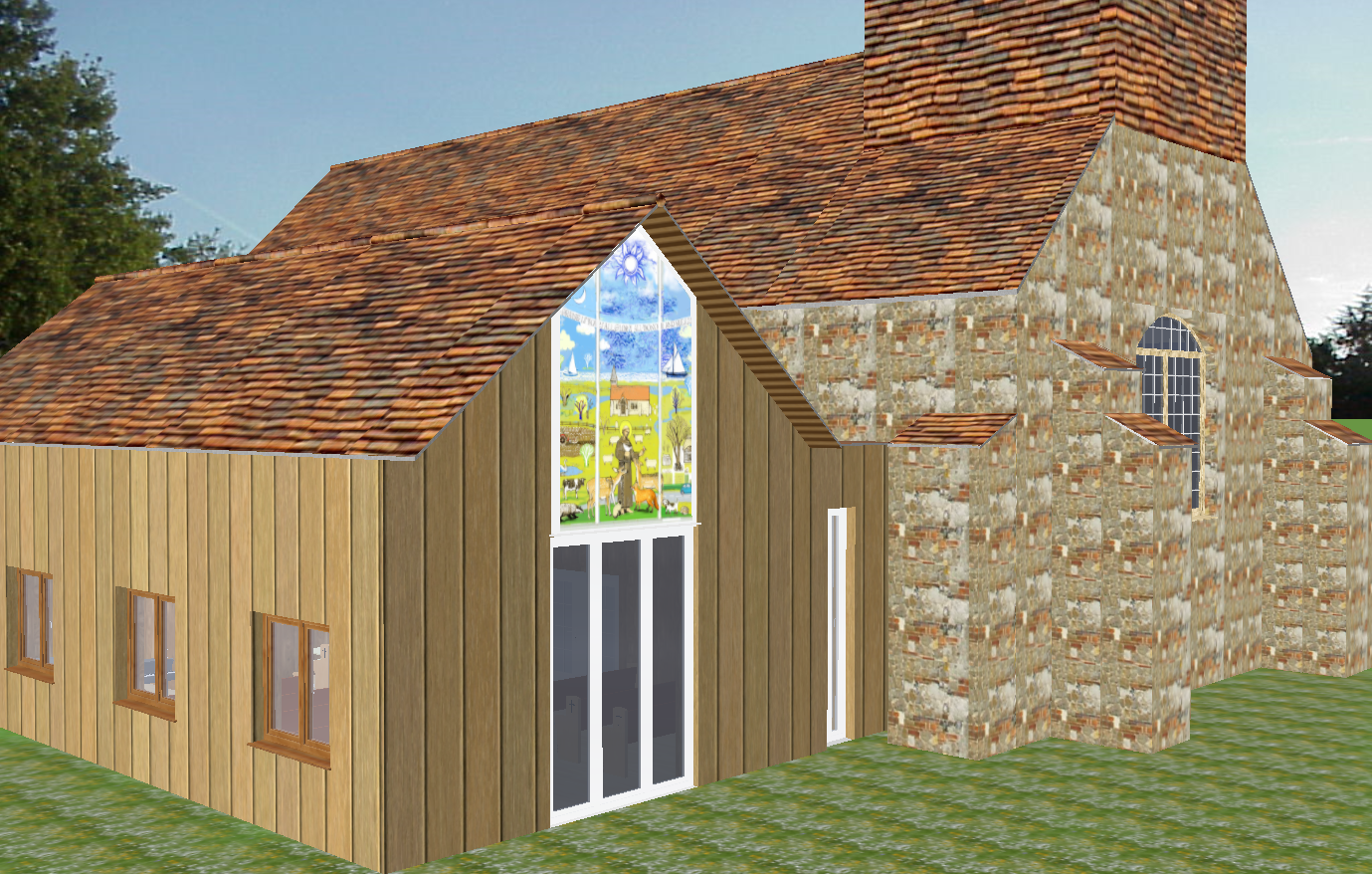
8. Generate 3D Visualization

The integrated 3D mode allows you to:

  • Walk through the sanctuary

  • View exterior facade

  • Adjust materials

  • Test daylight conditions

This is particularly useful for presenting concepts to church committees or donors before construction begins.

Home Design Program

Planning Considerations Specific to Church Buildings

Seating Capacity Calculation

Seating planning must balance comfort and capacity.

Typical guidelines:

  • Allow sufficient row spacing

  • Maintain clear aisle widths

  • Ensure visibility toward the altar or stage

A simplified overview:

Church Type Seating Capacity Approximate Building Size
Small Chapel 50 to 100 people 120 to 250 square meters or 1300 to 2700 square feet
Community Church 150 to 300 people 400 to 800 square meters or 4300 to 8600 square feet
Large Worship Center 500 or more people 1500 square meters or 16000 square feet and above

These are general ranges and can vary depending on design.

Acoustics and Ceiling Height

High ceilings improve acoustics but require careful planning.

You should consider:

  • Ceiling geometry

  • Material selection

  • Speaker placement

  • Sound reflection surfaces

In Plan7Architect, you can test different ceiling heights and shapes to evaluate spatial proportions visually.

Accessibility and Building Codes

Church buildings must comply with local building regulations.

Important considerations:

  • Ramp access

  • Emergency exits

  • Door widths

  • Restroom accessibility

  • Fire escape routes

The software allows precise dimension control, which helps you adapt the plan to local code requirements in your country or state.

Important note: Final approval and stamped construction drawings may require review by a licensed architect or engineer depending on regional regulations.

Can You Create Construction Drawings for a Church?

Yes, you can generate detailed construction drawings including:

  • Dimensioned floor plans

  • Elevations

  • Sections

  • Foundation layout

  • Roof plan

  • Electrical layout

  • Plumbing layout

All drawings can be exported as PDF, DWG, or DXF files. This allows collaboration with architects, engineers, or contractors.

From practical experience, many users create the conceptual and detailed planning themselves and then submit the exported files to a licensed professional for final approval.

Example Church Layout Sizes

Below is a comparative overview to help you estimate project scope:

Project Type Typical Sanctuary Area Total Building Area
Small Rural Chapel 80 to 150 square meters or 860 to 1600 square feet 120 to 250 square meters or 1300 to 2700 square feet
Suburban Church 250 to 500 square meters or 2700 to 5400 square feet 400 to 800 square meters or 4300 to 8600 square feet
Urban Worship Center 800 square meters or more or 8600 square feet and above 1500 square meters or more or 16000 square feet and above

All dimensions can be entered directly in either metric or imperial units within Plan7Architect.

Who Is This Suitable For?

Plan7Architect is suitable for:

  • Church communities planning new construction

  • Builders and contractors

  • Draftsmen

  • Design build professionals

  • Property developers

  • Donors overseeing construction projects

If you are experienced in reading construction drawings, the software provides professional level tools. If you are new to planning, you can still work step by step using structured tools.

Advantages of Using Plan7Architect for Church Design

Key advantages include:

  • One time purchase

  • No subscription dependency

  • Full construction planning tools

  • Integrated 2D and 3D workflow

  • Export options for professional collaboration

  • Flexible unit settings for international projects

  • Adjustable wall types and roof structures

  • Detailed dimension control

From my own experience, the combination of cost efficiency and professional output makes it especially suitable for community based construction projects where budget control is critical.

Plan your project with Plan7Architect

Plan7Architect Pro

Plan7Architect Pro 5 for $99.99

You don’t need any prior experience because the software has been specifically designed for beginners. The planning process is carried out in 5 simple steps:

1. Draw Walls

Create your 2D floor plan by accurately drawing and adjusting rooms and walls for your home design.

2. Windows & Doors

Optimize your space layout with perfectly fitting door and window elements.

3. Floors & Roof

Visualize different levels and roof types for your home design.

4. Textures & 3D Objects

Choose materials and textures to customize floors, walls, and 3D objects individually for a realistic representation of your design.

5. Plan for the Building Permit

Sections and views for the building application can be created with Plan7Architect (1)
Create professional construction drawings with elevations, sections, and complete plan compilations.

6. Export the Floor Plan as a 3D Model for Twinmotion

Visualize your project with cutting-edge 3D technology and create high-quality image renderings and videos using Twinmotion by Epic Games.


  • – Compliant with international construction standards
  • – Usable on 3 PCs simultaneously
  • – Option for consultation with an architect
  • – Comprehensive user manual
  • – Regular updates
  • – Video tutorials
  • – Millions of 3D objects available

Why Thousands of Builders Prefer Plan7Architect

Why choose Plan7Architect over other home design tools?

14-Day Money-Back Guarantee
No questions asked. Just email us within 14 days if you’re not satisfied.
One-time payment – no subscription
Own the software forever. No hidden costs. No monthly fees. Updates are optional.
Based on $2,500 professional architecture software
Plan7Architect is an optimized version — used by professionals and private users alike.
Supports international building standards
Adaptable to US, UK, Canadian, Australian, and European requirements.
Works offline – use on up to 3 devices
No internet required. Install on up to 3 computers – ideal for home and office use.
Metric & imperial units
Switch freely between feet/inches or meters/centimeters — perfect for global use.
++
All key export/import formats included
DWG, DXF, OBJ, 3DS, STL, PDF, image export/import, and SketchUp import — for smooth collaboration.
ii
Create real building permit documents
Generate floor plans, elevations, cross-sections, and full construction drawings.
Supports wood framing for walls and roofs
Design wall and roof structures, gables, dormers, and freely constructed wood frameworks.
Easy learning curve with full support
Includes video tutorials, ticket system, detailed PDF manual, sample projects, and access to our customer forum.
Excellent verified reviews
Top ratings on Trusted Shops and Amazon.
Ongoing development – 3–4 updates per year
Always improving, with a modern 3D engine and regular feature upgrades.

Watch how a complete house is planned from start to finish – in under 25 minutes

Detailed House Planning (25 Min)

Small Home Planning Demo (12 Min)

The 3 Plan7Architects

Sale!
Plan7Architect Pro
Original price was: $259.99.Current price is: $99.99.

Verified Customer Reviews

Verified Customer Reviews

Trusted Shops:

Home » Floor Plan Guide » Church Building Plans with Plan7Architect
Youtube
Select your currency