Software for Construction Design – Plan7Architect

If you are looking for software for construction design that allows you to create professional building plans, sections, elevations, and detailed layouts without paying thousands per year in subscriptions, Plan7Architect is a complete solution. It enables you to design houses and construction projects in 2D and 3D, generate dimensioned technical drawings, adjust wall structures and roof constructions, and prepare printable plans to scale. The software supports both metric and imperial units, so you can work with European or American measurements depending on your project location.

Plan7Architect is built for real construction planning. It is not just a visualization tool, and it is not limited to simple floor plan sketches. You can create detailed construction drawings that are suitable for professional use, whether you are a homeowner planning your own house, a contractor preparing layouts, or a designer developing full building concepts.

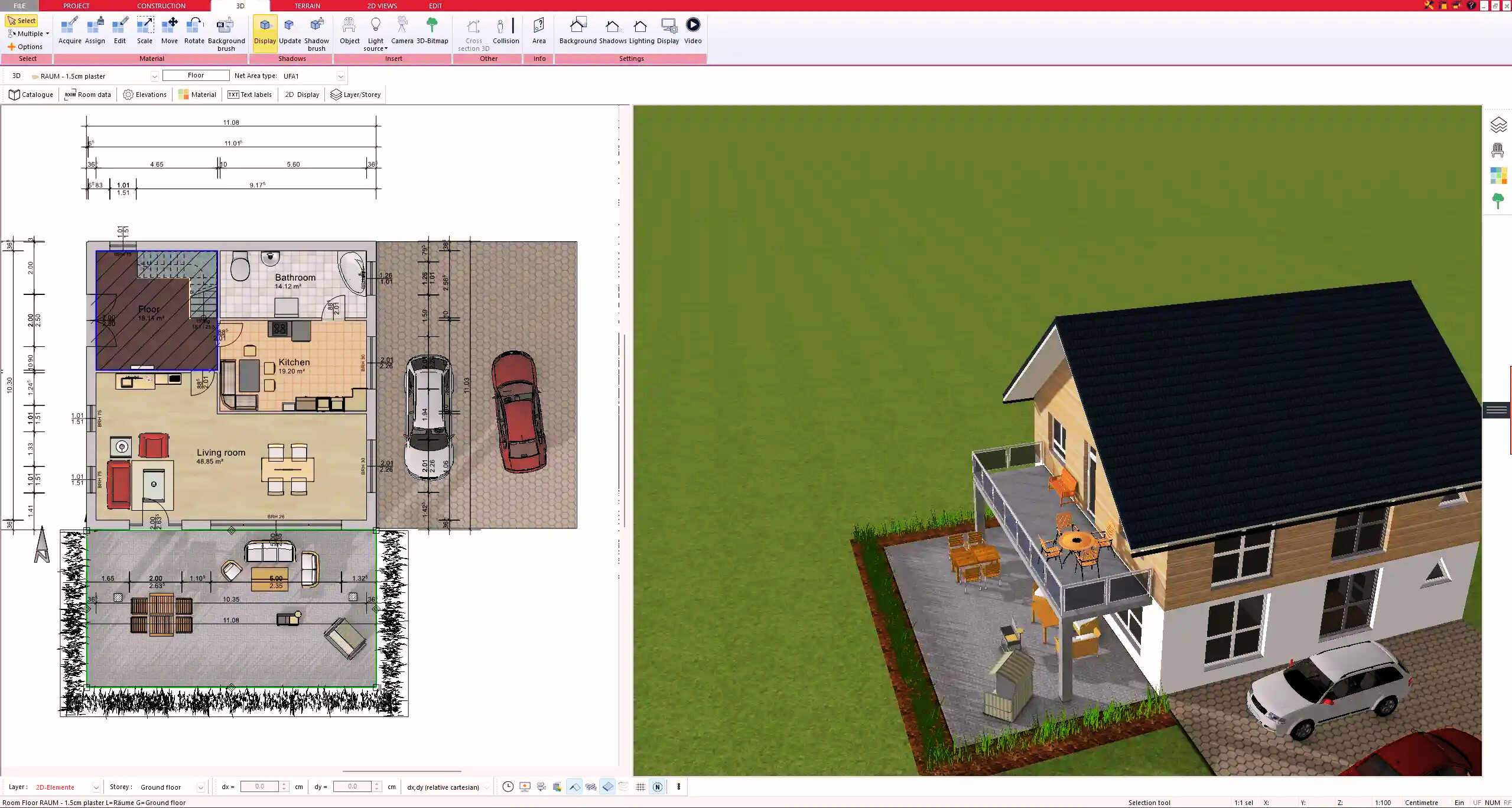
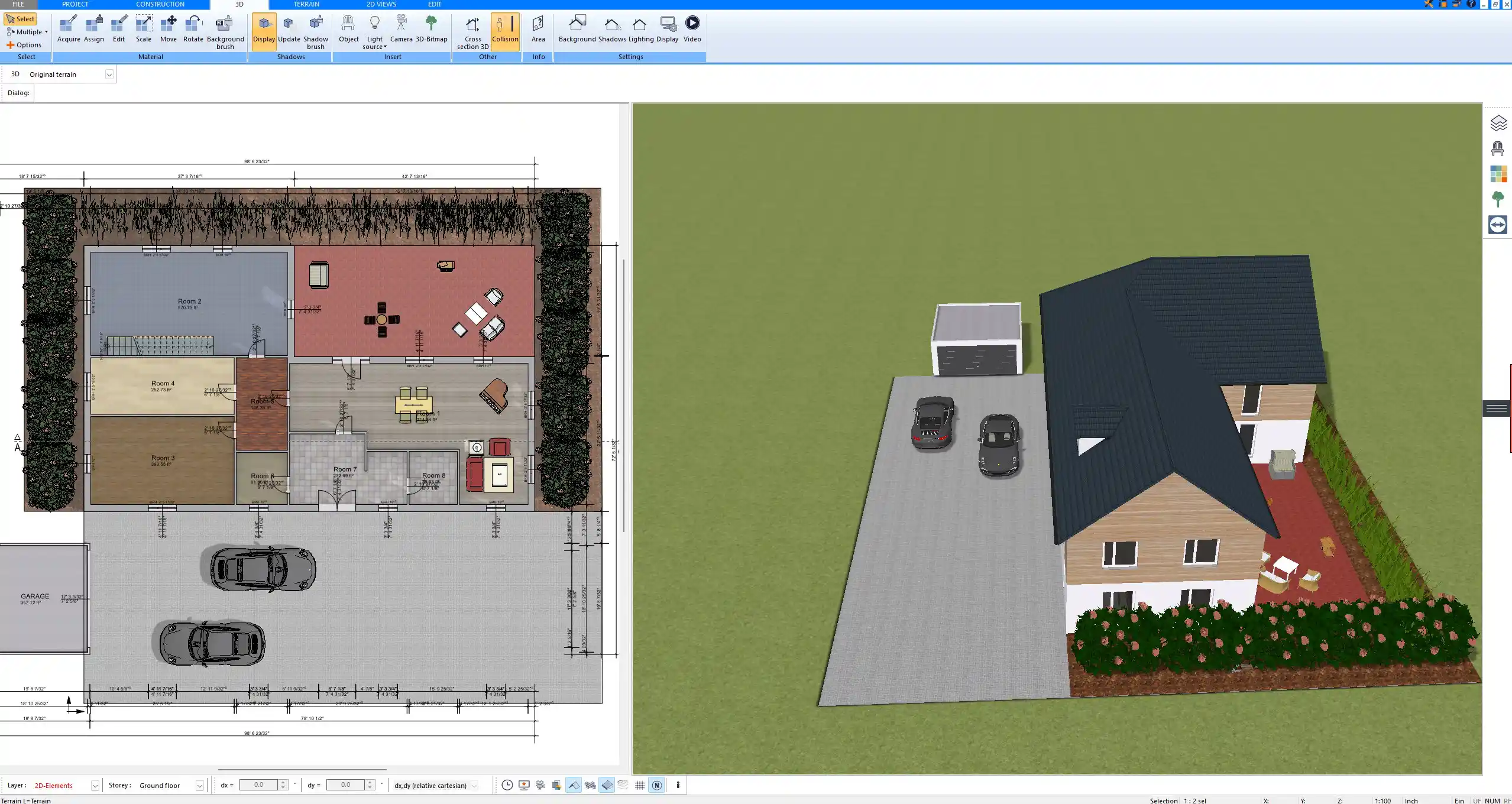
Construction floor plan created with Plan7Architect showing detailed wall structures and precise dimensions

What Is Construction Design Software?

Construction design software is used to create technical drawings and digital building models that serve as the foundation for real construction projects. Unlike simple drawing programs, it allows you to work with accurate dimensions, structural layers, and architectural elements that reflect real-world building methods.

There is a clear difference between three categories of tools:

  • Basic floor plan apps that focus on simple room layouts

  • Visualization tools that generate 3D images but lack technical depth

  • Full construction design software that combines technical drawings, structural definition, and printable documentation

Professional construction planning requires:

  • Exact wall thickness control

  • Multi-layer wall structures

  • Accurate interior and exterior dimensions

  • Sections through the building

  • Elevations of all façades

  • Roof geometry and pitch definition

  • Scaled printouts

Plan7Architect falls into the third category. From my experience, this distinction is critical. Many tools look impressive at first glance but become limiting once you need proper construction details. With Plan7Architect, you are working with a system that was developed for architectural-level planning.

Why Plan7Architect Is Built for Real Construction Planning

Professional Construction Drawings

With Plan7Architect, you can create complete construction documentation for residential projects. The workflow is structured around real building components rather than abstract shapes.

You can create:

  • Floor plans with exact dimensions

  • Exterior and interior walls with defined thickness

  • Multi-layer wall compositions

  • Cross-sections through any part of the building

  • Elevations for all building sides

  • Roof structures with defined pitch and geometry

  • Foundation and slab layouts

  • Ceiling heights adjusted individually per level

Ceiling heights can be set according to your project needs, for example 2.40 m or 8 ft, 3.00 m or 10 ft, or any other custom value. The software allows full control without restricting you to predefined standards.

All drawings can be dimensioned and prepared for printing at scale. You can define the drawing scale and generate professional-looking plans suitable for discussions with contractors, engineers, or local authorities.

Tip

When defining wall thickness and structure, always align your interior dimensions first. This ensures that room sizes remain correct even if you later adjust the wall composition.

2D and 3D in One System

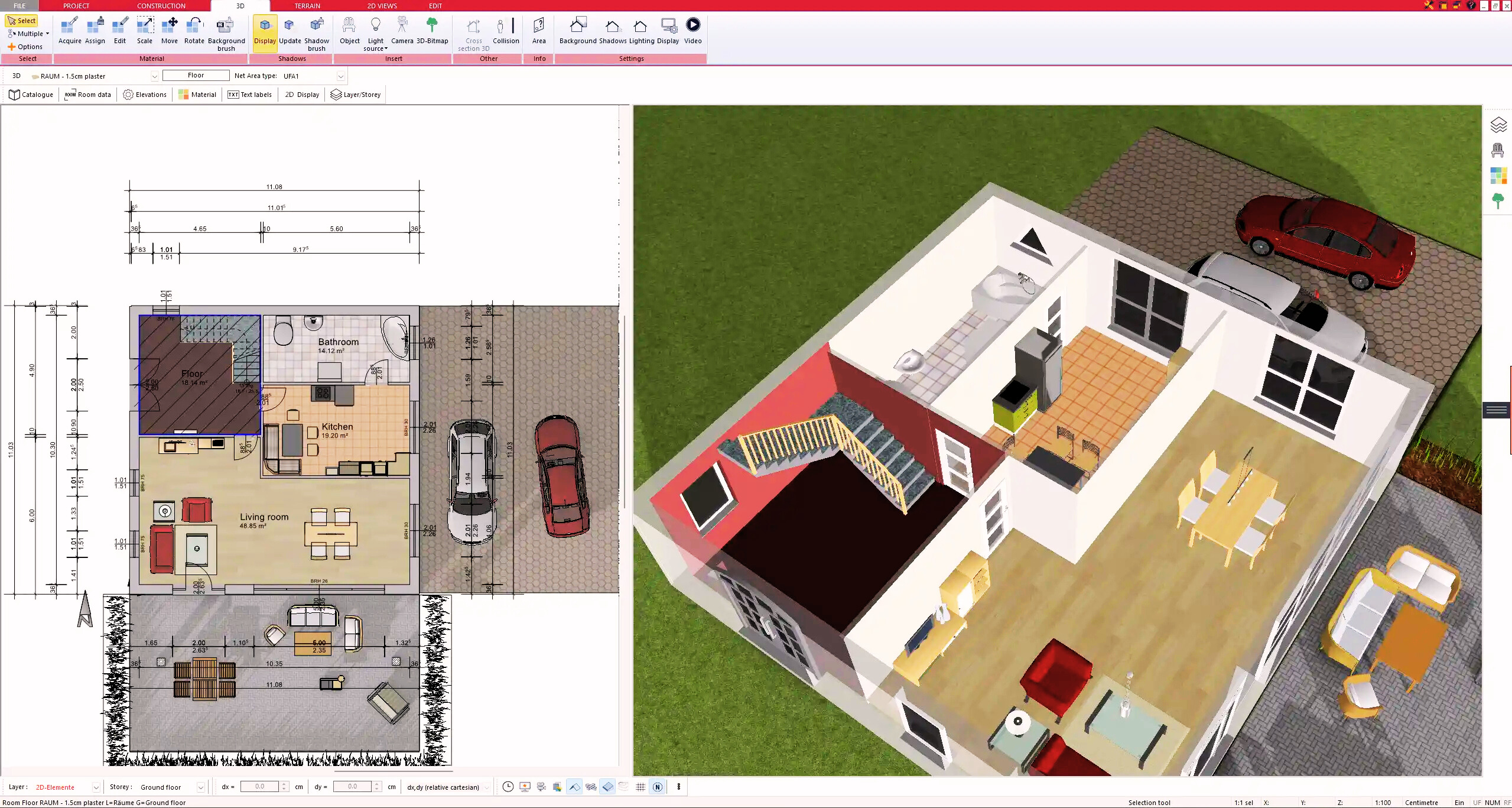
One of the most practical aspects of Plan7Architect is the automatic connection between 2D planning and 3D visualization. Every wall you draw in 2D immediately generates a corresponding 3D model.

You can:

  • Switch between 2D plan view and 3D view at any time

  • Walk through the building in real time

  • Adjust materials and surfaces

  • View interior and exterior perspectives

  • Detect spatial issues early in the planning phase

In my experience, this dual system prevents costly planning mistakes. You see not only the technical drawing but also how the space will actually feel and function.

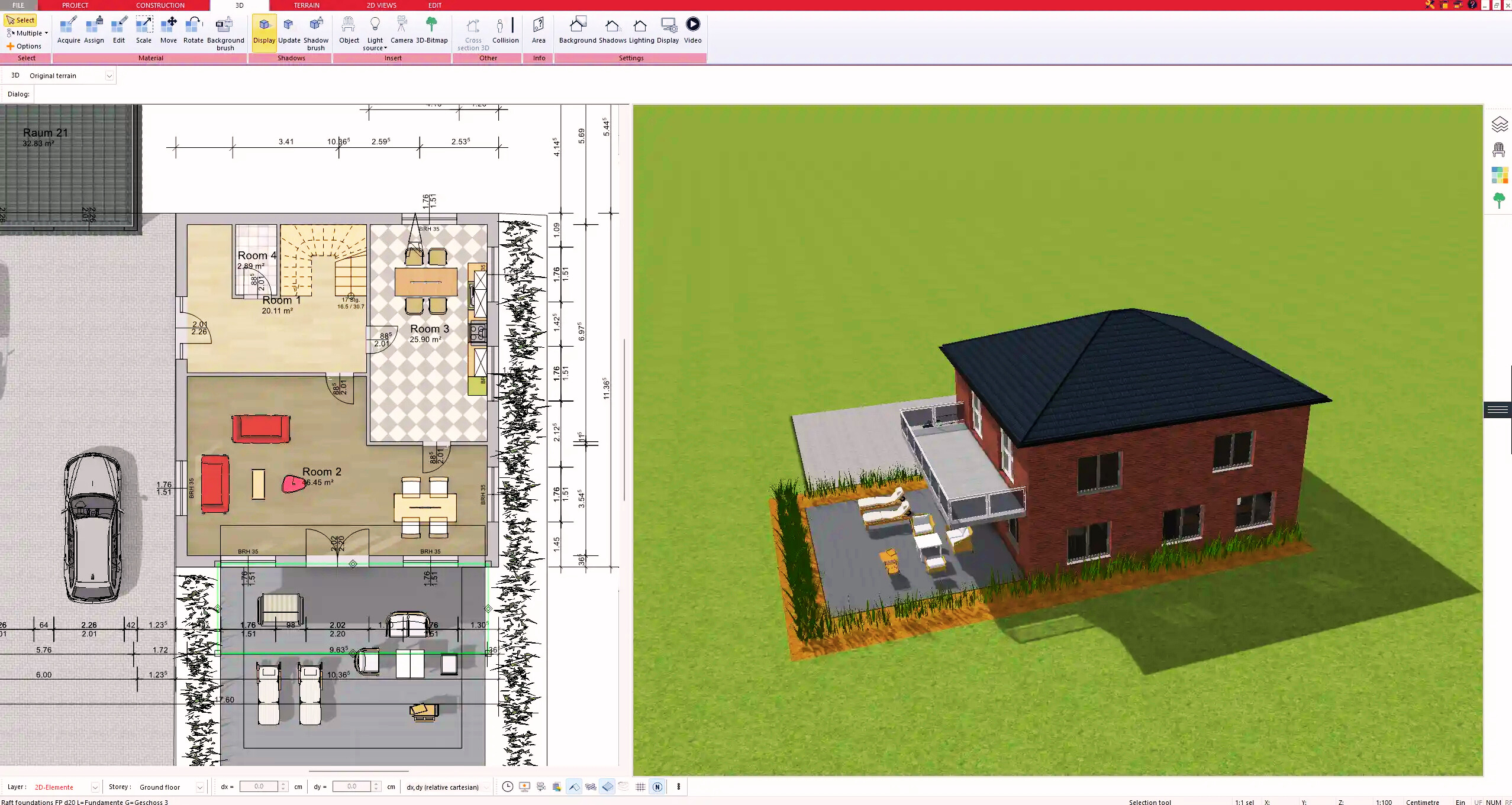
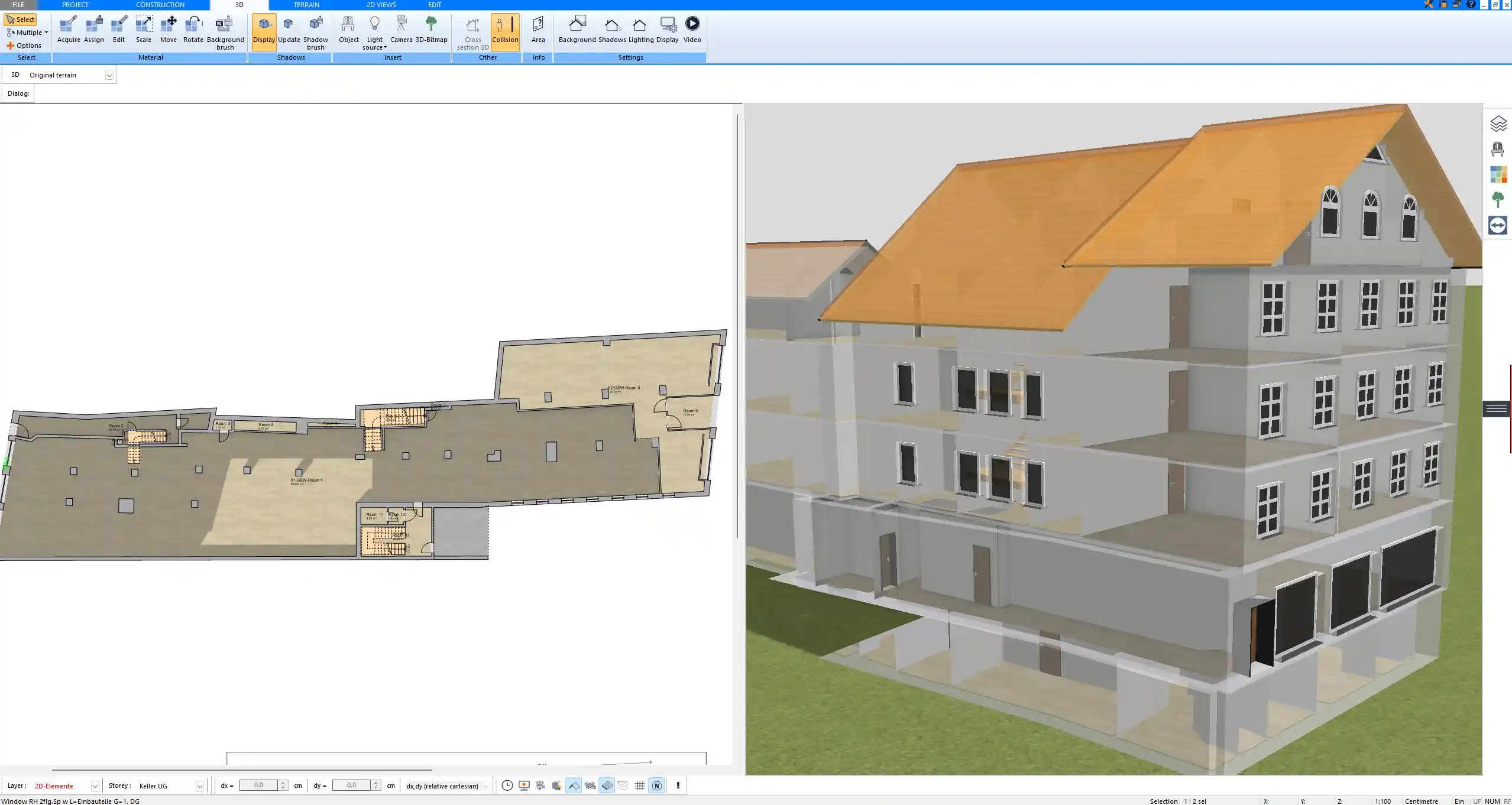
3D exterior building model designed in Plan7Architect based on the technical construction plan

Who Is Plan7Architect For?

Homeowners

If you are planning your own house, Plan7Architect gives you control over the design process. You can develop your ideas before meeting an architect or contractor and test different layout variations independently.

Homeowners typically use the software to:

  • Create initial house concepts

  • Modify purchased house plans

  • Plan extensions or renovations

  • Visualize room layouts and furniture placement

You are not dependent on subscription access, and you can reopen your project at any time.

Contractors and Builders

Contractors benefit from being able to create layout drawings and visualize structural concepts. Instead of sketching ideas on paper, you can present a clear digital model to clients.

Typical contractor applications include:

  • Layout planning

  • Roof structure visualization

  • Wall and opening positioning

  • Interior configuration adjustments

  • Client presentation models

The ability to quickly generate sections and elevations is especially useful for explaining complex details.

Designers and Draftsmen

For designers and draftsmen, Plan7Architect offers a cost-effective alternative to high-priced architectural software.

Comparison overview:

Feature Expensive Professional Software Plan7Architect
Purchase Model Subscription or high upfront cost One-time purchase
2D and 3D Integration Yes Yes
Sections and Elevations Yes Yes
Wall Structure Control Yes Yes
Ownership of Software Limited by subscription Permanent

From a business perspective, eliminating recurring fees can significantly reduce long-term operating costs.

Key Features That Matter in Construction Design

Wall and Structural Planning

Wall planning is a central element of any construction project. Plan7Architect allows you to define walls with precision.

You can:

  • Set custom wall thickness

  • Define multi-layer wall compositions

  • Control interior and exterior dimensioning

  • Adjust ceiling heights per level

  • Design slabs and foundation elements

You are not limited to standard wall templates. You can create wall types that match specific construction methods used in your region.

Note

Always verify local structural requirements with a licensed professional. The software allows technical planning, but compliance with local building codes must be checked separately.

Roof Design

Roof construction is often where simpler software reaches its limits. Plan7Architect provides flexible roof tools that allow real customization.

You can design:

  • Gable roofs

  • Hip roofs

  • Shed roofs

  • Custom roof shapes

  • Roof overhangs

  • Dormers

  • Adjustable pitch angles

The pitch can be set according to your project specifications. This is especially useful when working with regional roof standards.

Openings and Details

Precise control of windows and doors is essential for both aesthetics and structural planning.

With Plan7Architect, you can:

  • Insert windows and doors of custom sizes

  • Adjust height and width individually

  • Precisely position openings

  • Modify sill heights and placement

This allows you to coordinate openings with structural requirements and interior design concepts.

Electrical and Interior Planning

Although primarily a construction design tool, Plan7Architect also supports electrical and interior layout elements.

You can add:

  • Electrical outlets

  • Switches

  • Lighting fixtures

  • Furniture elements

This helps you verify room usability and spatial proportions before construction begins.

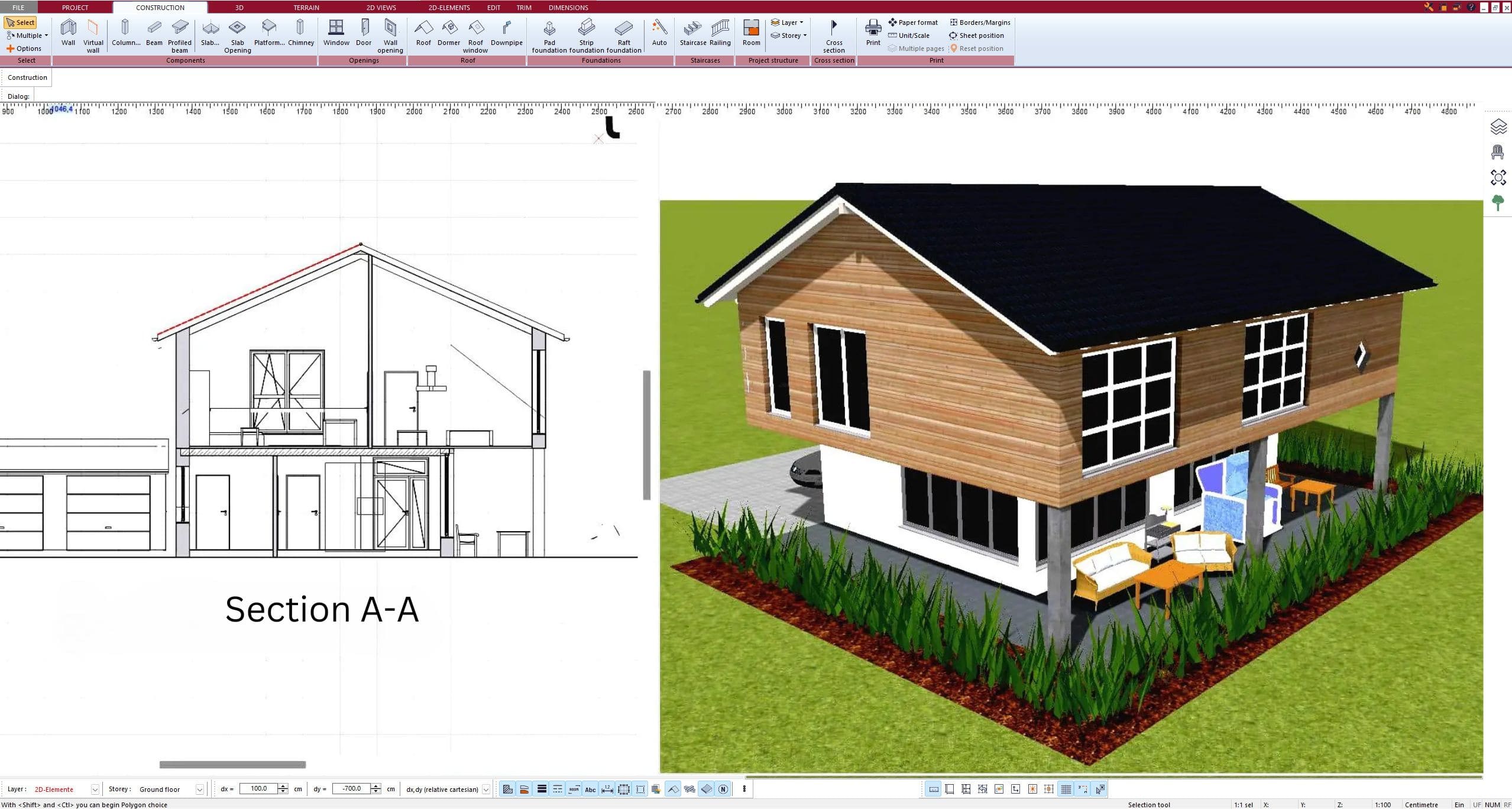
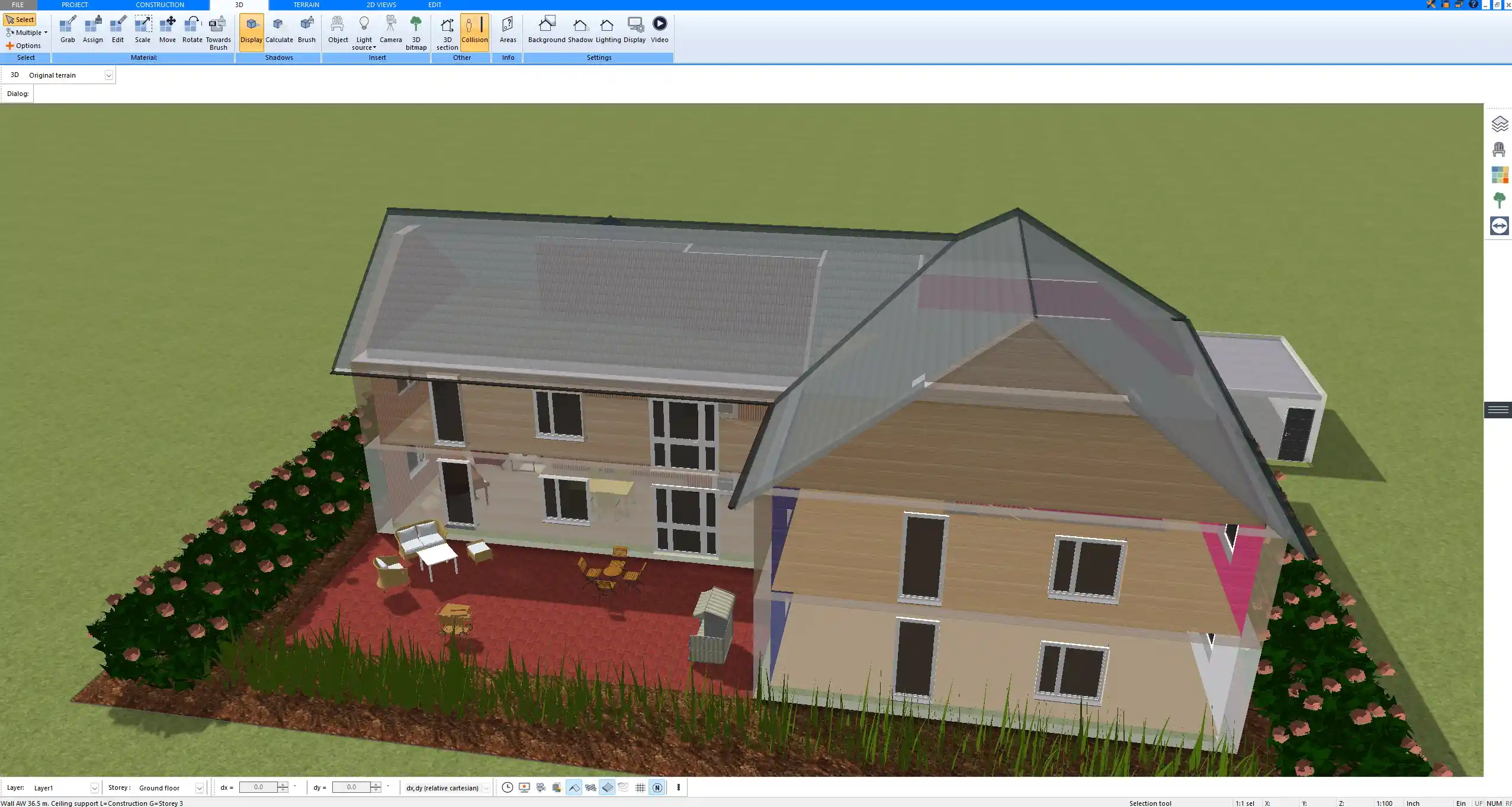
Roof construction designed using Plan7Architect with adjustable pitch and dormer elements

International Compatibility

Plan7Architect is suitable for users worldwide. The software supports both metric and imperial units. You can switch between measurement systems depending on whether your project uses European or American standards.

This flexibility is important because construction dimensions vary by region. Instead of converting values manually, you simply select the unit system that matches your project.

For collaboration, the software supports export formats such as:

  • DWG

  • DXF

  • 3DS

These formats allow you to exchange data with architects, engineers, and other professionals.

It is important to understand that while you can create professional construction drawings, official approval and stamping depend on local regulations. In many regions, plans must be reviewed and approved by licensed architects or engineers before construction.

How Plan7Architect Compares to Other Construction Design Software

Cost Comparison

Professional architectural software often costs several thousand dollars upfront or requires ongoing subscription payments. Over time, subscription fees can exceed the cost of the original software many times over.

Plan7Architect follows a different model:

  • One-time purchase

  • No recurring subscription

  • No project lock due to expired payments

This makes it especially attractive for private builders and small businesses.

Ease of Use

Despite offering professional depth, Plan7Architect is structured in a way that beginners can learn step by step.

You benefit from:

  • Guided tutorials

  • Clear interface structure

  • Context-based tools

  • Logical workflow from walls to roof to detailing

From my experience, most users become comfortable with the core tools after working through a few tutorials and testing their own small project.

Ownership Versus Subscription

Ownership changes the way you plan. With subscription software, there is often time pressure. You may feel the need to complete projects quickly before another billing cycle begins.

With Plan7Architect:

  • You own the software permanently

  • You can pause projects without financial pressure

  • You can revisit old designs years later

This long-term accessibility is a significant practical advantage.

Step by Step: How You Create a Construction Design with Plan7Architect

The typical workflow follows a logical sequence.

First, select the unit system, either metric or imperial, depending on your project location.

Second, draw the exterior walls of your building. Define wall thickness and structure immediately to ensure accurate interior dimensions.

Third, insert interior walls and define room layouts.

Fourth, place windows and doors. Adjust their dimensions and positions precisely.

Fifth, define ceiling heights and add floors or slabs as needed.

Sixth, create the roof structure. Set pitch, overhangs, and any dormers.

Seventh, generate sections and elevations. Add dimension lines and technical annotations.

Eighth, switch to 3D view and review the building visually. Make corrections if necessary.

Ninth, prepare the drawing layout and print to scale.

This structured approach mirrors real construction planning processes.

Plan your project with Plan7Architect
Plan7Architect Pro

Plan7Architect Pro 5 for $109.99

You don’t need any prior experience because the software has been specifically designed for beginners. The planning process is carried out in 5 simple steps:

1. Draw Walls
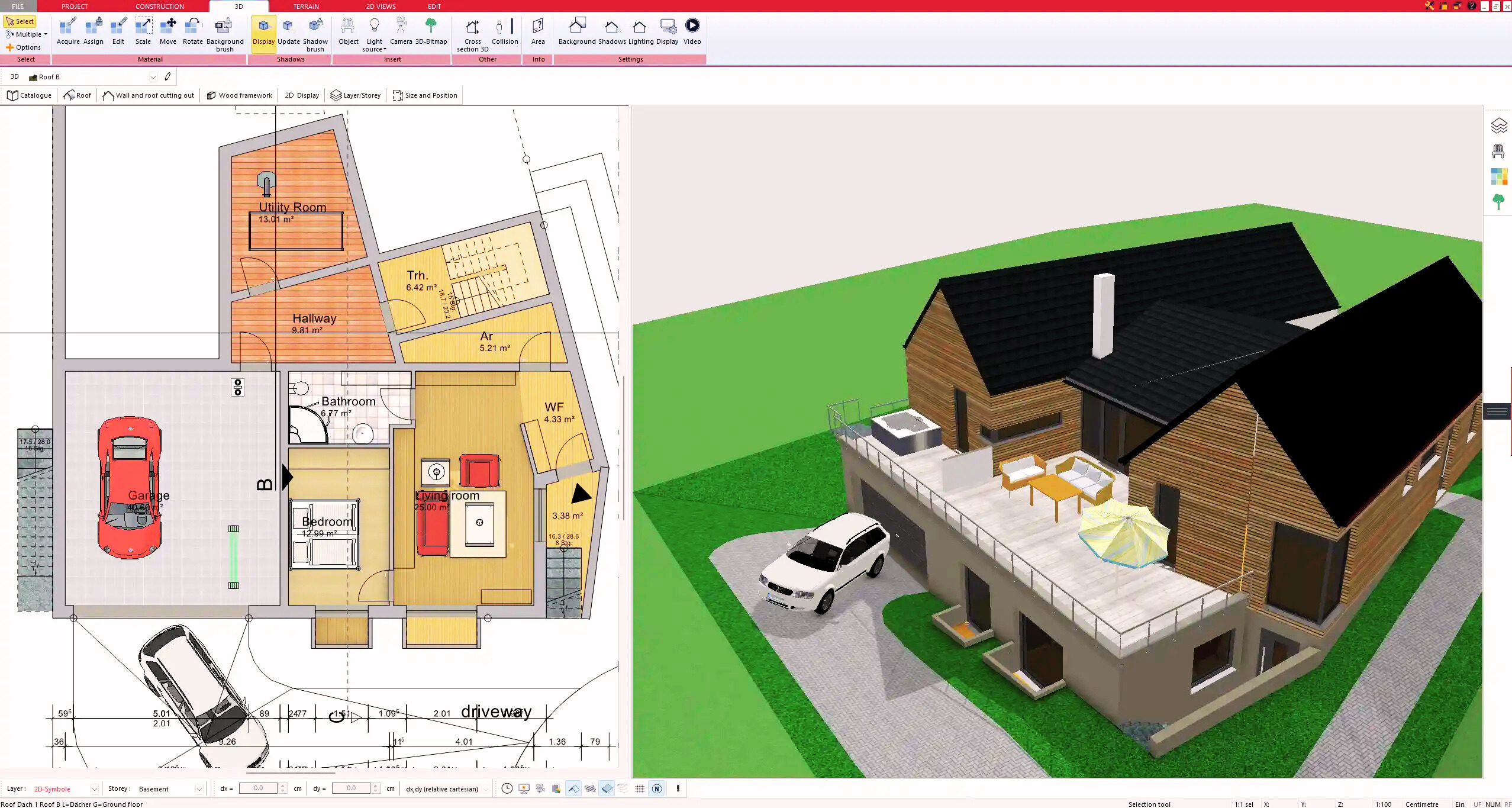
Create your 2D floor plan by accurately drawing and adjusting rooms and walls for your home design.

2. Windows & Doors

Optimize your space layout with perfectly fitting door and window elements.

3. Floors & Roof

Visualize different levels and roof types for your home design.

4. Textures & 3D Objects

Choose materials and textures to customize floors, walls, and 3D objects individually for a realistic representation of your design.

5. Plan for the Building Permit

Sections and views for the building application can be created with Plan7Architect (1)
Create professional construction drawings with elevations, sections, and complete plan compilations.

6. Export the Floor Plan as a 3D Model for Twinmotion
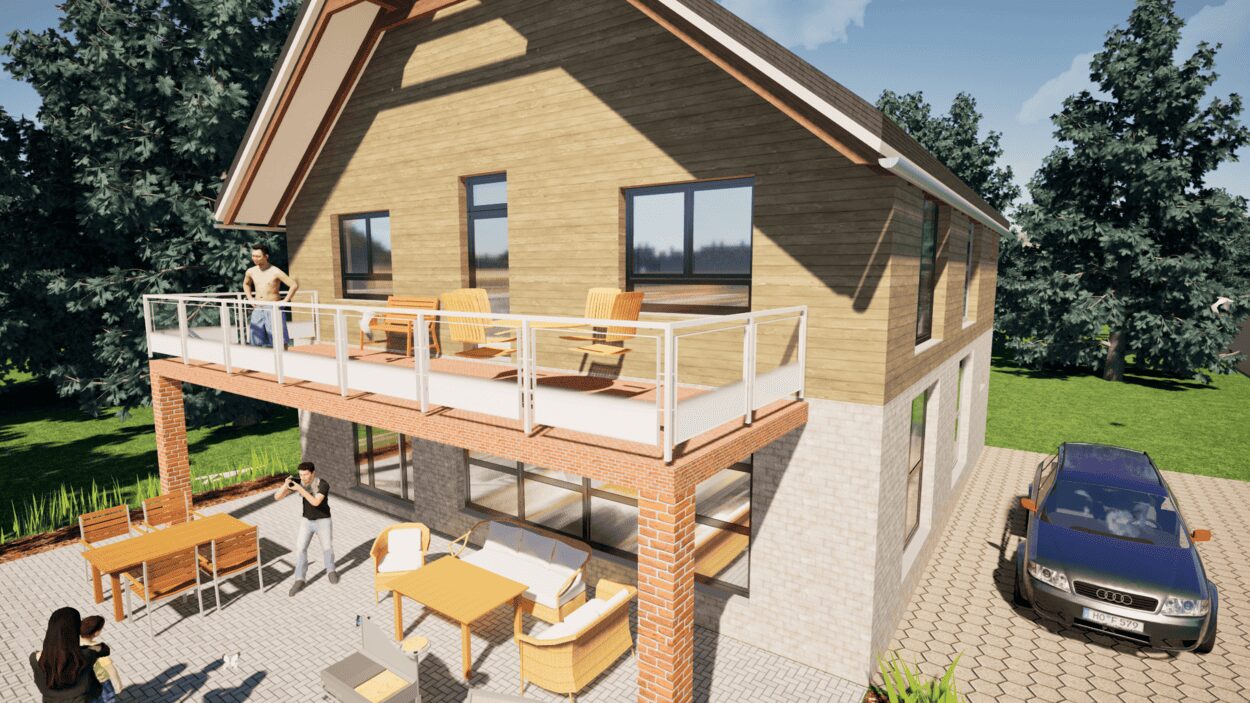
Visualize your project with cutting-edge 3D technology and create high-quality image renderings and videos using Twinmotion by Epic Games.


  • – Compliant with international construction standards
  • – Usable on 3 PCs simultaneously
  • – Option for consultation with an architect
  • – Comprehensive user manual
  • – Regular updates
  • – Video tutorials
  • – Millions of 3D objects available

Why Thousands of Builders Prefer Plan7Architect

Why choose Plan7Architect over other home design tools?

14-Day Money-Back Guarantee
No questions asked. Just email us within 14 days if you’re not satisfied.
One-time payment – no subscription
Own the software forever. No hidden costs. No monthly fees. Updates are optional.
Based on $2,500 professional architecture software
Plan7Architect is an optimized version — used by professionals and private users alike.
Supports international building standards
Adaptable to US, UK, Canadian, Australian, and European requirements.
Works offline – use on up to 3 devices
No internet required. Install on up to 3 computers – ideal for home and office use.
Metric & imperial units
Switch freely between feet/inches or meters/centimeters — perfect for global use.
++
All key export/import formats included
DWG, DXF, OBJ, 3DS, STL, PDF, image export/import, and SketchUp import — for smooth collaboration.
ii
Create real building permit documents
Generate floor plans, elevations, cross-sections, and full construction drawings.
Supports wood framing for walls and roofs
Design wall and roof structures, gables, dormers, and freely constructed wood frameworks.
Easy learning curve with full support
Includes video tutorials, ticket system, detailed PDF manual, sample projects, and access to our customer forum.
Excellent verified reviews
Top ratings on Trusted Shops and Amazon.
Ongoing development – 3–4 updates per year
Always improving, with a modern 3D engine and regular feature upgrades.
Watch how a complete house is planned from start to finish – in under 25 minutes

Detailed House Planning (25 Min)

Small Home Planning Demo (12 Min)

The 3 Plan7Architects

Sale!
Plan7Architect Pro
Original price was: $259.99.Current price is: $109.99.

Verified Customer Reviews

Verified Customer Reviews

Trusted Shops:

Home » Architecture software » Software for Construction Design – Plan7Architect
Youtube
Select your currency