Yes, Plan7Architect is professional architectural design and drafting software suitable for architects and designers who need to create accurate floor plans, construction drawings, sections, elevations, and 3D visualizations without relying on expensive enterprise BIM systems. It supports both metric and imperial units, allows multi-story planning, produces detailed technical documentation, and includes integrated 3D visualization. For residential and light commercial projects, it delivers the core functionality most architects and designers actually use in daily practice.
In my own experience working on residential planning, remodeling projects, and client-driven design iterations, the decisive factor has never been having the most complex BIM environment, but having a system that allows fast, precise, and reliable planning. Plan7Architect focuses on that balance between technical control and practical usability.
What Architects and Designers Actually Need from Software
Architects and designers approach software from slightly different angles, but their requirements overlap significantly.
Architectural requirements typically include:
-
Precise two dimensional drafting with exact control over wall dimensions and structural elements
-
Construction-ready documentation including sections and elevations
-
Adjustable wall compositions and floor structures
-
Reliable dimensioning tools
-
Export options such as DWG and DXF for collaboration
-
Multi-story building capability
-
Scalable print layouts
Design-oriented requirements often include:
-
Fast layout development
-
Real-time 3D visualization
-
Interior planning tools
-
Material and surface customization
-
Furniture and object placement
-
Presentation-ready perspectives
Plan7Architect covers both the technical drafting workflow and the design visualization workflow inside one environment. You do not need to switch between separate drafting and rendering programs for standard residential and small commercial projects.
Professional 2D Architectural Planning
Accurate Floor Plan Creation
In professional planning, floor plans are the foundation of every project. Plan7Architect allows you to draw walls using interior or exterior dimensions, depending on how you prefer to work. Wall thickness can be customized, for example 200 mm or 8 inches, or any value required for your construction method.
You can:
-
Define wall thickness individually
-
Adjust wall lengths numerically
-
Use interactive dimension tools
-
Snap elements precisely to grid or reference lines
-
Plan multiple stories within one project
Ceiling heights can be customized, for example 2.70 m or 9 ft, 3.00 m or 10 ft, or any other required value. The software allows you to switch between metric and imperial units depending on your region. This is particularly important if you work internationally or collaborate with partners in different countries.
A typical architectural workflow in Plan7Architect includes:
-
Setting the building dimensions
-
Defining wall types and thicknesses
-
Placing doors and windows with precise positioning
-
Applying dimension lines for construction clarity
-
Organizing layers for clean documentation
This approach allows you to produce floor plans that are suitable for submission to engineers, consultants, or local authorities, depending on regional requirements.
Construction-Ready Drawings
Architectural drawings must go beyond layout sketches. Plan7Architect enables fully dimensioned plans with structural clarity. You can define:
-
Floor levels
-
Slab thickness
-
Wall layers
-
Roof geometry
-
Stair positioning
The program supports clean line drawings for print layouts. You can prepare scaled drawings for typical architectural formats and organize your sheets according to project needs.
Tip
If you regularly submit drawings for permits, create a template file with predefined layers, title blocks, and dimension styles. This saves time and ensures consistency across projects.
Sections, Elevations and Technical Documentation
Automatic and Custom Sections
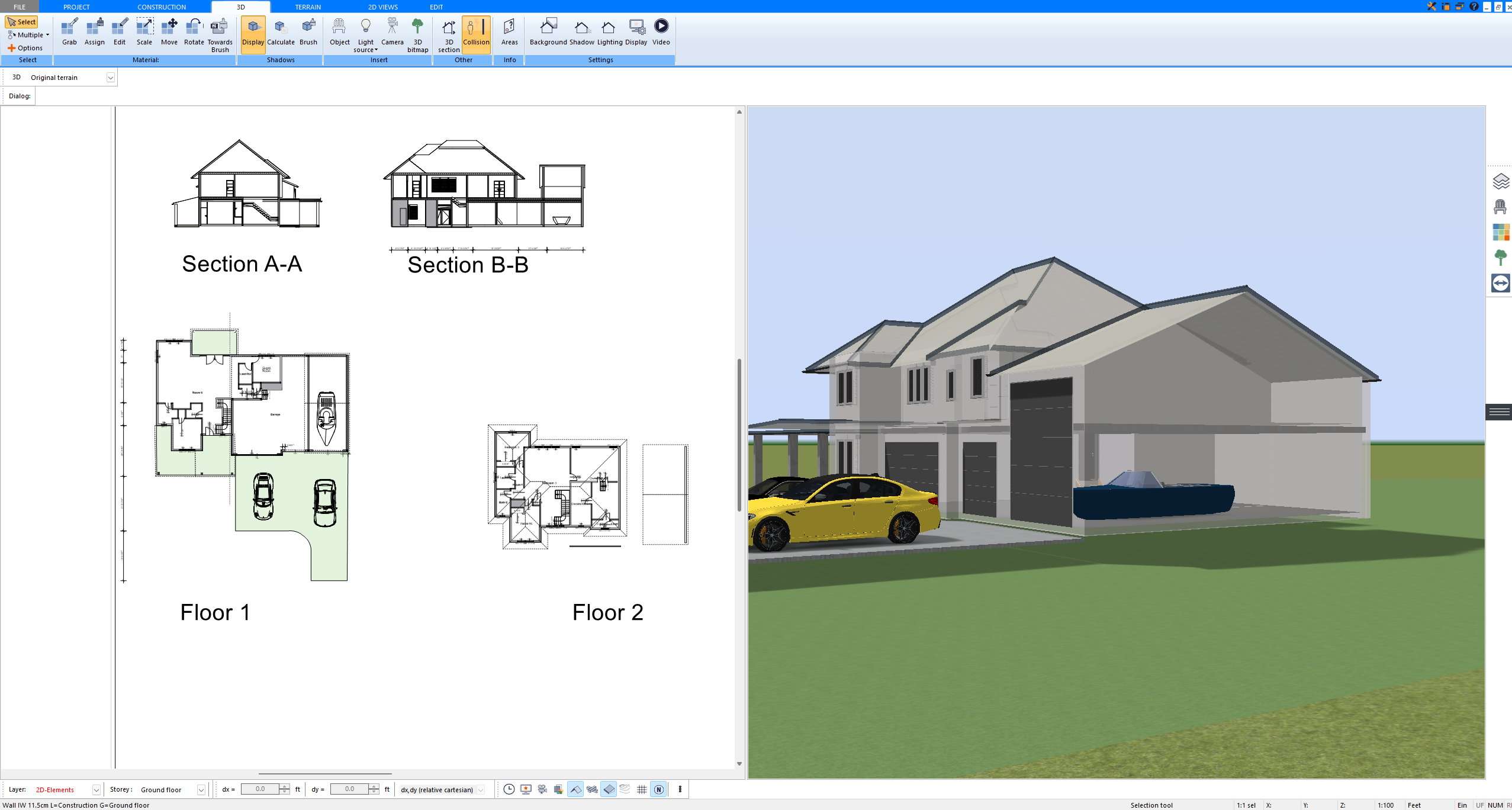
Sections are essential to communicate vertical relationships, ceiling heights, floor buildup, and roof construction. Plan7Architect allows you to generate cross sections through the building model and adjust the cut position as needed.
You can:
-
Create longitudinal and transverse sections
-
Move the section line interactively
-
Display structural components clearly
-
Show roof pitch and floor level differences
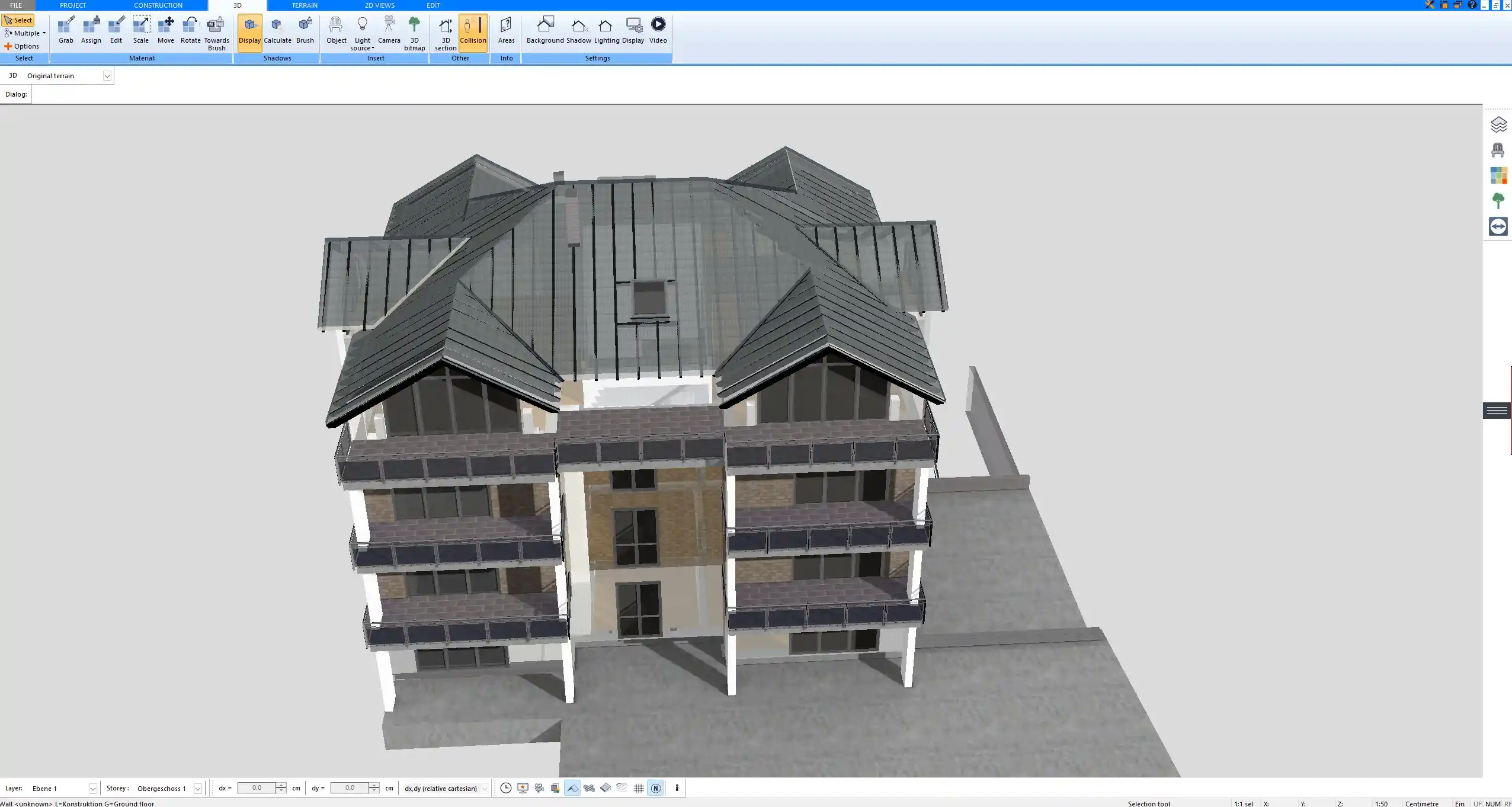
Sections are generated directly from the model, which ensures consistency between floor plans and vertical representations.
Elevations
Elevations are required for both design communication and official documentation. Plan7Architect produces front, side, and rear elevations based on your model.
In elevation views you can review:
-
Window alignment
-
Roof shape
-
Exterior proportions
-
Wall finishes
For residential projects, this level of detail is usually sufficient for client approval and coordination with contractors.
3D Visualization for Designers and Client Presentations
Real-Time 3D Modeling
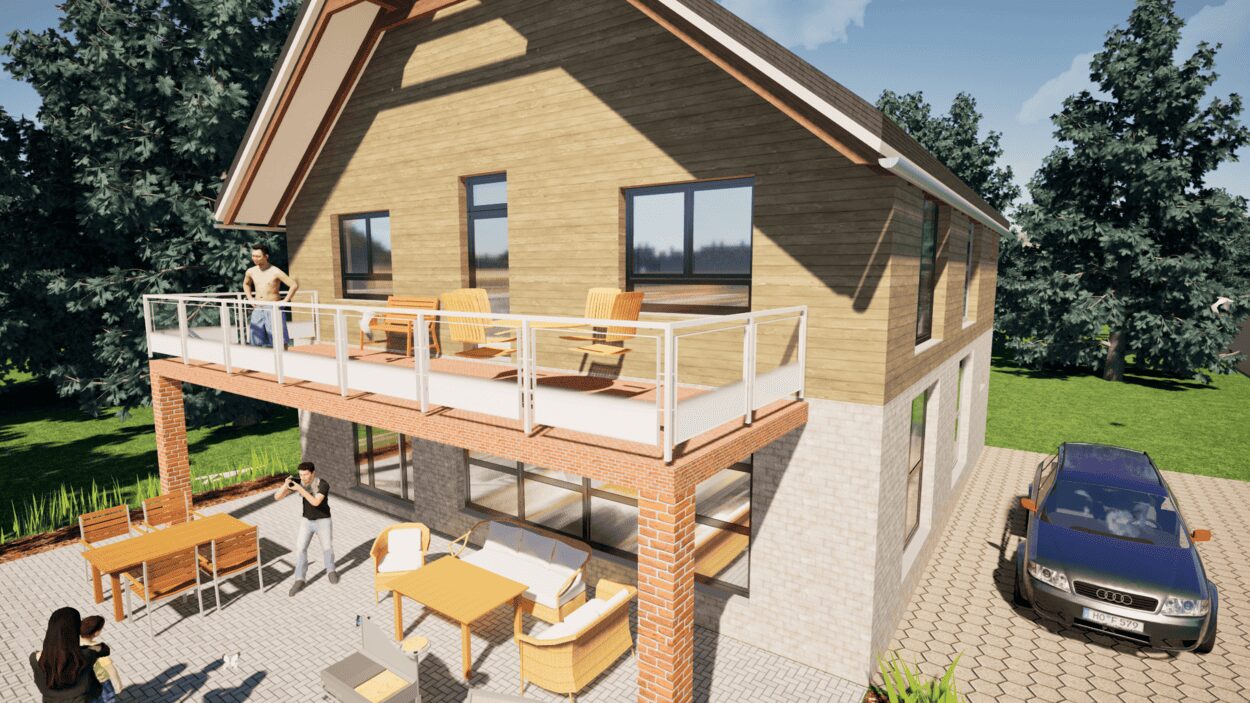
One of the strongest advantages of integrated design software is the ability to switch instantly between two dimensional planning and three dimensional visualization. In Plan7Architect, the 3D model updates as you modify the floor plan.
This allows you to:
-
Walk through interiors
-
View exterior perspectives
-
Adjust camera positions
-
Evaluate spatial proportions
For designers, this significantly improves communication with clients who cannot easily read technical drawings.
Materials and Surfaces
Interior designers in particular benefit from material customization. You can assign:
-
Floor finishes
-
Wall textures
-
Ceiling materials
-
Furniture elements
-
Exterior surfaces
This makes it possible to present a realistic impression of the final space without exporting to a separate rendering tool.
Terrain and Site Planning
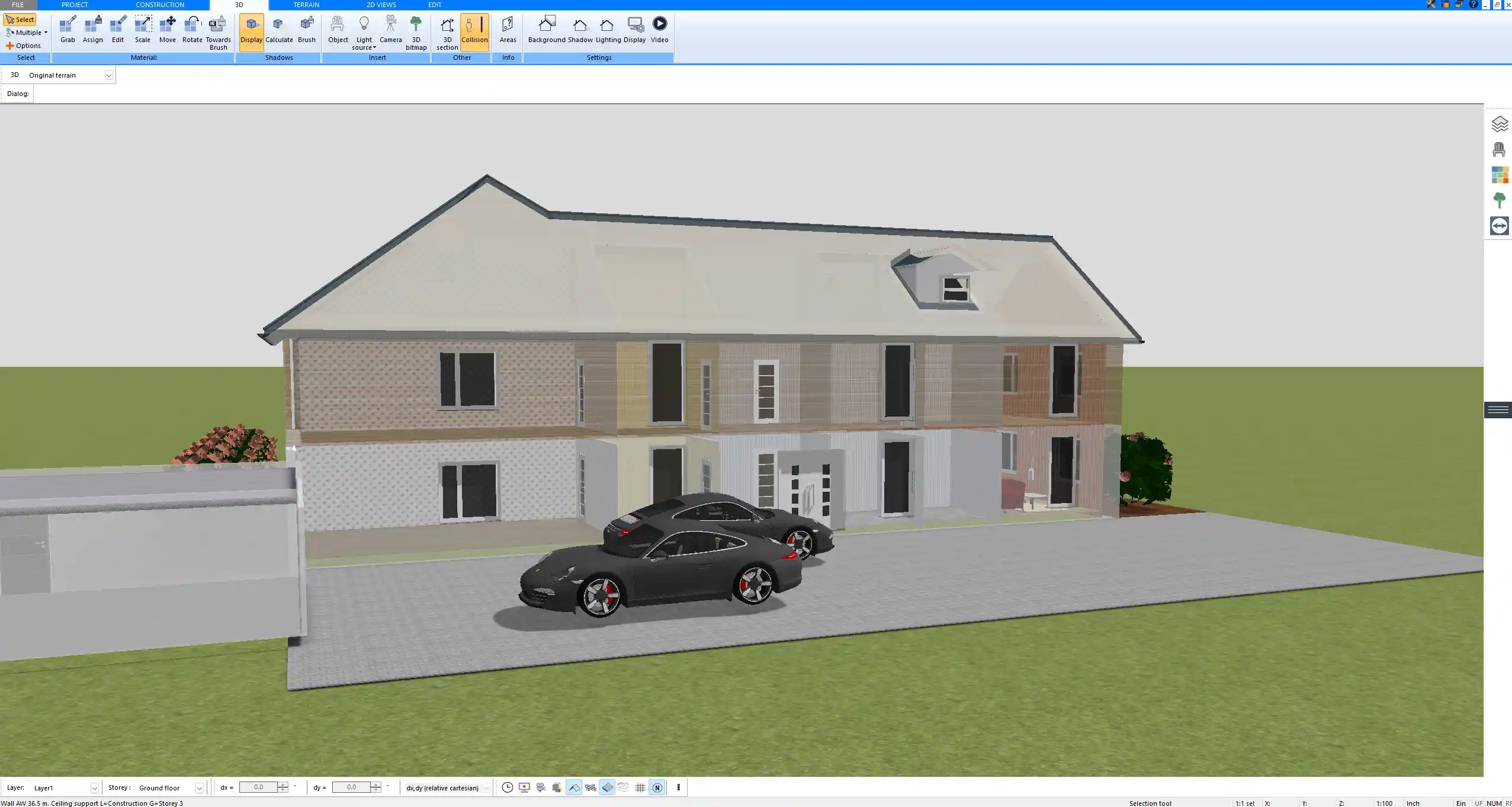
For projects on sloped sites, terrain modeling is essential. Plan7Architect includes terrain adjustment tools that allow you to simulate:
-
Sloped plots
-
Level differences
-
Basic landscaping elements
This is especially useful when planning single-family homes or hillside developments.
International Use – Built for Global Projects
Architectural work today often involves international collaboration. Plan7Architect supports both metric and imperial units, and you can switch between them inside the software. This flexibility allows you to work on projects in the United States, Canada, the United Kingdom, Australia, or Europe without changing your workflow.
There is no need for manual unit conversion inside the project environment. The system adapts to your preferred measurement standard.
Import and Export for Professional Collaboration
Professional planning requires compatibility. Plan7Architect supports:
-
DWG import
-
DXF import and export
-
3DS object import
This enables collaboration with engineers, structural consultants, and other architects who use different CAD systems.
Typical collaboration workflow:
| Task | Supported in Plan7Architect |
|---|---|
| Import external CAD drawing | Yes |
| Edit imported floor plan | Yes |
| Export technical drawing | Yes |
| Share geometry with consultants | Yes |
If you receive structural drawings from an engineer in DWG format, you can import them, align them with your architectural layout, and continue working within one project file.
Comparison to Traditional High-End Architectural Software
Many high-end architectural systems are designed for large-scale BIM projects and complex multidisciplinary coordination. While powerful, they often come with high licensing costs and steep learning curves.
A practical comparison:
| Feature | Plan7Architect | Enterprise BIM Systems |
|---|---|---|
| Cost model | One-time purchase | High upfront or subscription |
| Residential focus | Strong | Often secondary |
| Complexity | Moderate | High |
| Learning curve | Manageable | Extensive |
| Large infrastructure projects | Limited | Full support |
For residential architecture and light commercial projects, the additional complexity of enterprise BIM is often unnecessary. In daily practice, efficiency and reliability are more important than advanced enterprise features.
Who Is Plan7Architect Ideal For
Plan7Architect is particularly suitable for:
-
Independent architects
-
Residential architects
-
Interior designers
-
Design-build professionals
-
Remodeling specialists
-
Contractors producing in-house plans
It is less suitable for:
-
Large-scale industrial plants
-
High-rise skyscraper developments
-
Complex multidisciplinary BIM coordination environments
For most residential planning offices, the feature set covers the core workflow from concept design to construction documentation.
Is It Easy to Learn
Plan7Architect is professional software and requires a learning phase. However, compared to many enterprise systems, the interface is more approachable.
From experience, productivity develops quickly when you:
-
Follow structured video tutorials
-
Start with a simple test project
-
Create a reusable template
-
Work step by step from floor plan to section
Most architects and designers with prior CAD experience adapt within a short time. Even users transitioning from manual drafting can become productive with guided practice.
The combination of technical drafting tools and integrated 3D visualization makes Plan7Architect a practical and efficient software solution for architects and designers working on residential and light commercial projects worldwide.
Plan your project with Plan7Architect
Plan7Architect Pro 5 for $169.99
You don’t need any prior experience because the software has been specifically designed for beginners. The planning process is carried out in 5 simple steps:
1. Draw Walls
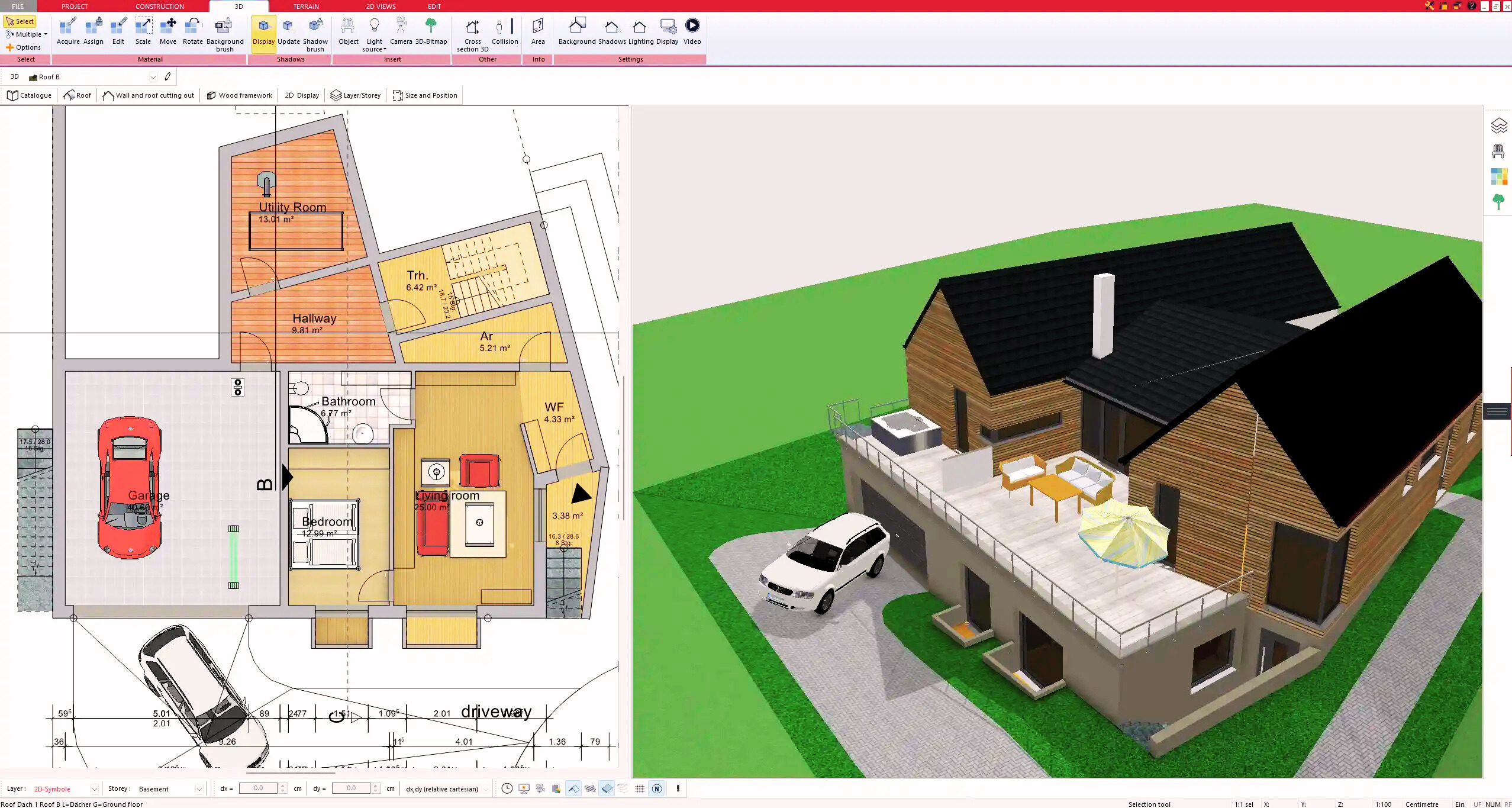
2. Windows & Doors
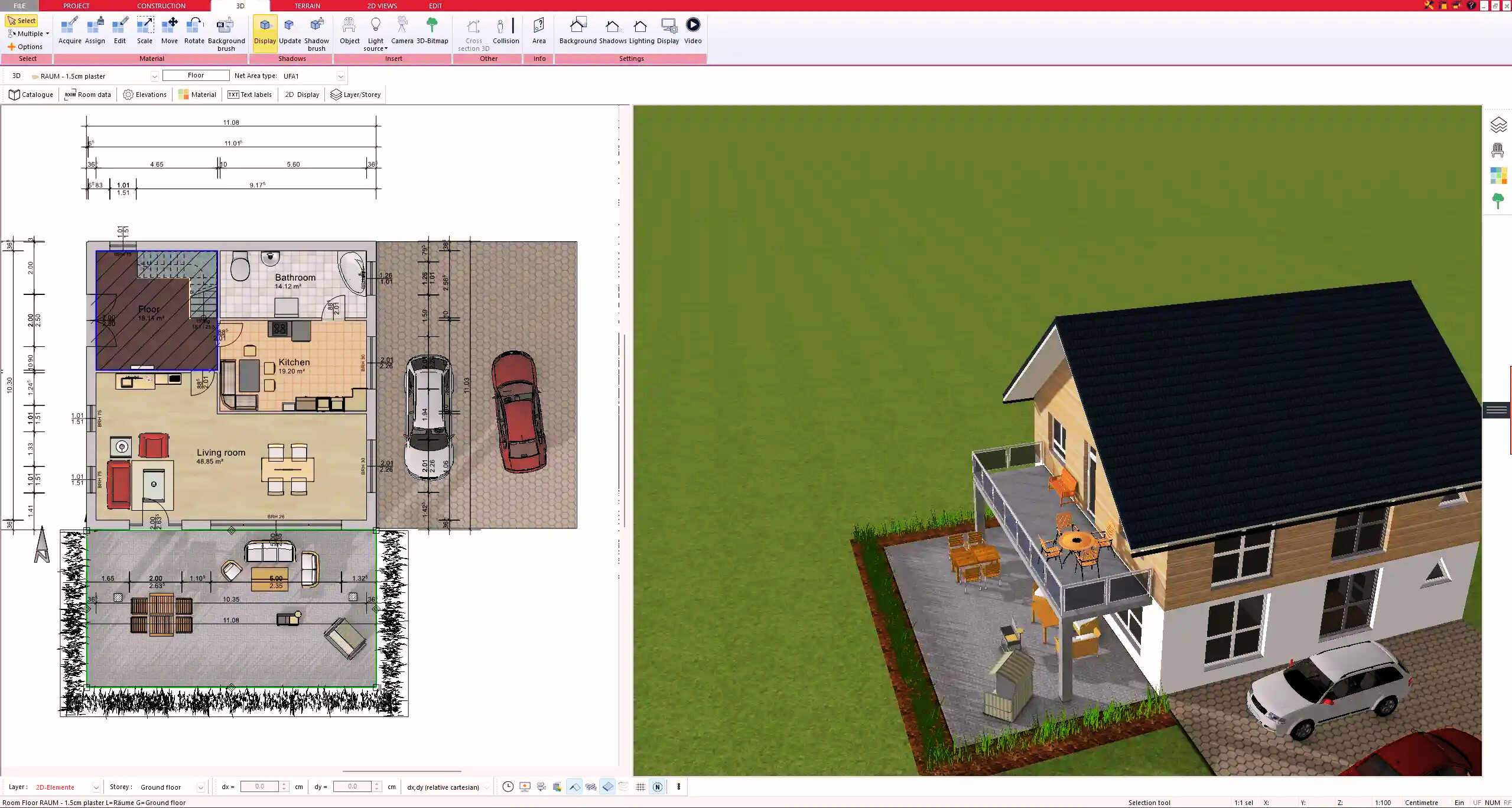
3. Floors & Roof
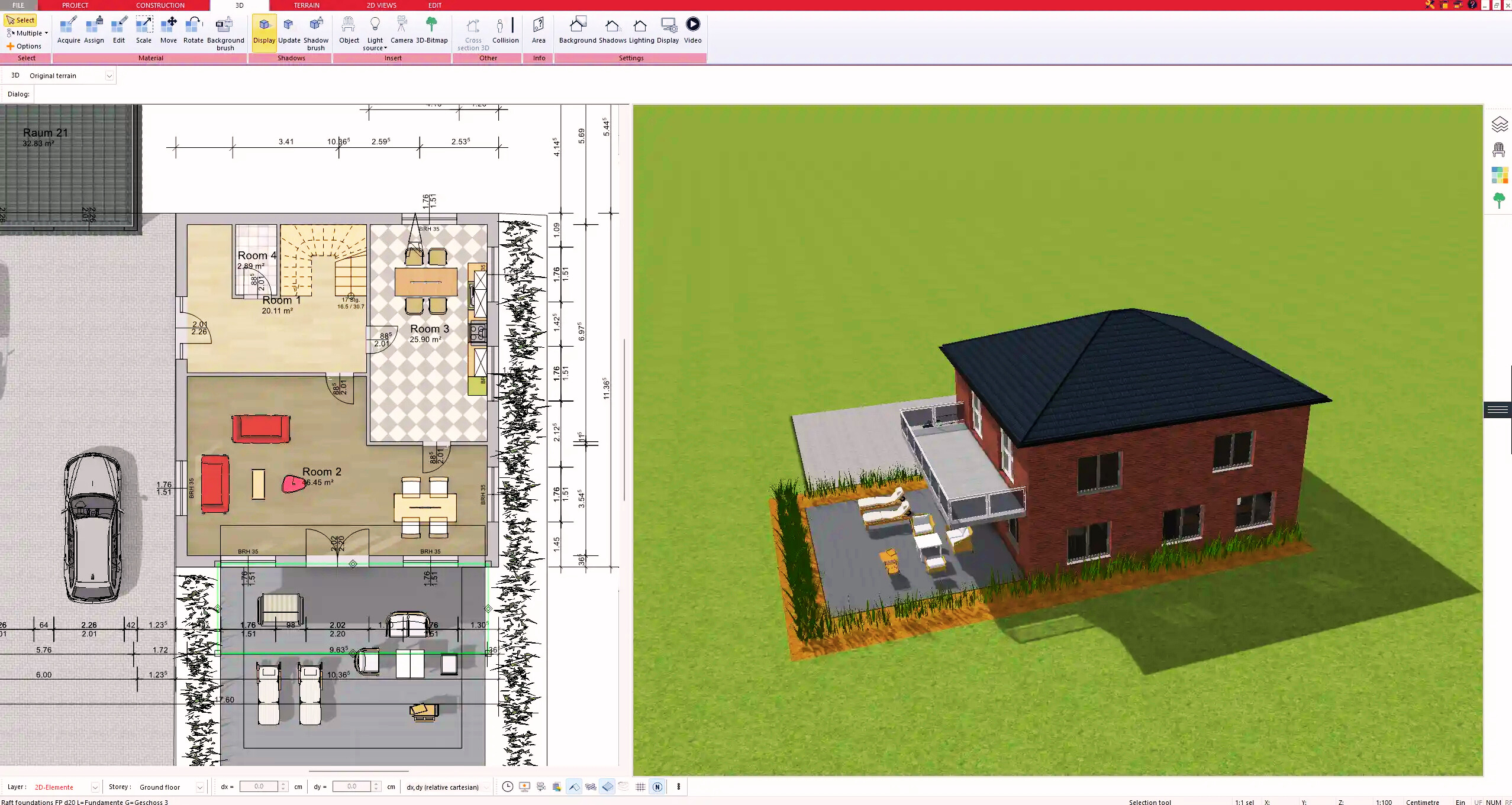
4. Textures & 3D Objects
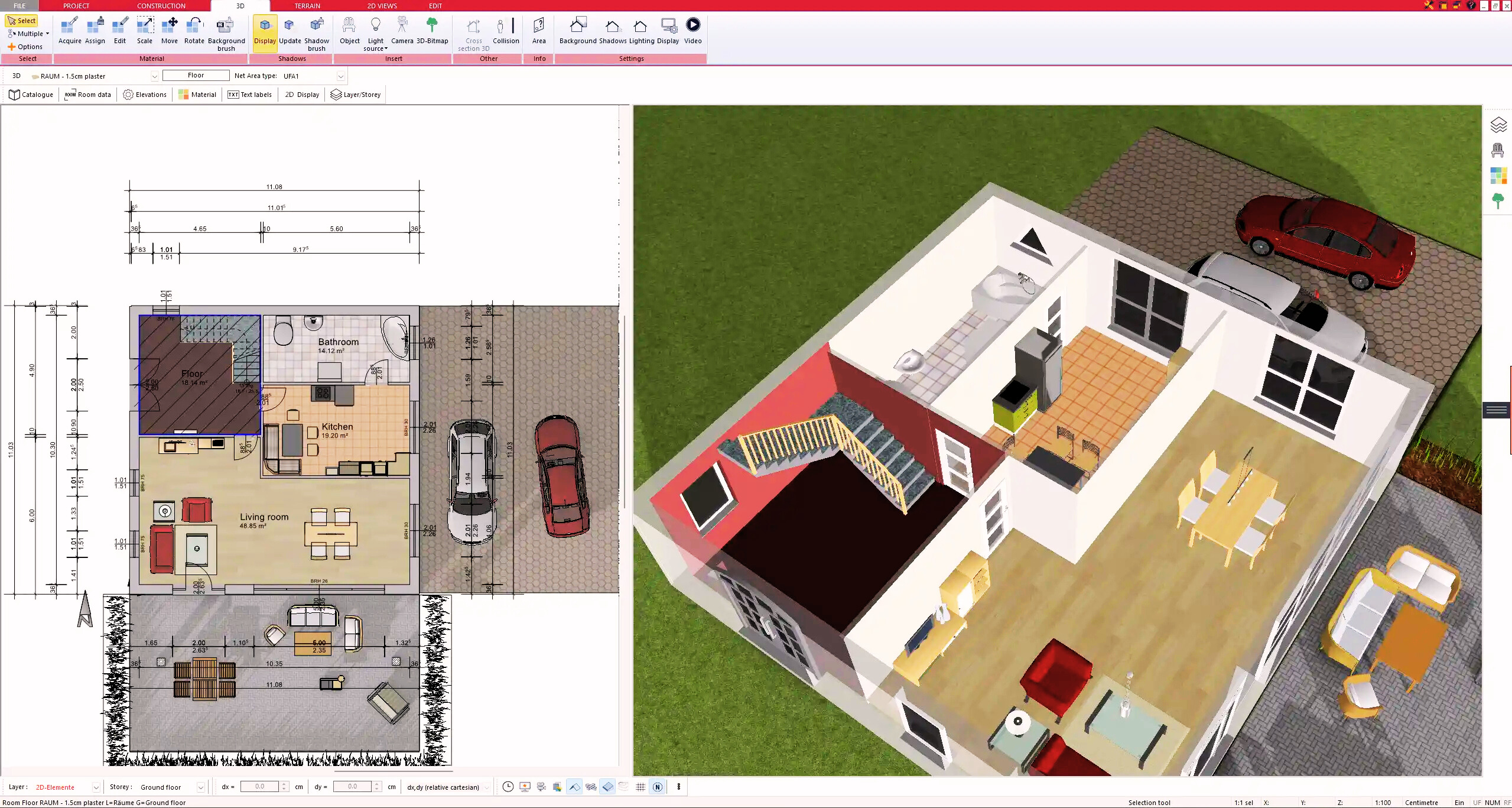
5. Plan for the Building Permit
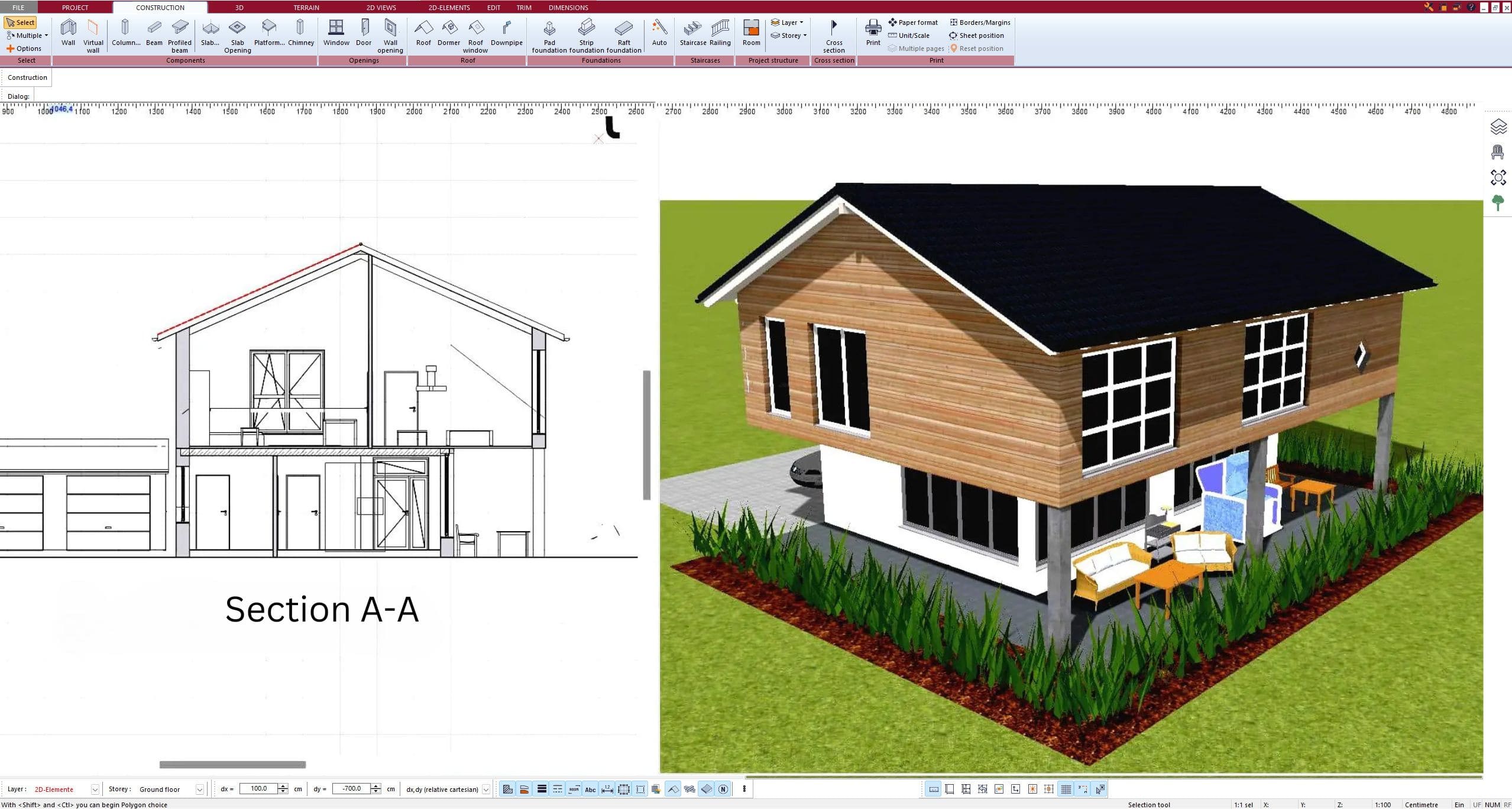
6. Export the Floor Plan as a 3D Model for Twinmotion
- – Compliant with international construction standards
- – Usable on 3 PCs simultaneously
- – Option for consultation with an architect
- – Comprehensive user manual
- – Regular updates
- – Video tutorials
- – Millions of 3D objects available
Why Thousands of Builders Prefer Plan7Architect
Why choose Plan7Architect over other home design tools?